
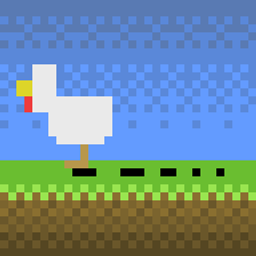
Minecraft 26.3 के लिए FootprintParticle मॉड
एक सरल मॉड जो मॉब्स के लिए पदचिह्न कण जोड़ता है।
- डाउनलोड
- 2 डाउनलोड
- व्यूज़
- 27 व्यूज़
- अपडेट किया गया
- अपडेट किया गया 18.10.2026
- 1.19.3 — 26.3
 Fabric
FootprintParticle मॉड के बारे में
मुझे बस यह समझ नहीं आ रहा कि उन particle mods में footprint feature क्यों नहीं है।
मुझे ऐसा कोई नहीं मिला, इसलिए मैंने यह बनाया।

Footprint Particle
एक साधारण mod जो mobs (और players) के लिए footprint जोड़ता है। पूरी तरह particle implementation। modpacks के लिए highly configurable डिज़ाइन किया गया।
अरे, नए हो यहाँ!
ऐसा interactive footprint चाहिए जो print छोड़ने वाले mob का पता लगा सके? इसे देखें ➡️ Traceable Print।

Feature
- कम hardness वाले block पर footprint gen (by default)।
- Baby mob का baby print होता है।
- Spider और horse का gen के लिए special pos होता है।
- थोड़ी देर पानी छूने पर waterprint gen।
- Minecart Spark।
- Boat trail (पानी और ज़मीन अलग होते हैं)।
- Swimming Pop।
- बर्फ पर चलने पर dust उठता है।
- Pehkui support।
- Random Mob Sizes support।
Configurable
आप Cloth Config और Mod Menu के ज़रिए इसकी lifetime, frequency और अन्य चीज़ें config कर सकते हैं।
- कौन सा type / specific block gen कर सकता है (या नहीं)।
- कौन सा mob gen कर सकता है (या नहीं)।
- specific mob के लिए print size क्या हो।
- specific block (snow आदि) पर print कितनी ऊँचाई पर gen होता है।
- कौन सा mob spider / horse माना जाए (special तरीके से gen के लिए)।
- specific mob कौन सी texture gen करे।
- और भी जैसा आप चाहें…
Custom Print Texture
1. एक resourcepack बनाएँ और अपनी texture.pngs को नीचे दिए path में रखें:
assets\footprintparticle\textures\particle\
2. एक footprint.json बनाएँ या mod.jar से एक copy करके अपने resourcepack के नीचे दिए path में रखें (या watermark.json अगर आप उसी समय watermark replace करना चाहते हैं):
assets\footprintparticle\particles\
3. अपनी texture.pngs का file name .json में जोड़ें, formatting ऐसी:
{ "textures": [ "footprintparticle:footprint", // delete this line if you don't need default ugly print :) "footprintparticle:texture1", "footprintparticle:texture2", "footprintparticle: ..." // remember last line NOT have comma (",") ] }
4. अपने pack को pack और install करके game में डालें, अपना resourcepack enable करें, फिर config screen पर जाएँ और "Custom Print Texture" option को tooltip के अनुसार edit करें:
minecraft:cat,texture1,texture2 minecraft:cow,texture1 modid:mobid,textureName ...
5. आनंद लें!
Dependence
0.3.1c से हम अब एक ही jar में Forge और Fabric support करते हैं, लेकिन dependence में कुछ अंतर है:
सभी loader के लिए
- Architectury API ज़रूरी है।
- config file manage करने और configScreen बनाने के लिए Cloth Config ज़रूरी है।
Fabric की अतिरिक्त ज़रूरतें
- Fabric API ज़रूरी है।
- configScreen access करने के लिए Mod Menu optional है।
Contact
कोई भी suggestion स्वागत है! नीचे छोड़ें, या Github पर submit करें।
FootprintParticle कैसे इंस्टॉल करें
Install Millida Launcher
The launcher is free: download it at millida.net/launcher and sign in with any nickname.
Click “Install” on this page
The launcher opens and installs the mod for Minecraft 1.19.3–26.3 on Fabric automatically.
Launch the game
A profile with it appears in the launcher: click “Play”.
वर्ज़न
डिपेंडेंसी के साथ
| Minecraft | लोडर | फ़ाइल | तारीख़ | क्रियाएँ |
|---|---|---|---|---|
| 26.1 | Fabric | footprintparticle-0.5.4-mc26.1.jar53.5 KB 2 | ||
| 1.19.3 | Fabric | footprintparticle-0.2.1-1.19.3.jar25.7 KB |
FAQ
Which Minecraft versions does FootprintParticle work on?
There are files for 26.3, 26.2, 26.1.2, 26.1.1, 26.1, 1.19.3. The newest is 26.3.
Does FootprintParticle need other mods?
The author lists no required dependencies: the Fabric loader is enough.
How do I download FootprintParticle?
With Millida Launcher: it installs FootprintParticle into a modpack by itself, for the right game version and loader. The launcher is free.
रिव्यू
FootprintParticle को सबसे पहले रेट करें


