

Minecraft 1.12.2, 26.3 के लिए Flopper मॉड
तरल पदार्थों को स्थानांतरित करने के लिए एक हॉपर
 NeoForge
 Forge
Forge Fabric
 Quilt
QuiltFlopper मॉड के बारे में
इस मॉड के लिए Cyclops Core लाइब्रेरी आवश्यक है!
Cyclops Discord सर्वर पर flopper में हमसे बात करने आएं!
हमें अपने शुरुआती-गेम तरल स्थानांतरण के प्रयासों में काफी लंबे समय तक कष्ट सहना पड़ा है... यह रहा Flopper, एक Fluid Hopper!
Flopper तरल पदार्थों को इधर-उधर ले जाने के लिए एक शुरुआती-गेम ब्लॉक है, ठीक वैसे ही जैसे Hopper आइटम्स के लिए करता है। यह ऊपर से तरल पदार्थ ले सकता है (या तो किसी टैंक से, या दुनिया से), और इसे लक्ष्य दिशा में धकेल सकता है (या तो किसी टैंक में, या दुनिया में)।
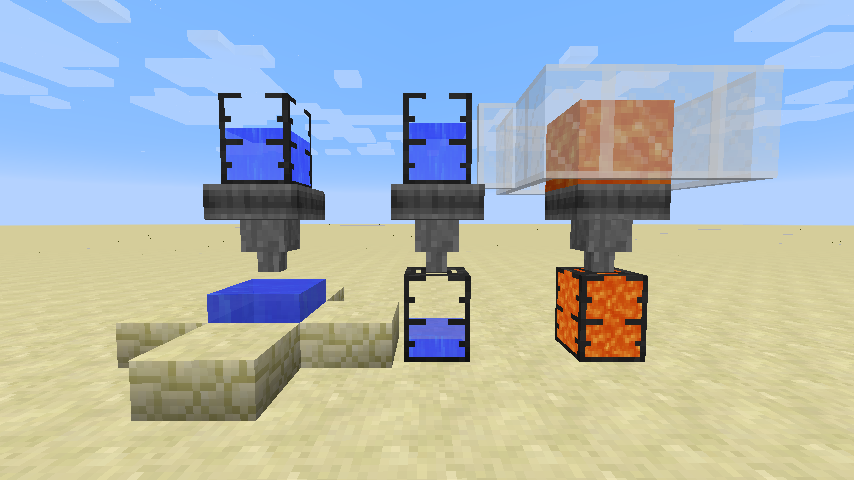
टैंकों को दुनिया-इंटरैक्शन पर हमेशा प्राथमिकता रहेगी।
नोट: टैंक इस मॉड में शामिल नहीं हैं, वे EvilCraft के Dark Tanks हैं।
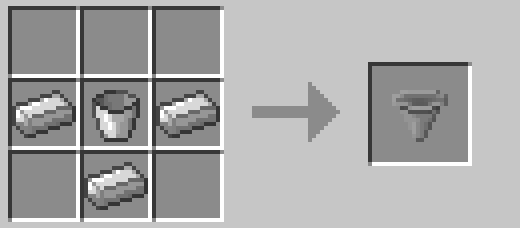
एक सरल, शुरुआती-गेम रेसिपी।
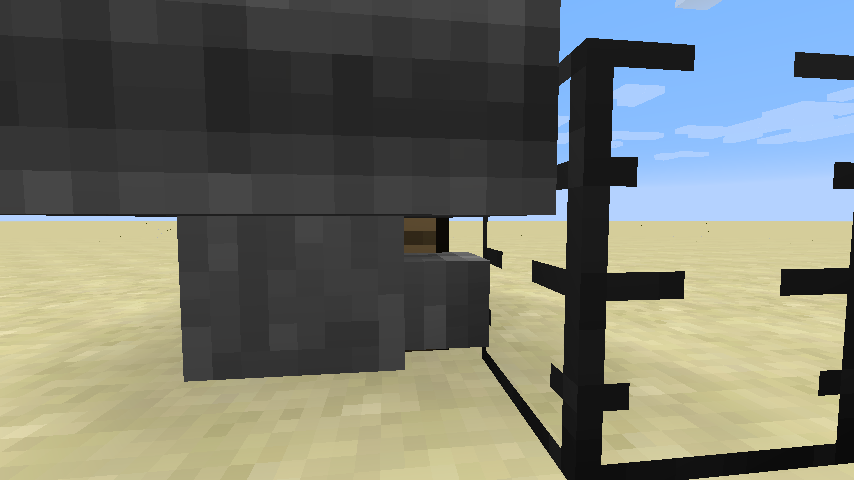
इस ब्लॉक में कोई GUI नहीं है, क्योंकि GUI की आखिर किसको ज़रूरत है? इसके बजाय, आप सामग्री प्रदर्शित करने के लिए ब्लॉक पर राइट क्लिक कर सकते हैं। इसमें मौजूद तरल भी गतिशील रूप से रेंडर होगा (इसे बंद किया जा सकता है)। आप किसी भी fluid tank आइटम से तरल डालने के लिए भी राइट-क्लिक कर सकते हैं, या shift+राइट-क्लिक करके निकाल सकते हैं।
और हां, Flopper में उचित बाउंडिंग बॉक्स हैं जो आपको इसके पीछे के ब्लॉक्स पर क्लिक करने की अनुमति देते हैं।
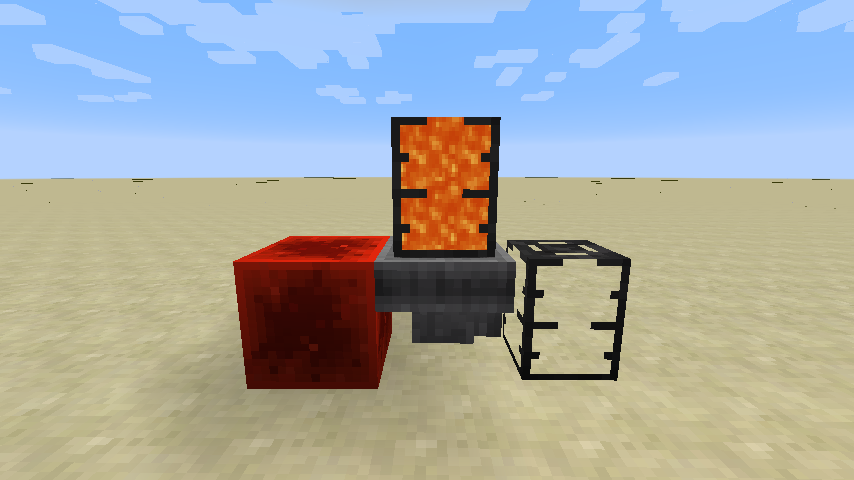
नियमित Hopper की तरह ही, आप इसे रेडस्टोन सिग्नल का उपयोग करके बंद कर सकते हैं।
इनपुट तरल दर से लेकर दुनिया-इंटरैक्शन के कूलडाउन समय तक सब कुछ इस मॉड में कॉन्फ़िगर किया जा सकता है! यहां कॉन्फ़िग फ़ाइल का एक अंश है:
machine { The maximum capacity in mB. I:flopper.capacityMb=5000 If the collision boxes should be made smaller to allow clicking behind the flopper. B:flopper.narrowCollision=true The rate at which fluids can be pulled from other tanks. I:flopper.pullFluidRate=100 If fluids should be pulled from the world. B:flopper.pullFluidsWorld=true The rate at which fluids can be pushed to other tanks. I:flopper.pushFluidRate=100 If fluids should be pushed into the world. B:flopper.pushFluidsWorld=true If the contained fluid should be rendered. B:flopper.renderFluid=true The number of ticks each flopper should sleep after interacting with tanks I:flopper.workCooldown=8 The number of ticks each flopper should sleep after picking up or placing fluids. I:flopper.workWorldCooldown=20 If neighbour-change events should be triggered when placing or picking up fluids to/from the world. B:flopper.worldPullPushNeighbourEvents=true If sounds should be placed when placing or picking up fluids to/from the world. B:flopper.worldPullPushSounds=true }
यह मॉड pre-1.12 Funnels मॉड से प्रेरित था।
यह मॉड अनाम स्टार्टअप डेटा एकत्र करता है, इसे कॉन्फ़िग फ़ाइल में बंद किया जा सकता है और यह Minecraft की snooper सेटिंग्स का पालन करता है।

Bisect Hosting पर सर्वर किराए पर लेते समय रेफ़रल कोड cyclops के माध्यम से हमारा समर्थन करें, और अपने पहले महीने पर 25% छूट पाएं!
अगर आपको यह मॉड पसंद है, तो Patreon पर मेरा समर्थन करने पर विचार करें!
Flopper कैसे इंस्टॉल करें
With Millida Launcher
Install Millida Launcher
The launcher is free: download it at millida.net/launcher and sign in with any nickname.
Click “Install” on this page
The launcher opens and installs the mod for Minecraft 1.12.2–26.3 on Fabric, Forge, NeoForge or Quilt automatically.
Launch the game
A profile with it appears in the launcher: click “Play”.
Manually
Install Fabric, Forge, NeoForge or Quilt
The loader must match the game version of the mod file, for example Minecraft 26.3. After installing it, a separate profile appears in your launcher.
Download the file for your version
In the version list above, pick the file flopper-26.3-neoforge-1.1.9-257.jar (59 KB) for your game version and loader.
Put it in the mods folder
The folder is inside .minecraft (Windows: %appdata%\.minecraft\mods). If it does not exist, create it.
Launch the loader profile
Open “Mods” in the main menu: Flopper should be in the list.
वर्ज़न
डिपेंडेंसी के साथ
| Minecraft | लोडर | फ़ाइल | तारीख़ | क्रियाएँ |
|---|---|---|---|---|
| 26.3 | NeoForge | flopper-26.3-neoforge-1.1.9-257.jar59 KB | ||
| 26.3 | Forge | flopper-26.3-forge-1.1.9-257.jar55.2 KB | ||
| 26.3 | Fabric, Quilt | flopper-26.3-fabric-1.1.9-257.jar61 KB 2 | ||
| 26.1.2 | Fabric, Quilt | flopper-26.1.2-fabric-1.1.9.jar60.7 KB | ||
| 26.1.2 | NeoForge | flopper-26.1.2-neoforge-1.1.9.jar59.3 KB | ||
| 26.1.2 | Forge | flopper-26.1.2-forge-1.1.9.jar55.5 KB | ||
| 1.12.2 | — | Flopper-1.12.2-1.0.2.jar37.5 KB |
FAQ
Which Minecraft versions does Flopper work on?
There are files for 26.3, 26.1.2, 1.12.2. The newest is 26.3.
Is Flopper for Forge or Fabric?
There are files for Fabric: 26.1.2–26.3, for Forge: 26.1.2–26.3, for NeoForge: 26.1.2–26.3 and for Quilt: 26.1.2–26.3.
Does Flopper need other mods?
The author lists no required dependencies: the Fabric, Forge, NeoForge or Quilt loader is enough.
Where can I download Flopper safely?
On this page: the file flopper-26.3-neoforge-1.1.9-257.jar (59 KB) is stored on Millida’s server, with no link shorteners. SHA-1 checksum: 0e87dfccad8ccc0dcb23a0c1603176ede86f0e9b.
रिव्यू
Flopper को सबसे पहले रेट करें


