
 Fabric
FerriteCore (Fabric) मॉड के बारे में
यह पेज Fabric संस्करण के लिए है। अगर आप Forge संस्करण ढूंढ रहे हैं तो आप इसे यहाँ पा सकते हैं।
यह मॉड Minecraft की मेमोरी खपत को कई अलग-अलग तरीकों से कम करता है। बदलावों का उच्च-स्तरीय तकनीकी विवरण यहाँ उपलब्ध है।
बचाई गई मेमोरी की मात्रा पैक पर निर्भर करेगी। All Of Fabric 3 के संस्करण 2.5.9 में यह RAM उपयोग (heap size) को 1,792 MB से घटाकर 984 MB कर देता है। ये मान एक निश्चित seed के साथ दुनिया जनरेट करने और दो मिनट प्रतीक्षा करने के बाद मापे गए थे। आप देख सकते हैं कि सेटअप Forge संस्करण से अलग है, जहाँ मैंने टाइटल स्क्रीन पर मेमोरी उपयोग की तुलना की थी। इसका कारण यह है कि Forge टाइटल स्क्रीन से पहले कुछ कैश भरता है (जिन्हें FC द्वारा अनुकूलित किया जाता है), जबकि Fabric (और vanilla MC) दुनिया लोड होने तक प्रतीक्षा करते हैं।
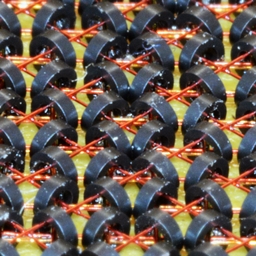
प्रोजेक्ट की तस्वीर इस तस्वीर का क्रॉप किया गया संस्करण है।
सामान्य प्रश्न
क्या मुझे इसे सर्वर पर इंस्टॉल करना चाहिए या सिर्फ क्लाइंट पर?
कुछ अनुकूलन केवल क्लाइंट-साइड हैं, लेकिन कुछ काफी प्रभावशाली अनुकूलन सर्वर पर भी प्रासंगिक हैं। इसलिए आपको इसे दोनों तरफ इंस्टॉल करना चाहिए।
क्या यह [other mod] के साथ संगत है?
सबसे अधिक संभावना है कि हाँ। एकमात्र अपवाद Hydrogen है, जो उन Minecraft संस्करणों पर सभी हाल के FerriteCore संस्करणों के साथ संगत है जहाँ Hydrogen आधिकारिक रूप से रिलीज़ हुआ है। इसका मतलब है कि 1.18+ बिल्ड Hydrogen के साथ संगत नहीं हैं, क्योंकि इसे आधिकारिक रूप से आर्काइव कर दिया गया है और इन संस्करणों पर कोई रिलीज़ नहीं मिलेगी।
FerriteCore (Fabric) कैसे इंस्टॉल करें
With Millida Launcher
Install Millida Launcher
The launcher is free: download it at millida.net/launcher and sign in with any nickname.
Click “Install” on this page
The launcher opens and installs the mod for Minecraft 1.20.5–26.3 on Fabric automatically.
Launch the game
A profile with it appears in the launcher: click “Play”.
Manually
Install Fabric
The loader must match the game version of the mod file, for example Minecraft 26.3. After installing it, a separate profile appears in your launcher.
Download the file for your version
In the version list above, pick the file ferritecore-9.0.0-fabric.jar (71 KB) for your game version.
Put it in the mods folder
The folder is inside .minecraft (Windows: %appdata%\.minecraft\mods). If it does not exist, create it.
Launch the loader profile
Open “Mods” in the main menu: FerriteCore (Fabric) should be in the list.
वर्ज़न
डिपेंडेंसी के साथ
| Minecraft | लोडर | फ़ाइल | तारीख़ | क्रियाएँ |
|---|---|---|---|---|
| 26.1 | Fabric | ferritecore-9.0.0-fabric71 KB 1,399 | ||
| 1.20.5 | Fabric | ferritecore-6.1.1-fabric.jar115 KB 7 |
FAQ
Which Minecraft versions does FerriteCore (Fabric) work on?
There are files for 1.20.5–26.3, 7 versions in total. The newest is 26.3.
Is FerriteCore (Fabric) for Forge or Fabric?
Only for Fabric: 1.20.5–26.3. There are no files for Forge or NeoForge: a mod for another loader will not start.
Where can I download FerriteCore (Fabric) safely?
On this page: the file ferritecore-9.0.0-fabric.jar (71 KB) is stored on Millida’s server, with no link shorteners. SHA-1 checksum: eac76ff0f3753422c61b2c44487d0d195d88d4bc.
रिव्यू
FerriteCore (Fabric) को सबसे पहले रेट करें


