

Minecraft 1.12.2, 1.19.2 के लिए Fairy Lights मॉड
यह मॉड सजावटी स्ट्रिंग लाइट्स जोड़ता है।
- डाउनलोड
- 1 डाउनलोड
- व्यूज़
- 41 व्यूज़
- अपडेट किया गया
- अपडेट किया गया 17.10.2026
- 1.12.2 — 1.19.3
 Forge
Forge
Fairy Lights मॉड के बारे में
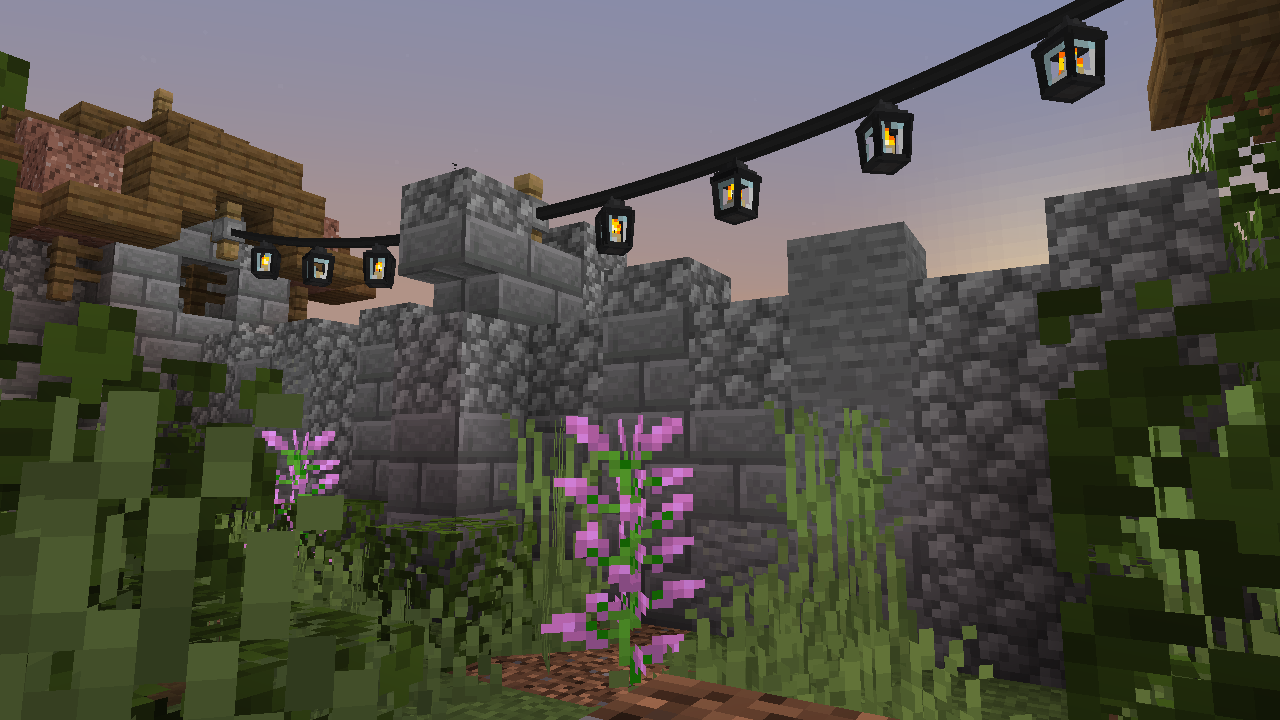
Fairy Lights कुछ सजावटी लटकती रोशनी जोड़ता है जिनमें छह प्रकाश प्रकारों का कोई भी संयोजन हो सकता है, और प्रत्येक में सोलह रंगों में से कोई एक रंग हो सकता है।
क्राफ्टिंग
लटकती रोशनी बनाने के लिए पहले आपको रोशनी बनानी होगी। रोशनी कई प्रकारों में आती है, fairy light, heart light, moon light, star light, paper lantern, orb lantern, flower light, candle lantern, oil lantern, snowflake light, icicle lights, और meteor light। साथ ही spooky lights, spider light, ghost light, jack o'lantern, skull light, witch light भी हैं।
Fairy lights को iron ingot, string या stick, iron ingot के क्षैतिज संयोजन से बनाया जाता है, साथ में किसी भी रोशनी के संयोजन से एक पैटर्न निर्दिष्ट किया जाता है (बाएं-दाएं, ऊपर-नीचे)। यदि glowstone शामिल किया जाए तो लटकती रोशनी टिमटिमाएगी। यदि string का उपयोग किया जाए तो कनेक्शन में ढील होगी और यदि stick का उपयोग किया जाए तो कनेक्शन सीधा होगा। hanging lights आइटम केवल पहले चार प्रकाश रंग दिखाएगा, लेकिन एक crafting table में एक hanging lights के साथ आठ lights रखकर अधिकतम आठ lights बनाई जा सकती हैं।
यहाँ light recipes दी गई हैं जहाँ recipes में लाल रंग कोई भी रंग हो सकता है।
उदाहरण Hanging Lights recipes
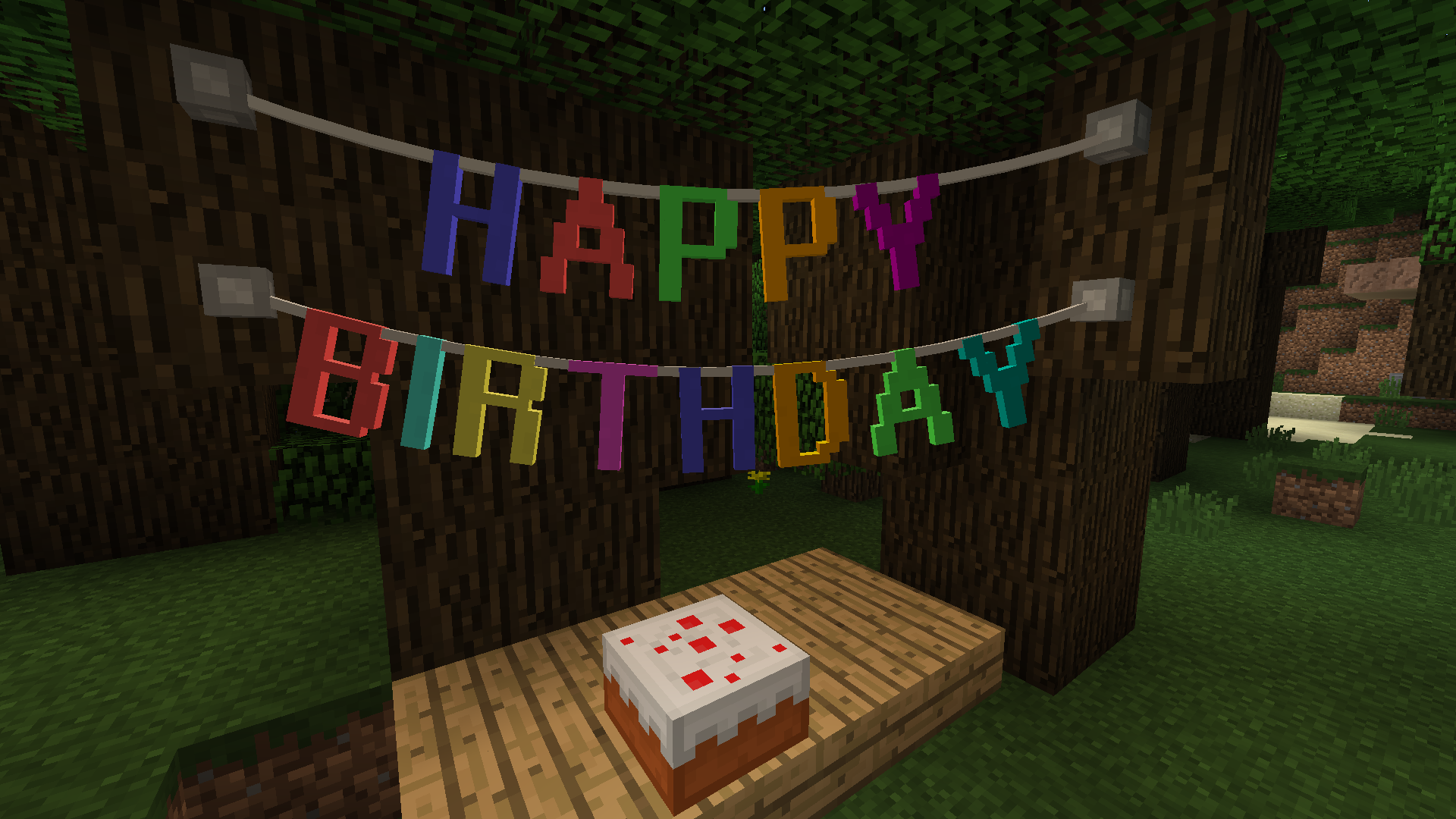
Letter Bunting, Vine & Tinsel Garland
Pennants
यहाँ कुछ उदाहरण pennant bunting recipes दी गई हैं।
Fairy Lights का उपयोग
किसी ब्लॉक के किनारे, या किसी मौजूदा fastener पर hanging lights, garland, या bunting पर right click करें ताकि एक fastener लगाया जा सके, अब fastener से आप तक एक कनेक्शन होगा। फिर आप किसी ब्लॉक के दूसरे किनारे, या किसी मौजूदा fastener पर right click करके कनेक्शन पूरा करें। fairy light strand की अधिकतम लंबाई 32 ब्लॉक है।
hanging lights, garland, या bunting की ढील को string से right click करके बढ़ाया जा सकता है और stick से right click करके घटाया जा सकता है। Hanging lights को right click करके चालू और बंद किया जा सकता है।
मॉड एकीकरण
recipes प्रदर्शित करने के लिए JEI का समर्थन है।
Fairy Lights कैसे इंस्टॉल करें
With Millida Launcher
Install Millida Launcher
The launcher is free: download it at millida.net/launcher and sign in with any nickname.
Click “Install” on this page
The launcher opens and installs the mod for Minecraft 1.12.2–1.19.3 on Forge automatically.
Launch the game
A profile with it appears in the launcher: click “Play”.
Manually
Install Forge
The loader must match the game version of the mod file, for example Minecraft 1.19.3. After installing it, a separate profile appears in your launcher.
Download the file for your version
In the version list above, pick the file fairylights-6.0.1-1.19.2.jar (800 KB) for your game version.
Put it in the mods folder
The folder is inside .minecraft (Windows: %appdata%\.minecraft\mods). If it does not exist, create it.
Launch the loader profile
Open “Mods” in the main menu: Fairy Lights should be in the list.
Minecraft 1.19.3 runs on Java 17: with a different Java version the game may close right after launch.
वर्ज़न
डिपेंडेंसी के साथ
| Minecraft | लोडर | फ़ाइल | तारीख़ | क्रियाएँ |
|---|---|---|---|---|
| 1.19.3 | Forge | fairylights-6.0.1-1.19.2800 KB | ||
| 1.12.2 | — | fairylights-2.1.9-1.12.21.1 MB 1 |
रिव्यू
Fairy Lights को सबसे पहले रेट करें


