

Minecraft 1.20.1, 1.21.1 के लिए Create: Pattern Schematics मॉड
Build with repeating schematics!
 NeoForge
 Fabric
 Forge
ForgeFeatures
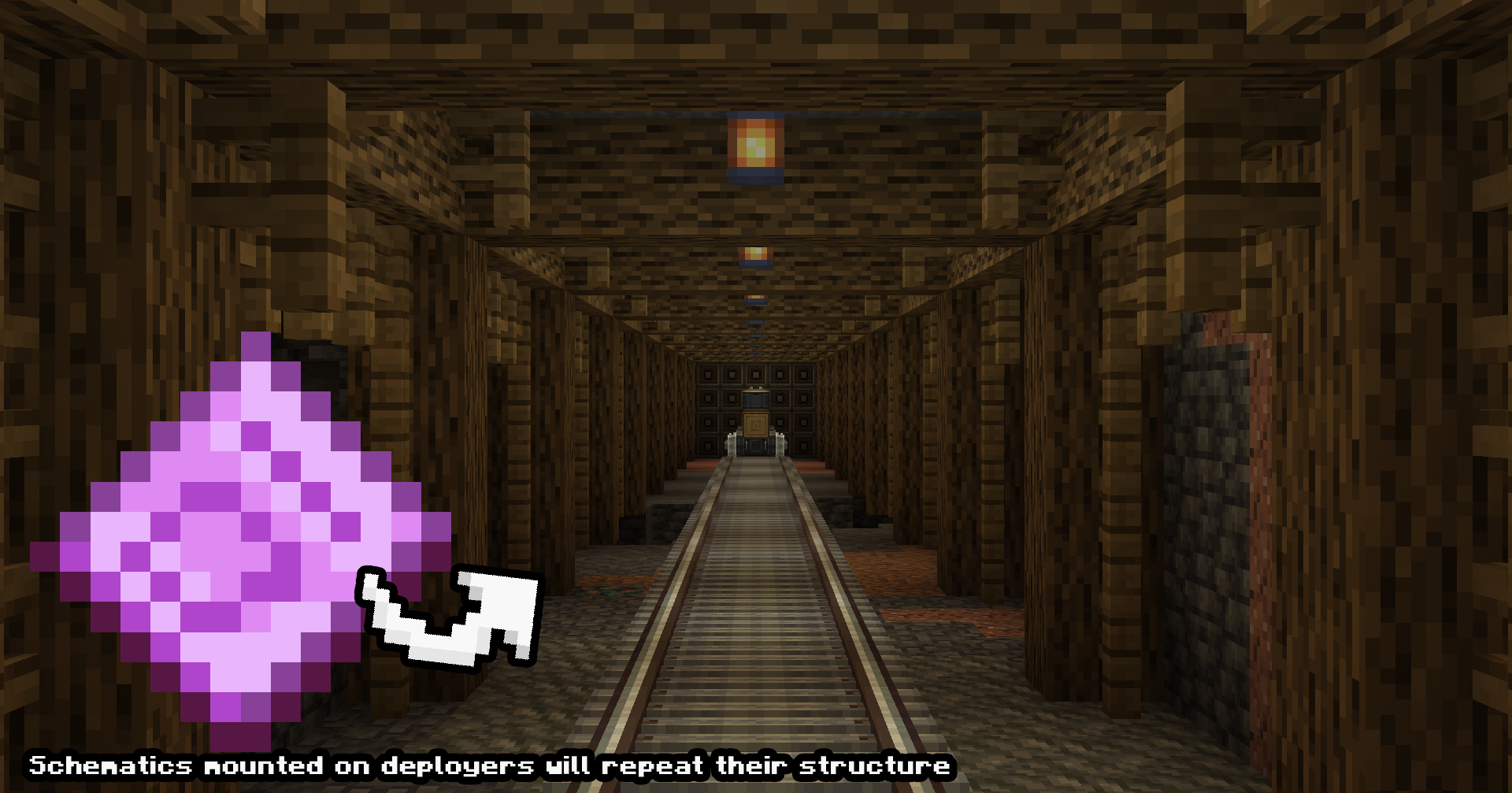
Infinite Contraption Construction (Development Test Demo)
Pattern Schematics can be placed on trains, gantry carriages or any other contraption to infinitely build iterations of the schematic.
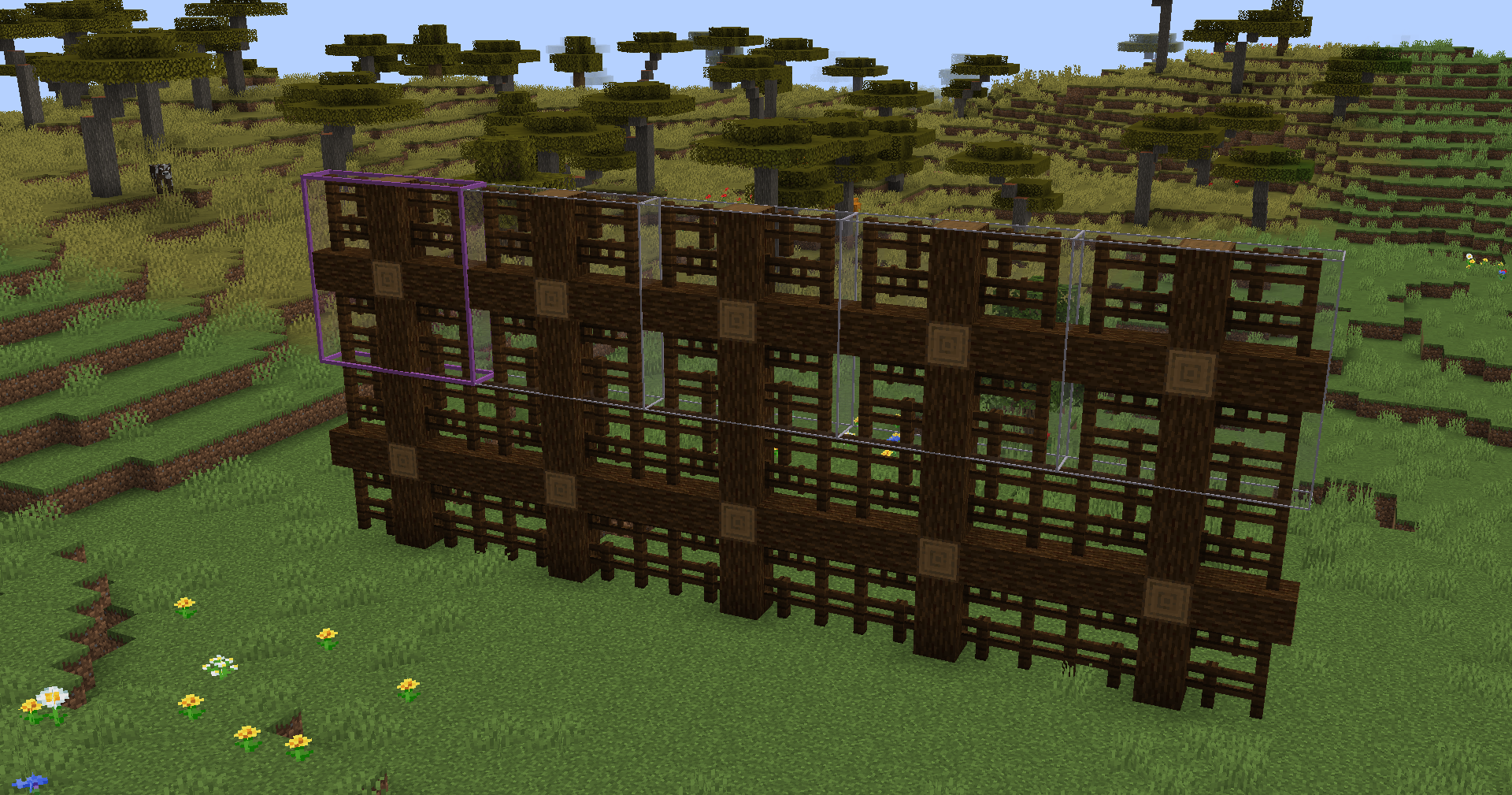
Building Patterns (Development Test Demo)
These pattern schematics can be used to repeat existing schematics, such as repeating a bridge to make it longer! Print in creative or put into a schematicannon to build!
Note on version support
While there are versions for Fabric and Forge 1.20.1, these are legacy and will be unlikely to recive support past their current state. This is due to difficulty associated with maintaining different versions of the mod and my own focus on other projects. Moving forward, Neoforge 1.21.1 will be the main development version. Apologies for the inconvenience.
Create: Pattern Schematics कैसे इंस्टॉल करें
With Millida Launcher
Install Millida Launcher
The launcher is free: download it at millida.net/launcher and sign in with any nickname.
Click “Install” on this page
The launcher opens and installs the mod for Minecraft 1.20.1–1.21.1 on Fabric, Forge or NeoForge automatically.
Launch the game
A profile with it appears in the launcher: click “Play”.
Manually
Install Fabric, Forge or NeoForge
The loader must match the game version of the mod file, for example Minecraft 1.21.1. After installing it, a separate profile appears in your launcher.
Download the file for your version
In the version list above, pick the file create_pattern_schematics-2.0.10.jar (217 KB) for your game version and loader.
Put it in the mods folder
The folder is inside .minecraft (Windows: %appdata%\.minecraft\mods). If it does not exist, create it.
Launch the loader profile
Open “Mods” in the main menu: Create: Pattern Schematics should be in the list.
Minecraft 1.21.1 runs on Java 21: with a different Java version the game may close right after launch.
वर्ज़न
डिपेंडेंसी के साथ
| Minecraft | लोडर | फ़ाइल | तारीख़ | क्रियाएँ |
|---|---|---|---|---|
| 1.20.1 | Fabric | Create Pattern Schematics 1.2.1 Fabric 1.20.1206 KB 2 | ||
| 1.20.1 | Forge | Create Pattern Schematics 1.3.3 Forge Create 6.0.8 1.20.1216 KB 9 | ||
| 1.21.1 | NeoForge | Create: Pattern Schematics 2.0.10 NeoForge 1.21.1217 KB 30 | ||
| — | — | Create: Pattern Schematics 1.1.8 Fabric 1.20.1124 KB 2 |
FAQ
Which Minecraft versions does Create: Pattern Schematics work on?
There are files for 1.21.1, 1.20.1. The newest is 1.21.1.
Is Create: Pattern Schematics for Forge or Fabric?
There are files for Fabric: 1.20.1, for Forge: 1.20.1 and for NeoForge: 1.21.1.
Does Create: Pattern Schematics need other mods?
The author lists no required dependencies: the Fabric, Forge or NeoForge loader is enough.
Which Java does Create: Pattern Schematics need?
Minecraft 1.21.1 runs on Java 21. If the game closes right after launch, the usual cause is the wrong Java version in the profile settings.
Where can I download Create: Pattern Schematics safely?
On this page: the file create_pattern_schematics-2.0.10.jar (217 KB) is stored on Millida’s server, with no link shorteners. SHA-1 checksum: e3dea574c3b3d590444796a42e8f7456280b1063.
रिव्यू
Create: Pattern Schematics को सबसे पहले रेट करें


