
 NeoForge
Cobblegen Galore मॉड के बारे में
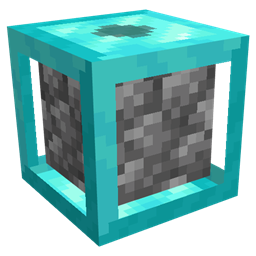
Cobblegen Galore कस्टमाइज़ करने योग्य ब्लॉक जनरेटर पेश करके ब्लॉक जनरेशन को अगले स्तर पर ले जाता है, जिनमें Copper से Netherite तक कई टियर होते हैं, और हर टियर पिछले से तेज़ जनरेशन गति देता है। यह मॉड आपको cobblestone, basalt और अन्य ज़रूरी ब्लॉक अपने आप जनरेट करने देता है - जिससे यह resource SkyBlock पैक्स के लिए ज़रूरी बन जाता है।
मुख्य विशेषताएँ:
टियर वाले ब्लॉक जनरेटर: Copper से Netherite जनरेटर तक प्रगति करें, जहाँ हर टियर पिछले से तेज़ी से ब्लॉक जनरेट करता है।
Cobblestone जनरेटर: lava और water की मदद से cobblestone का उत्पादन आसानी से ऑटोमेट करें।
Basalt जनरेटर: lava और blue ice को मिलाकर ऑटोमेटेड basalt जनरेशन सेट करें।
कस्टम ब्लॉक जनरेटर: किसी भी ऐसे ब्लॉक के लिए जनरेटर बनाएँ जो तरल पदार्थों या ब्लॉकों की परस्पर क्रिया से बनता है। ऑटोमेशन के लिए तैयार: बिना हाथ लगाए ऑटोमेशन के साथ अपने संसाधन उत्पादन को बढ़ाएँ।
Skyblock पैक्स के लिए बिल्कुल सही, Cobblegen Galore उन जगहों पर संसाधन उत्पादन को ऑटोमेट करने के लिए बेहद उपयोगी है जहाँ सामग्री सीमित होती है। दक्षता में बढ़ने वाले टियर वाले जनरेटरों के साथ, आप अपने skyblock साहसिक कार्य में आसानी से आगे बढ़ सकते हैं - अपने संसाधन बहते रखें और आप निर्माण, खोज और तरक्की पर ध्यान दें!
Cobblegen Galore कैसे इंस्टॉल करें
With Millida Launcher
Install Millida Launcher
The launcher is free: download it at millida.net/launcher and sign in with any nickname.
Click “Install” on this page
The launcher opens and installs the mod for Minecraft 1.21.1 on NeoForge automatically.
Launch the game
A profile with it appears in the launcher: click “Play”.
Manually
Install NeoForge
The loader must match the game version of the mod file, for example Minecraft 1.21.1. After installing it, a separate profile appears in your launcher.
Download the file for your version
In the version list above, pick the file cobblegengalore-1.21.1-0.2.9.jar (87 KB) for your game version.
Put it in the mods folder
The folder is inside .minecraft (Windows: %appdata%\.minecraft\mods). If it does not exist, create it.
Launch the loader profile
Open “Mods” in the main menu: Cobblegen Galore should be in the list.
Minecraft 1.21.1 runs on Java 21: with a different Java version the game may close right after launch.
वर्ज़न
डिपेंडेंसी के साथ
| Minecraft | लोडर | फ़ाइल | तारीख़ | क्रियाएँ |
|---|---|---|---|---|
| 1.21.1 | NeoForge | cobblegengalore-1.21.1-0.2.9.jar86.8 KB 2 |
FAQ
Which Minecraft versions does Cobblegen Galore work on?
Only Minecraft 1.21.1: there are no files for other versions.
Is Cobblegen Galore for Forge or Fabric?
Only for NeoForge: 1.21.1. There are no files for Forge or Fabric: a mod for another loader will not start.
Does Cobblegen Galore need other mods?
The author lists no required dependencies: the NeoForge loader is enough.
Which Java does Cobblegen Galore need?
Minecraft 1.21.1 runs on Java 21. If the game closes right after launch, the usual cause is the wrong Java version in the profile settings.
Where can I download Cobblegen Galore safely?
On this page: the file cobblegengalore-1.21.1-0.2.9.jar (87 KB) is stored on Millida’s server, with no link shorteners. SHA-1 checksum: d08c1d93e7918eebed6e405d0680d11d33c80bf6.
रिव्यू
Cobblegen Galore को सबसे पहले रेट करें


