
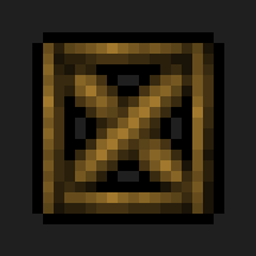
Blockcraftery मॉड के बारे में
Blockcraftery एक ऐसा मॉड है जो बहुत ही सरल सुविधा प्रदान करता है: Framed Blocks। Framed blocks को दुनिया में रखा जा सकता है, फिर right-click करके उन्हें किसी अन्य ब्लॉक की texture दी जा सकती है।
Framed blocks कई आकारों में भी उपलब्ध हैं! फिलहाल, यह मॉड निम्नलिखित आकार प्रदान करता है:
- Framed Blocks। मानक पूर्ण cubes।
- Framed Stairs।
- Framed Slabs।
- Framed Walls।
- Framed Slants।
- Framed Slant Corners।
- Framed Fences,
- Framed Doors,
- Framed Trap Doors,
- Framed Pressure Plates,
सभी Framed blocks reinforced variants में भी उपलब्ध हैं, जो explosion proof और fire proof दोनों होते हैं। किसी भी framed block पर glowstone dust से right-click करके उसे light source में बदला जा सकता है, pressure plates पर भी!
हर एक को आप अपनी इच्छा के अनुसार texture किया जा सकता है। जल्द ही कई और frames आ रहे हैं, साथ ही सजावट को और आसान बनाने के लिए नई mechanics की योजना भी है।
मैं एक आधिकारिक Akliz partner हूँ। Akliz अपने सभी servers के लिए शानदार support प्रदान करता है, और इसके single-thread servers अविश्वसनीय रूप से तेज़ हैं। अगर आप मुझे support करना चाहते हैं, और खुद एक server पाना चाहते हैं, तो Akliz server पर discount के लिए ऊपर दिए गए link का उपयोग करें।
अगर आपके कोई और सवाल हैं, तो उन्हें हमारे discord में यहाँ पूछें।
लगातार progress updates के लिए EpicSquid को यहाँ follow करें!
आप मुझे Patreon पर यहाँ सीधे support भी कर सकते हैं।
Blockcraftery कैसे इंस्टॉल करें
With Millida Launcher
Install Millida Launcher
The launcher is free: download it at millida.net/launcher and sign in with any nickname.
Click “Install” on this page
The launcher opens and installs the mod for Minecraft 1.12.2 automatically.
Launch the game
A profile with it appears in the launcher: click “Play”.
Manually
Download the file for your version
In the version list above, pick the file blockcraftery-1.12.2-1.3.1.jar (103 KB) for your game version.
Put it in the mods folder
The folder is inside .minecraft (Windows: %appdata%\.minecraft\mods). If it does not exist, create it.
Launch the loader profile
Open “Mods” in the main menu: Blockcraftery should be in the list.
Minecraft 1.12.2 runs on Java 8: with a different Java version the game may close right after launch.
वर्ज़न
डिपेंडेंसी के साथ
| Minecraft | लोडर | फ़ाइल | तारीख़ | क्रियाएँ |
|---|---|---|---|---|
| 1.12.2 | — | blockcraftery-1.12.2-1.3.1.jar103 KB 1 | ||
| 1.12.2 | — | blockcraftery-0.1.3.jar64 KB |
FAQ
Which Minecraft versions does Blockcraftery work on?
Only Minecraft 1.12.2: there are no files for other versions.
Which Java does Blockcraftery need?
Minecraft 1.12.2 runs on Java 8. If the game closes right after launch, the usual cause is the wrong Java version in the profile settings.
Where can I download Blockcraftery safely?
On this page: the file blockcraftery-1.12.2-1.3.1.jar (103 KB) is stored on Millida’s server, with no link shorteners. SHA-1 checksum: 5962fc2af3644f010e6510829244cb55ab097eda.
रिव्यू
Blockcraftery को सबसे पहले रेट करें


