
 NeoForge
 Forge
Applied Mekanistics
AE2 के लिए आधिकारिक Mekanism सपोर्ट ऐडऑन। कृपया समस्याएँ issue tracker पर रिपोर्ट करें। चर्चा के लिए AE2 Discord सर्वर से जुड़ें।
यह 1.18.2+ के लिए एक Forge मॉड है जिसके लिए AE2 और Mekanism दोनों आवश्यक हैं। 1.21.1+ केवल NeoForge के लिए हैं।
रासायनिक सपोर्ट
Applied Mekanistics मौजूदा AE2 उपकरणों में रासायनिक सपोर्ट जोड़ता है। उदाहरण के लिए, इसका मतलब है कि आप एक chemical tank पर import bus, एक chemical tank पर export bus, एक radioactive waste barrel पर storage bus लगा सकते हैं, interfaces पर pressurized tubes जोड़ सकते हैं या crafting recipes में chemicals का उपयोग कर सकते हैं।
रासायनिक सेल
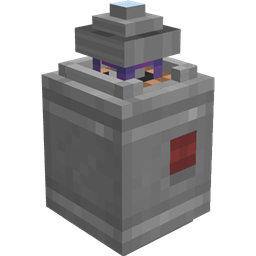
Applied Mekanistics 1k, 4k, 16k और 64k रासायनिक भंडारण सेल भी जोड़ता है। अब आप अपने ME Drives में गैसें संग्रहीत कर सकते हैं! हालाँकि ध्यान दें कि ये रेडियोधर्मी गैसों का समर्थन नहीं करते!
रासायनिक P2P सुरंगें
Applied Mekanistics उच्च-थ्रूपुट रासायनिक स्थानांतरण के लिए Chemical P2P Tunnels जोड़ता है। इसे बदलने के लिए बस P2P tunnel पर किसी भी Mekanism chemical tank पर right click करें।
Storage Bus के लिए QIO सपोर्ट
Applied Mekanistics Storage Bus को QIO frequency की सामग्री के साथ इंटरैक्ट करने की भी अनुमति देता है। बस storage bus को QIO Dashboard के किनारे पर रखें।
रेसिपी
रासायनिक हाउसिंग बनाने के लिए, आपको Iron या Copper ingots के बजाय Osmium ingots का उपयोग करना होगा
हाउसिंग को storage cell बनाने के लिए cell component के साथ जोड़ा जा सकता है
Applied Mekanistics कैसे इंस्टॉल करें
With Millida Launcher
Install Millida Launcher
The launcher is free: download it at millida.net/launcher and sign in with any nickname.
Click “Install” on this page
The launcher opens and installs the mod for Minecraft 1.18.2–1.21.1 on Forge or NeoForge automatically.
Launch the game
A profile with it appears in the launcher: click “Play”.
Manually
Install Forge or NeoForge
The loader must match the game version of the mod file, for example Minecraft 1.21.1. After installing it, a separate profile appears in your launcher.
Download the file for your version
In the version list above, pick the file Applied-Mekanistics-1.6.3.jar (146 KB) for your game version and loader.
Put it in the mods folder
The folder is inside .minecraft (Windows: %appdata%\.minecraft\mods). If it does not exist, create it.
Launch the loader profile
Open “Mods” in the main menu: Applied Mekanistics should be in the list.
Minecraft 1.21.1 runs on Java 21: with a different Java version the game may close right after launch.
वर्ज़न
डिपेंडेंसी के साथ
| Minecraft | लोडर | फ़ाइल | तारीख़ | क्रियाएँ |
|---|---|---|---|---|
| 1.20.1 | Forge | 1.4.3181 KB 12 | ||
| 1.21.1 | NeoForge | 1.6.3146 KB 16 | ||
| 1.21 | NeoForge | 1.6.0-alpha.2152 KB | ||
| 1.20.4 | NeoForge | 1.5.3-beta169 KB | ||
| 1.19 | Forge | 1.3.0-alpha173 KB | ||
| 1.18.2 | Forge | 1.1.5-beta165 KB 1 |
रिव्यू
Applied Mekanistics को सबसे पहले रेट करें


