
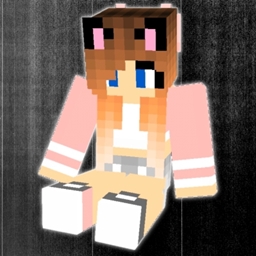
About the wolf to player resource pack
Introducing the "wolf to player" texture pack for Minecraft PE! Transform your Minecraft wolves into ook like players, adding a whole new level of immersion to your gameplay. With detailed textures and realistic designs, these player wolves will roam your world, interact with you, and become your loyal companions. Dive into a unique Minecraft experience where the line between NPC and player blurs, creating unforgettable adventures in every corner of your blocky universe. Download the pack now and watch your wolves come to life like never before!
How to install wolf to player
Install Millida Launcher
The launcher is free: download it at millida.net/launcher and sign in with any nickname.
Click “Install” on this page
The launcher opens and installs the resource pack for Minecraft 1.18–1.20.50 automatically.
Launch the game
A profile with it appears in the launcher: click “Play”.
Versions
With dependencies
| Minecraft | Loader | File | Date | Actions |
|---|---|---|---|---|
| 1.18.2 | — | download version 1796 KB |
FAQ
Which Minecraft versions does wolf to player work on?
There are files for 1.18–1.20.50, 15 versions in total. The newest is 1.20.50.
How do I download wolf to player?
With Millida Launcher: it installs wolf to player into a modpack by itself, for the right game version and loader. The launcher is free.
Reviews
Be the first to rate wolf to player


