
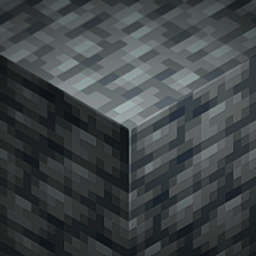
Peeves Resource pack for Minecraft 1.16.5, 1.19.4
A resource pack that tweaks pet-peeves with Minecraft's textures | 1.16 - 1.19+
About the Peeves resource pack
I've always had some pet-peeves about Minecraft's textures, and as a texture artist, I decided to take it upon myself and fix them! The goal of this pack is to either leave it alone or remake the texture entirely. Meaning, this pack does not fix recolor inconsistency, model issues, or any tiny pixel edits needed. Well, what are you waiting for, try it out!
How to Install • Download the resource pack, it should be a .zip file. • Locate the folder you saved the resource pack to and copy the .zip file. • Open Minecraft and go to "Options" and then "Resource Packs." • Click on "Choose Resource Pack Folder" • Paste the .zip file into the folder and then head back into the game. • The pack should be there, if not hit "Escape" and go back into "Resource Packs."
PLEASE do not redistribute this pack under your name and take or edit assets from the pack.
How to install Peeves
Install Millida Launcher
The launcher is free: download it at millida.net/launcher and sign in with any nickname.
Click “Install” on this page
The launcher opens and installs the resource pack for Minecraft 1.16–1.19.4 automatically.
Launch the game
A profile with it appears in the launcher: click “Play”.
Versions
With dependencies
| Minecraft | Loader | File | Date | Actions |
|---|---|---|---|---|
| 1.16.3 | — | Peeves v5.1 - 1.16x239 KB | ||
| 1.19.3 | — | Peeves v5.1 - 1.19.3 - 4239 KB |
FAQ
Which Minecraft versions does Peeves work on?
There are files for 1.16–1.19.4, 8 versions in total. The newest is 1.19.4.
How do I download Peeves?
With Millida Launcher: it installs Peeves into a modpack by itself, for the right game version and loader. The launcher is free.
Reviews
Be the first to rate Peeves


