
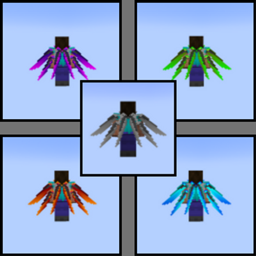
Dragon Wing Elytra Resource pack for Minecraft 1.20.1
5 Different Colored Dragon Wing Elytra
About the Dragon Wing Elytra resource pack
Description:
Adds 5 different colored dragon wing elytra.
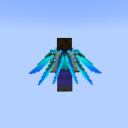
Info:
Feel Free To Ask Questions, Suggest Ideas, Etc, In The Comments!
q&a:
Are there images provided in the 'images' tab?: a - Yes.
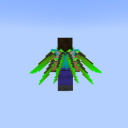
How to install Dragon Wing Elytra
Install Millida Launcher
The launcher is free: download it at millida.net/launcher and sign in with any nickname.
Click “Install” on this page
The launcher opens and installs the resource pack for Minecraft 1.20–1.20.1 automatically.
Launch the game
A profile with it appears in the launcher: click “Play”.
Versions
With dependencies
| Minecraft | Loader | File | Date | Actions |
|---|---|---|---|---|
| 1.20.1 | — | White/Silver Elytra 1.2011.6 KB |
FAQ
Which Minecraft versions does Dragon Wing Elytra work on?
There are files for 1.20.1, 1.20. The newest is 1.20.1.
How do I download Dragon Wing Elytra?
With Millida Launcher: it installs Dragon Wing Elytra into a modpack by itself, for the right game version and loader. The launcher is free.
Reviews
Be the first to rate Dragon Wing Elytra



