
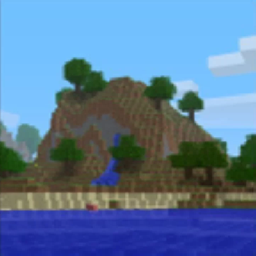
About the Classic GUI resource pack
Adds a bunch of callbacks to the original UI design of Minecraft.
This would be impossible without the help of Vanilla Tweaks, they provided the base that I used for the original panorama.
Credits: Vanilla Tweaks by Xisumavoid: https://www.xisumavoid.com/vanillatweaks
Full list of changes:
- Adds back the original panorama from before 1.13.
- Removes the Java Edition text.
- Makes the menu highlights blue again.
How to install Classic GUI
With Millida Launcher
Install Millida Launcher
The launcher is free: download it at millida.net/launcher and sign in with any nickname.
Click “Install” on this page
The launcher opens and installs the resource pack for Minecraft 1.16.2 automatically.
Launch the game
A profile with it appears in the launcher: click “Play”.
Manually
Download the archive
Pick the file Classic GUI.zip (2.0 MB) for your game version. No need to unpack it.
Put it in the resourcepacks folder
The easiest way: “Options”, then “Resource Packs”, then “Open Pack Folder”, and drag the archive there.
Enable the pack
In the same window, move the pack to the right-hand “Selected” column and click “Done”.
Versions
With dependencies
| Minecraft | Loader | File | Date | Actions |
|---|---|---|---|---|
| 1.16.2 | — | Classic GUI v1.12 MB |
FAQ
Which Minecraft versions does Classic GUI work on?
Only Minecraft 1.16.2: there are no files for other versions.
Where can I download Classic GUI safely?
On this page: the file Classic GUI.zip (2.0 MB) is stored on Millida’s server, with no link shorteners. SHA-1 checksum: 919567a373ef102af268c786c12876ddc851a42f.
Reviews
Be the first to rate Classic GUI


