
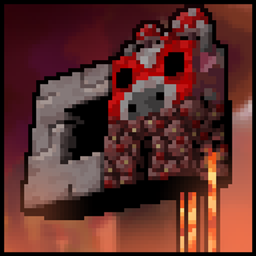

1.4.2 Is here!!!!!!!
Update (1.4.2) features!!!
- Wilderness Bound drop Support
- Some bugfixes

Classic Aspect is a Texture Pack inspired on the Classic textures/Programmer art style!
Every new change of Minecraft (1.12+) is redesigned to be faithful to the Minecraft style before the Texture Update in Minecraft 1.13 - 1.14.
Not older yet? You can use the Subpacks:

Base(Default), Legacy, Beta, MCPE, MCPE Lite/Alpha, Alpha, Infdev, and Pre-Classic.
(the subpack button appears when you select the pack on the settings ⚙️)
The texture updates constantly to the new Minecraft drops, also with some improves and bug-fixes!!!
I REALLY hope you like it.

-_-Nametags Easter Eggs-_-_
Parrot
- Larry
Blaze
- Hovering Inferno (or Inferno, inferno, Hovering inferno, hovering Inferno)
- Soul blaze (or Soul)
Evoker
- Iceologer (or iceologer, Icy, icy)
- Illusioner
Husk
- Lava
Zombie
- Cold
Creeper
- Piger (or Pig, Oink)
Bogged
- Sunken
Rabbit
- Osvi (or Osvi Rabbit)
- Killer (or Caerbannog)
Cat
- Winslow
- Peanut Butter (or PB, Purple, Dyed)
- Gray Tabby
Allay
- Absolut (or Angry, Angrypibe)
- Maid
- Vex
Vex
- Allay
- Yesh (or Yehs)
Cow
- PcGamer (or PCG)
Chicken
- Mushroom (or Red)
- Royal
- King
- Diamond (or Blue)
Fox
- Hec (or Jec)
Villager
- Nurm
- Steve (or WTF)
Pigmen
- Moderm
Zombie pigmen
- Modern
Endermen
- Dusterman
-_-Links-_-
!!!USE ONLY THESE LINKS!!!


How to install Classic Aspect
With Millida Launcher
Install Millida Launcher
The launcher is free: download it at millida.net/launcher and sign in with any nickname.
Click “Install” on this page
The launcher opens and installs the resource pack for Minecraft 26.0–26.50 automatically.
Launch the game
A profile with it appears in the launcher: click “Play”.
Manually
Download the archive
Pick the file ClassicAspect1.4.2BEDROCK.mcpack (51 MB) for your game version. No need to unpack it.
Put it in the resourcepacks folder
The easiest way: “Options”, then “Resource Packs”, then “Open Pack Folder”, and drag the archive there.
Enable the pack
In the same window, move the pack to the right-hand “Selected” column and click “Done”.
Versions
With dependencies
| Minecraft | Loader | File | Date | Actions |
|---|---|---|---|---|
| 26.0 | — | Classic Aspect 1.4.2 BEDROCK50.5 MB 4 |
FAQ
Which Minecraft versions does Classic Aspect work on?
There are files for 26.50, 26.40, 26.30, 26.20, 26.3, 26.0. The newest is 26.50.
Where can I download Classic Aspect safely?
On this page: the file ClassicAspect1.4.2BEDROCK.mcpack (51 MB) is stored on Millida’s server, with no link shorteners. SHA-1 checksum: 88d5351d15f0481d8b25fd9d2ec857c7fe14038c.
Reviews
Be the first to rate Classic Aspect


