

About the Animated SilverWolf UI resource pack
Animated Silver Wolf UI
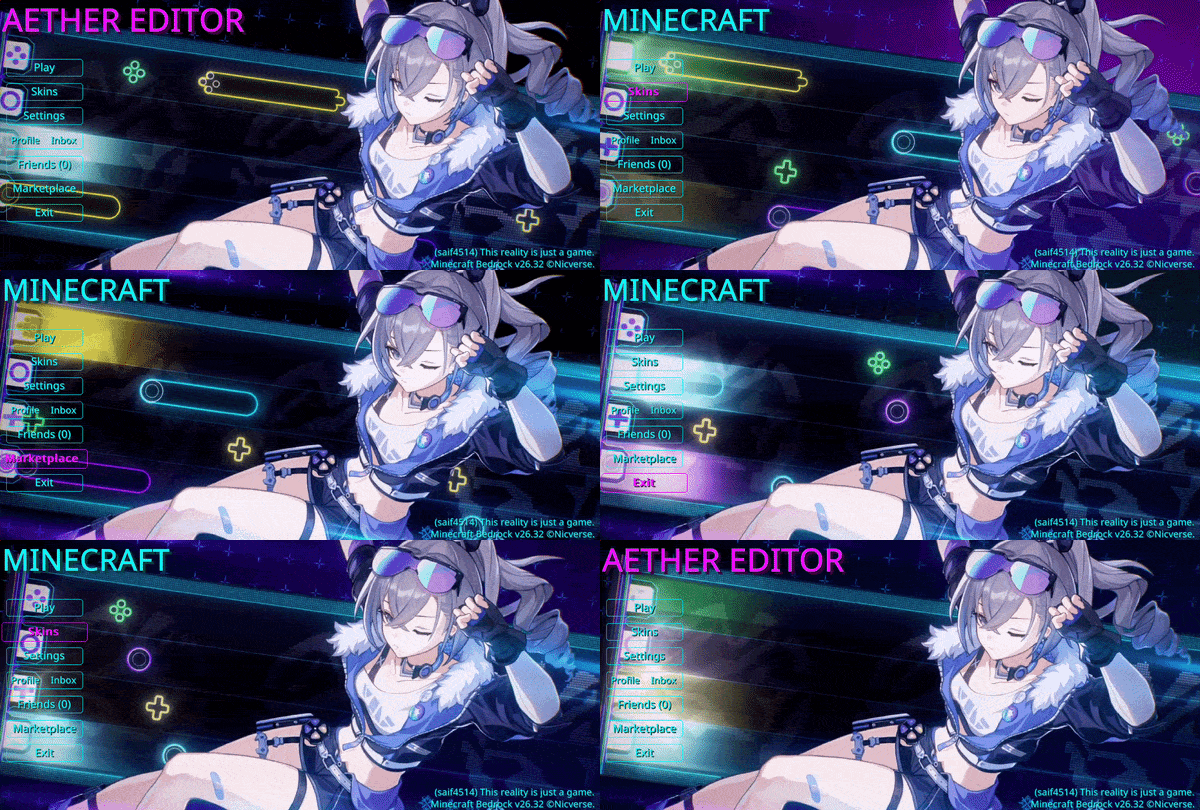
A clean and immersive animated Minecraft UI inspired by the theme of Silver Wolf.
Dive into a high-tech digital frontier where the boundaries between code and reality dissolve. Bathed in striking neon violet and electric cyan hues, this interface pulses with a cybernetic aesthetic, capturing the mischievous confidence and sharp precision of a master hacker navigating the game world.
Designed to transform the Minecraft Start Screen into a visually engaging and emotionally immersive experience.
❤︎ Support Us ❤︎
DISCORD | TERMS & POLICY | NICVERSE
YOUTUBE | KO-FI
How to install Animated SilverWolf UI
With Millida Launcher
Install Millida Launcher
The launcher is free: download it at millida.net/launcher and sign in with any nickname.
Click “Install” on this page
The launcher opens and installs the resource pack for Minecraft 26.10–26.30 automatically.
Launch the game
A profile with it appears in the launcher: click “Play”.
Manually
Download the archive
Pick the file Animated Silver Wolf UI.mcpack (40 MB) for your game version. No need to unpack it.
Put it in the resourcepacks folder
The easiest way: “Options”, then “Resource Packs”, then “Open Pack Folder”, and drag the archive there.
Enable the pack
In the same window, move the pack to the right-hand “Selected” column and click “Done”.
Versions
With dependencies
| Minecraft | Loader | File | Date | Actions |
|---|---|---|---|---|
| 26.10 | — | Animated Silver Wolf UI.mcpack39.7 MB 1 |
FAQ
Which Minecraft versions does Animated SilverWolf UI work on?
There are files for 26.30, 26.20, 26.13, 26.12, 26.11, 26.10. The newest is 26.30.
Where can I download Animated SilverWolf UI safely?
On this page: the file Animated Silver Wolf UI.mcpack (40 MB) is stored on Millida’s server, with no link shorteners. SHA-1 checksum: 97d3025f2370ba185590cf664015af3e364842cc.
Reviews
Be the first to rate Animated SilverWolf UI


