

3D Mace Resource pack for Minecraft 1.21.1, 1.21
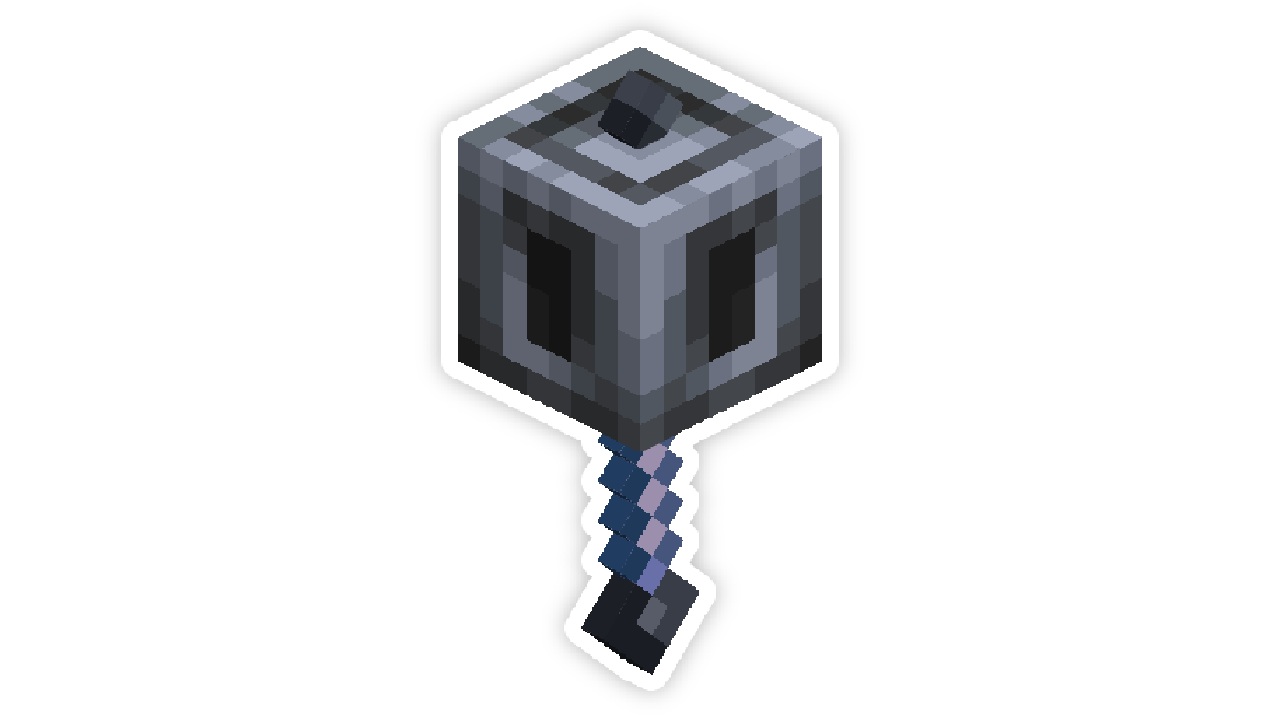
A resource pack that changes the mace to 3D without losing vanilla.
- downloads
- 119 downloads
- views
- 557 views
- Updated
- Updated 09.11.2025
- 1.20.5 — 26.2
 Vanilla game
- Client
What does this resource pack do?
- This resource pack changes the mace model added in snapshot 24w11a to 3D, without losing vanilla.

Does the resource pack require OptiFine or CIT Resewn?
- No. The resource pack even works on regular vanilla.
It says “The resource pack is intended for an older/new version!”, what should I do?
- Just ignore it. The fact is that the resource pack was made for 24w11a, that is, exactly when the mace was added.
Will there be resource pack updates for new versions?
- Of course yes.
Can I take this resource pack and put it on another platform?
- No. Please do not claim my work as your own, even if you have changed anything in it.
Will older versions of the resource pack be supported?
- No. We recommend using the latest versions of the resource pack so that there are no problems.
How to install 3D Mace
With Millida Launcher
Install Millida Launcher
The launcher is free: download it at millida.net/launcher and sign in with any nickname.
Click “Install” on this page
The launcher opens and installs the resource pack for Minecraft 1.20.5–26.2 automatically.
Launch the game
A profile with it appears in the launcher: click “Play”.
Manually
Download the archive
Pick the file 3D Mace.zip (63 KB) for your game version. No need to unpack it.
Put it in the resourcepacks folder
The easiest way: “Options”, then “Resource Packs”, then “Open Pack Folder”, and drag the archive there.
Enable the pack
In the same window, move the pack to the right-hand “Selected” column and click “Done”.
Versions
With dependencies
| Minecraft | Loader | File | Date | Actions |
|---|---|---|---|---|
| 26.2 | — | 26.263.3 KB 32 | ||
| 26.1 | — | 26.163.3 KB | ||
| 1.21.11 | — | 1.21.1163.3 KB 28 |
FAQ
Which Minecraft versions does 3D Mace work on?
There are files for 1.20.5–26.2, 18 versions in total. The newest is 26.2.
Does 3D Mace need mods?
No, the resource pack works in the plain game without loaders: put it into the resourcepacks folder and enable it in the options.
Where can I download 3D Mace safely?
On this page: the file 3D Mace.zip (63 KB) is stored on Millida’s server, with no link shorteners. SHA-1 checksum: bf22da602d0fa7f688a0e1568301bbbe83c498ef.
Reviews
Be the first to rate 3D Mace



