

FULL AND EASY web-integrated minecraft shop experience
Description
Basic idea is that admins (or players with right permissions etc) set up shop houses around the world. Players can then go there and deposit items, when they do this the items disappear from the world and get logged into the players online account, player can use the sign ( or command ) to see web items with virtual inventory and put or get items with just one click . Once this is done and they have set a password, they can log into the website and see all the shop that are going on and some info about the server.
Using the money they can buy items, and they will be sent to the mailbox in game (a sign) and they can set up their own sell price for the items they have stored online.
Get Last Update Version HERE
Features
- Only members of your server can get an account
- Deposit items to be sold
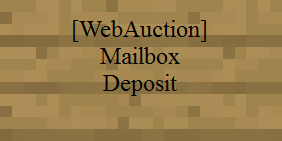
- by right-clicking a mailbox deposit sign while holding it
- by using vbox sign
- Web Interface Multi-language support
- Template full base on bootstrap ( html5 and responsive )
- Buy or Sell
- Inside WebServer on Port 25900 or Any other you Setup on Config
- SQLite and MySQL support
- You can use on Index ( McMMO , Essentials )
- Many Algorithm for login ( MD5 , SHA1 , SHA-256 )
- Virtual Box you can Add/Remove item like inventory ( last 20 items )
- Ingame Message with Color
- You can sell your web auction in game too ( Sign wSell )
- Custom items Support
- Allow Custom Meta Item ( enable at config )
- External Host Webportal on your Website Host
HOW TO INSTALL WEBPORTAL
- Run the server will be create on webportal folder
- Change localhost to your ip address on /html/js/translate.js
- Use it ! ( or continue if you plan to use mysql )
- If you want use mysql - Stop the server and change to Mysql on db type and insert your config
- Re-start
After that just go localhost:25900 or xxx.xxx.xxx.xxx:25900, where xxx.xxx.xxx.xxx is your IP and you will see the login page of webportal ( 25900 or the port you setup on config )
Translate
- html/js/translate.js
- eng.yml
Host WebPortal Everywere
Begin on v0.9 you can host all html on any webserver with support to html and javascript.
First on Config.yml inside plugin folder on YOUR MINECRAFT SERVER!
- EnableExternalSource to TRUE
- Allow your site on config - Allow : http://yoursite.com
- Reload or Restart to apply this settings
Second setup the website part
- Get all files on html folder
- Change js/translate.js - http://localhost:25900 to http://IP_OF_YOUR_SERVER:PORT
- put all files you get with the change you make on your host ( ex: http://yoursite.com/webportal )
you can get all html files on plugin folder or HERE!
thats all.. now you have webportal working your website ! :)
Requeriments
- Java 1.7+
- Vault Plugin
Signs
This signs is use for Withdraw, Deposit,Buy and Sell see how it work - signs
Permissions
For Normal User :
- wa.use.*
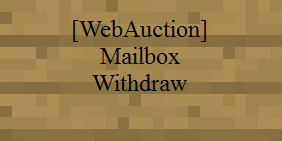
- wa.use.withdraw.items ( use mail box sign )
- wa.use.deposit.items ( use deposit sign )
- wa.canbuy (can buy from auction )
- wa.cansell (can sell to the auction )
- wa.vbox ( can use virtual inventory Sign )
- wa.command.vbox ( use command /wa mailbox )
For Admin :
- wa.*
- wa.create.sign.mailbox.withdraw (create mailbox sign)
- wa.create.sign.mailbox.deposit (create mailbox sign)
- wa.create.sign.vbox ( create vbox sign )
- wa.webadmin (user account is admin on the website)
- wa.remove (remove WA signs)
- wa.reload ( reload plugin )
- wa.save ( save config plugin )
- wa.view
- wa.set
- ( and all user permission )
- wa.update ( see updates )
Some users of bpermission report problems, if you r one of then setup "per world permission" will work
Commands
/wa password <yourpasshere> - setup password for website /wa mailbox - open virtual inventory /wa reload /wa save /wa view <player> /wa set <player> <option(buy,sell,admin)> <yes/no> /wa help
Afraid of Lag because of WebPortal
All activities of webportal plugin using the inside webserver is on separate thread and webportal inside webserver do not access bukkit main thread direct, webportal activities depends on your server performance, but you may use External Web Server anyway ! :) .
Want Help Me ?
:D work on this for FUN, but NEVER will abandon the project so if you want help my work ! Donate is always appreciated !
How to install WebPortal
A server on Paper or Spigot
The plugin runs on the server core; players do not need to install anything.
File goes into the plugins folder
Download the file WebPortal.jar (2.8 MB) and put it into the server’s plugins folder.
Restart the server
On startup the plugin creates its own settings folder in plugins.
Use the “To server” button
On Millida Hosting, the button at the top of the page uploads the file to your server and restarts it for you.
Versions
With dependencies
| Minecraft | Loader | File | Date | Actions |
|---|---|---|---|---|
| — | — | webportal v0.9.52.8 MB |
FAQ
Where can I download WebPortal safely?
On this page: the file WebPortal.jar (2.8 MB) is stored on Millida’s server, with no link shorteners. SHA-1 checksum: ca52ae18fb624dc7ee80c564ff827b4a2d1c62e1.
Reviews
Be the first to rate WebPortal



