
Sheath Plugin for Minecraft
Sheath swords with /sheath they are visible on your character!
Sheath
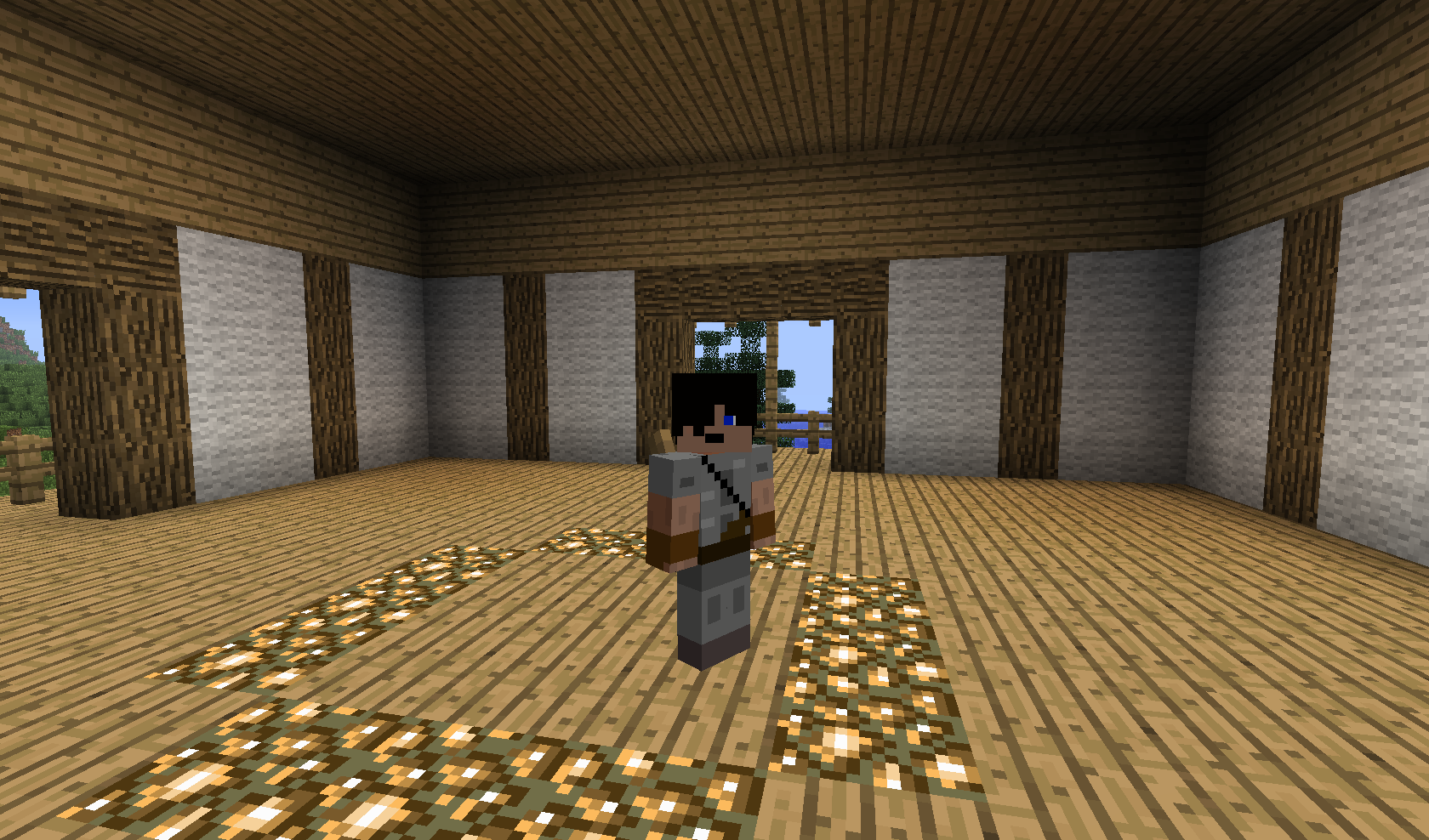
This plugin is as simple as it gets. It adds the fun role playing mechanic of sheathing your swords, and making them appear visibly on your back. All swords are supported, and appear in a sheath(lever) on your back.
Commands
Simply type /sheath with a sword in your hand to sheath it, and /sheath with an empty hand to retrieve your sword. You can also shift+right click a block with an empty hand to pull out your sword, or click the lever on your head in the inventory screen. NOTE: Clicking the lever on your head in creative mode will give you a lever, not your sword, this is a Minecraft problem.
Permissions
sheath.use - gives the player access to the /sheath command
That's it!
It's really very simple, just drop it into your plugins folder, reload, and enjoy your new role play mechanic!
Screenshots
Mech plugins
Other plugins
- TorchThrow - Press Q to throw a torch, try it!
- Shields - Defend yourself!
- Grapple - Soar through the skies!
How to install Sheath
A server on Paper or Spigot
The plugin runs on the server core; players do not need to install anything.
File goes into the plugins folder
Download the file Sheath.jar (5 KB) and put it into the server’s plugins folder.
Restart the server
On startup the plugin creates its own settings folder in plugins.
Or use the “To hosting” button
On Millida Hosting, the button at the top of the page uploads the file to your server and restarts it for you.
Versions
With dependencies
| Minecraft | Loader | File | Date | Actions |
|---|---|---|---|---|
| — | — | Sheath 1.6.2-R0.1a4.5 KB |
Reviews
Be the first to rate Sheath


