
About the MiningTNT plugin
Mining TNT
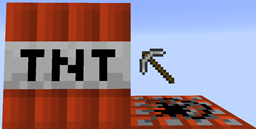
Description: This plugin simply changes TNT to affect only what you want it to. This is so that people can use TNT to mine without the worry of griefing.
Features:
- Causes TNT to destroy only stone and dirt by default
- Other blocks can be added to what can be destroyed by TNT.
- Allows height restrictions for TNT.
- All settings can be found in /plugins/MiningTNT/config.yml.
- Creeper nerf can now be toggled on and off.
- Adjustable block yield, allowing for better mining.
- TNT can be set to either set off other TNT or not.
Config: DestroyTheseBlocks (default: dirt,stone) List the blocks (figure out the names with /miningtnt getname) with commas between them. MaxAltitude (default: 70) Name the maximum altitude for TNT explosions to blow up blocks. Integer value. CreepersActLikeTNT (default: true) Make creepers be under the same restrictions as TNT. AllowTNTChaining (default: true) Make TNT trigger other TNT nearby when it blows up. Yield (default: 40%) The percentage of blocks which drop items when destroyed by an explosion. TNTDamage (default: false) Enable player/animal damage from TNT. CreeperDamage (default: true) Enable player/animal damage from creepers.
Commands: /miningtnt getname Gets the name of the block you are looking at, used in the config. /miningtnt reloadconfig (requires op or miningtnt.reloadconfig) Reloads the config.
Donate to the former author and creator, FriedTaco?: I'd love to!
How to install MiningTNT
A server on Paper or Spigot
The plugin runs on the server core; players do not need to install anything.
File goes into the plugins folder
Download the file MiningTNT.jar (10 KB) and put it into the server’s plugins folder.
Restart the server
On startup the plugin creates its own settings folder in plugins.
Use the “To server” button
On Millida Hosting, the button at the top of the page uploads the file to your server and restarts it for you.
Versions
With dependencies
| Minecraft | Loader | File | Date | Actions |
|---|---|---|---|---|
| — | — | MiningTNT 2.1.210.3 KB |
FAQ
Do players need to install MiningTNT?
No, the plugin goes only on the server, into the plugins folder: players do not need to download anything.
Where can I download MiningTNT safely?
On this page: the file MiningTNT.jar (10 KB) is stored on Millida’s server, with no link shorteners. SHA-1 checksum: 4b878c6787b5cb7d1b95483faf3e39f3973104c8.
Reviews
Be the first to rate MiningTNT



