
MCCasino Plugin for Minecraft
An item based slot machine plugin.
I've taken over the project, and I plan on reviving it fully to the strongest of all capabilities. :) - New Author X_angelz_X
MCCasino
Minecraft's one armed bandit.
Version 0.2.2
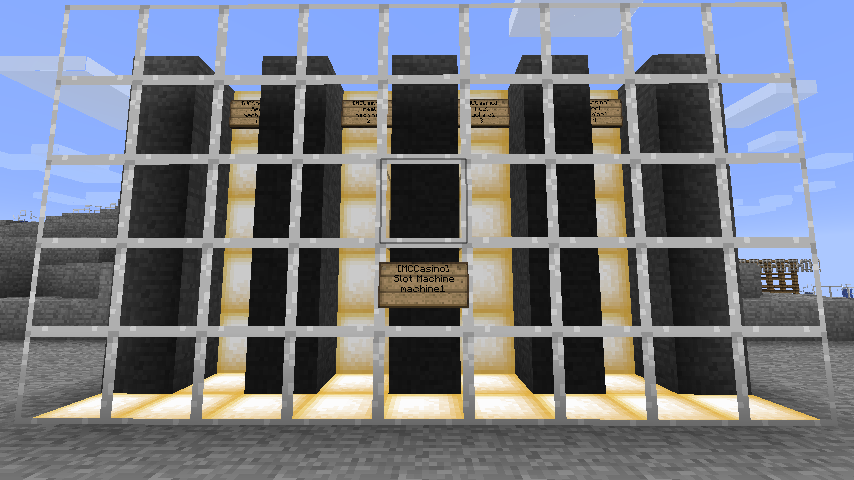
This server mod allows you to create a slot machine using signs. The signs will drop items at their location, these correspond to the symbols on a reel. You can set a multiplier reward according to the combination that falls out. The item the player is holding when right clicking the playing sign is considered as the bet. Economy support is also available.
Features
- Simple and easy setup.
- Reel items can't be picked up.
- Simple to play.
- Supports Permissions.
- Supports Vault economy, which mean that, as long as you install Vault, this plugin will work with every economy plugin.
Commands and permissions
- mccasino.use : allows a player to use/play slot machines.
- mccasino.setup : allows a player to use any of the following commands:
- /mccdel (machine name): delete a machine.
- /mcctest (machine name): test run a machine.
- /mccforceactive (machine name): force a machine into activity. Warning! This may cause problems.
Usage
For players: hold your bet (keep in mind that the entire stack will be taken, if the machine doesn't use limits, or a money bet), and right click the play sign (has "Slot Machine" on the second line). The machine will run, after it will be deactivated for 5 seconds, then the drops will be deleted, and it will reactivate. If the machine is set to money bets, you can right click with anything play. Note: items dropped by the reels can't be picked up.
For admins: first read the README.txt file in the zip archive you downloaded.
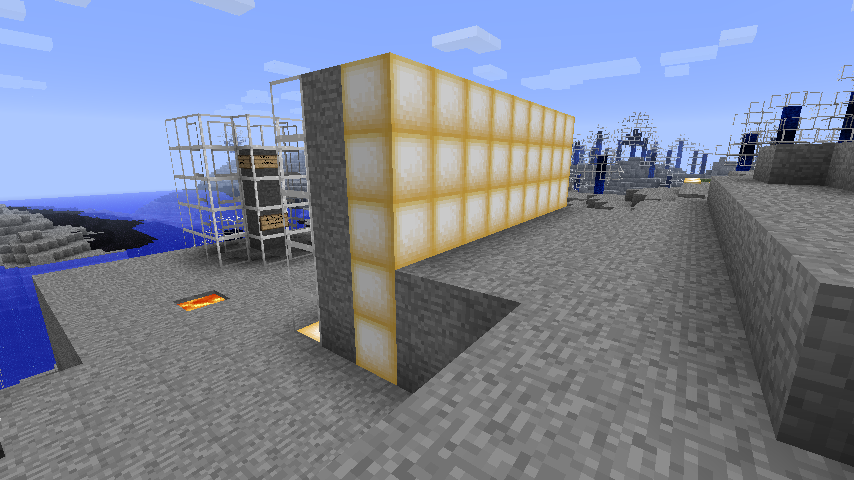
Now, start by building the slot machine, if you need an example, see the screenshots. Add the signs where the items will be dropped. So they can be identified as reels, you must follow this template:
first line: [MCCasino] second line: Reel third line: name of the machine (example: machine1) fourth line : number of the reel (ex: 2)
The "number of the reel" thing is optional, but it's recommended, if reels are added, removed or replaced, this number will allow the plugin to reorder them. It corresponds to the one set in the config.
Now add next to the machine a sign following this template, this will be the sign the players interact with:
first line: [MCCasino] second line: Slot Machine third line: name of the machine (example: machine1, same as the reels) fourth line : anything you want (or nothing), it's not used.
ALL of the signs need to be wall signs.
Now go to your config, and add/edit an entry to "Machines:", see the "Config" section for help.
Reels are numbered 1 to whatever you want, and have a list of drops with the probability for the drop. For example, reel one has equal chances of dropping all its items (331 is redstone, 266, gold ingot and 264, diamond). Reel 2 has more chances of dropping gold than redstone, and more of dropping diamond than gold. The number you use for the probabilities should always be whole, between 1 and 100, I suggest, although, it's relative: 5, 4 and 3 will get you the same results as 50, 40 and 30. You can have more than 4 reels, just add an entry for '5'.
For the rewards, they're in two parts: a combination of drops, the first in the list belongs to reel one, and etc., and the multiplier reward, a whole number. The drops, again, are IDs, for items or blocks, and the multiplier is used to multiply the quantity of the bet for the winner. If the results do not match any combination, the default is 0.
Limits are basically the maximum allowed item bets. For machine2, those are enabled, and so a player can only bet one gold or one diamond. If he's holding more, only the desired quantity will be taken.
If you enable economy, the machine will ignore items, and take money (same amount as the cost) directly from the player's account. Multipliers are applied here too. YOU NEED Vault for the economy function. If no economy plugin can be found, the machine will used item bets.
Now that you're done, reload/reboot the server (or disable and enable the plugin), and log back in.
You'll need the "setup" permission next: right click the signs for the reels, they'll be registered. IMPORTANT: the order in which you click them matters if you didn't add a reel number on the last line of the sign, you should always go from left to right. The first clicked sign will be linked to reel one, the second to two, and etc.
Now test the machine, you'll need the "use" permission for this. Right click the sign with your bet (use a dirt block or another cheap resource) and it should run. After 5 seconds, the drops are deleted, and the machine activates again. A machine is only first active if all of it signs are present and registered. You can also to a fast test with "/mcctest (machine name)". This doesn't require a bet.
To delete a machine, just punch out the reels, then erase the entry in the config. You can also use "/mccdel (machine name)", but this will not modify the config.
If you have any problems with a machine staying inexplicably inactive, try "/mccforceactive (machine name)".This will force it into activity. I am not responsible for any problems this might cause.
Config
Machines: machine1: reels: '1': - 331-50 - 266-50 - 264-50 '2': - 331-10 - 266-30 - 264-50 '3': - 331-50 - 266-50 - 264-50 '4': - 331-50 - 266-50 - 264-50 rewards: - 264,264,264,264:5 - 331,266,266,331:3 - 266,264,264,266:4 - 331,266,264,331:6 - 331,331,331,331:2 - 266,266,266,266:10 economy: use_economy: true cost: 10 bet_limits: enabled: false allowed: - 266-1 - 264-1 messaging: message: '$6$[MCCasino] $7$$name$ won $$amount$!' send_to: world exclude_winner: true radius: 20 machine2: reels: '1': - 4-50 - 5-50 - 1-50 '2': - 4-50 - 5-50 - 1-50 '3': - 4-50 - 5-50 - 1-50 '4': - 4-50 - 5-50 - 1-50 '5': - 4-50 - 5-50 - 1-50 rewards: - 1,1,1,1,1:5 - 4,5,1,5,4:3 - 5,1,4,1,5:4 - 4,5,1,5,4:6 - 4,4,4,4,4:2 - 5,5,5,5,5:10 - 5,5,5,5,5:10 - X,X,5,X,X:10 #The special character "x" is equal to any possible ID economy: use_economy: false cost: 10 bet_limits: enabled: true allowed: - 266-1 - 264-1 messaging: message: '$6$[MCCasino] $7$$name$ won $amount$ $item$(s)!' send_to: players_nearby exclude_winner: true radius: 15
"machine1" should be the name of the machine you placed on the signs, in-game.
Permissions config
This config can be found in the MCCasino folder, it's called perms_config, and is generated on plugin startup. For most applications, you may not need to change it, but, if you use Permissions 3.0 and older, or if you do not use any permission plugin, you will need to edit it.
PermissionsSystem: SuperPerms #This config is case sensitive!!# PlayerPerms: - mccasino.use
"PermissionsSystem" is the permission checking system to use. If you use any up-to-date permissions plugin that support SuperPerms, leave the config as is.
If you do not use a permissions plugin, set the field to "PlayerAndOP". This will set all permissions at op only, unless you add them to the "PlayerPerms" field. This basically creates a simple group system: players, the default group with no permissions, except the ones added to the "PlayerPerms" field, and ops, who have all the permissions.
Features to add
(Features marked with "added" will be available in the next version.)
Source
The source code can be found here: https://github.com/DDoSQc/MCCasino Feel free to contribute!
Donate
If you want to make a donation for all my hard work, here's a link: Donate here!
Changelog
Version 0.2.2
- Added messaging
- Compatibility for the latest 1.2 builds
Version 0.2.1
- Fixed a problem with limits, items weren't being removed properly
- Fixed item being pickable as they were dropping.
Version 0.2
- Added a command to test a machine.
- Added a command to delete a machine.
- Added a command to force a machine into activity
- Added Vault economy support, basically, I added support for all economy plugins.
- Fixed items dropping. No more water stuff.
- Added limits.
- Added the special character "x" to the result combinations. Basically, it's equal to any possible ID.
Version 0.1
- Initial release
How to install MCCasino
A server on Paper or Spigot
The plugin runs on the server core; players do not need to install anything.
File goes into the plugins folder
Download the file MCCasino_v0.2.2.zip (28 KB) and put it into the server’s plugins folder.
Restart the server
On startup the plugin creates its own settings folder in plugins.
Or use the “To hosting” button
On Millida Hosting, the button at the top of the page uploads the file to your server and restarts it for you.
Versions
With dependencies
| Minecraft | Loader | File | Date | Actions |
|---|---|---|---|---|
| — | — | MCCasino v0.2.227.9 KB |
Reviews
Be the first to rate MCCasino


