
Introduction
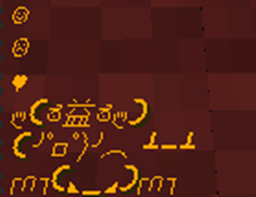
Are you tired of the old (: and < 3 signs? Do you want your emoticons to come alive? This is the plugin you need! Your (: will turn into ☺ and your < 3 will turn into ♥. These are not the only emoticons that come with this plugins, we have integrated 25+ emoticons to spice up your chat!
How to
- Download "Emoticons"
- Place "Emoticons" in your (/plugins/) folder.
- Reload or Restart your server.
- Begin using it!
- Note- You need to include the parentheses for certain symbols to appear. And yes, CaPs MaTtTeRs. Keep it all lowercase
- Example- (yuno)
Use
Emoticons is used to introduce exciting characters into the chat of Minecraft and allow players to express themselves more "emotionally". This plugin will replace the simple keyboard-made emoticons and turn it into UTF-8 characters.
- For a full list of emoticons, please visit the "ListOfEmoticons" page, or here's a link:
Click Me
ToDo
- Permission Based
- Configurable Emoticons
- More Emoticons
Bugs
Please report any and all bugs in the ticket section above, or leave a comment. Remember to post all error messages so I may help to my fullest extent
How to install Emoticons
A server on Paper or Spigot
The plugin runs on the server core for Minecraft 1.8.1; players do not need to install anything.
File goes into the plugins folder
Download the file Emoticons.jar (6 KB) and put it into the server’s plugins folder.
Restart the server
On startup the plugin creates its own settings folder in plugins.
Or use the “To hosting” button
On Millida Hosting, the button at the top of the page uploads the file to your server and restarts it for you.
Minecraft 1.8.1 runs on Java 8: with a different Java version the game may close right after launch.
Versions
With dependencies
| Minecraft | Loader | File | Date | Actions |
|---|---|---|---|---|
| 1.8.1 | — | Emoticonsv1.85.5 KB |
FAQ
Which Minecraft versions does Emoticons work on?
Only Minecraft 1.8.1: there are no files for other versions.
Do players need to install Emoticons?
No, the plugin goes only on the server, into the plugins folder: players do not need to download anything.
Which Java does Emoticons need?
Minecraft 1.8.1 runs on Java 8. If the game closes right after launch, the usual cause is the wrong Java version in the profile settings.
Where can I download Emoticons safely?
On this page: the file Emoticons.jar (6 KB) is stored on Millida’s server, with no link shorteners. SHA-1 checksum: e146cc739d68ded56947e7db0225ea78ceb6f2fc.
Reviews
Be the first to rate Emoticons


