
DynmapPlotMe Plugin for Minecraft
Links your PlotMe plots with your dynmap
DynmapPlotMe
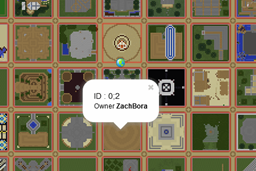
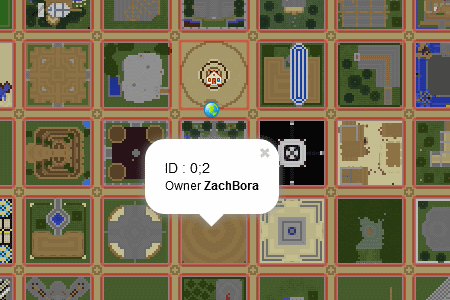
This plugin will automatically hook into your PlotMe plots and display them on your dynmap for worlds on which PlotMe is enabled. Plots will show with a pale red border and can be clicked to see the plot id, owner and helpers.
Requirements
This plugin requires both dynmap and PlotMe.
Installation
Just drag the jar in your plugins folder.
Source
Available Here
Current Version Changes
Version 0.3
- Fixed the plugin, now correctly works. Rebuilt it and tested with current PlotMe (0.13b) and also with future PlotMe which I am working on for 1.7.9+.
- Changed some of the default settings
- Plot border is easier to see.
- Plots update by default each minute instead of 5 minutes.
Version 0.2
- Fixed the border height depending on your PlotMe roadheight configuration
Version 0.1
- Initial release compatible with PlotMe v0.6 and dynmap 0.39
How to install DynmapPlotMe
A server on Paper or Spigot
The plugin runs on the server core; players do not need to install anything.
File goes into the plugins folder
Download the file DynmapPlotMe.jar (14 KB) and put it into the server’s plugins folder.
Restart the server
On startup the plugin creates its own settings folder in plugins.
Use the “To server” button
On Millida Hosting, the button at the top of the page uploads the file to your server and restarts it for you.
Versions
With dependencies
| Minecraft | Loader | File | Date | Actions |
|---|---|---|---|---|
| — | — | v0.313.6 KB |
Reviews
Be the first to rate DynmapPlotMe



