
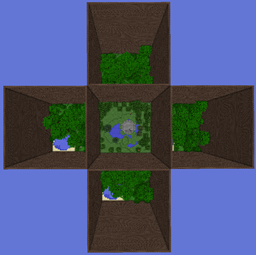
AutoWalls Plugin for Minecraft
Enables to play "The Walls" full automatic. Supports Multiworld and multiple Arenas.
The Walls
- Fully Automatic
This Plugin allows you to play the well-known PvP Game: "The Walls" in fully automatic form. It's created with countless custom settings so that you can make the game play however you want.
Features
- Allow you to play "The Walls" fully automated
- Multiworld support
- Supports multiple Arenas
- Many custom Settings
- Auto Start
- Can create Dungeons and refresh ores
- Chests in the middle will be refreshed every round
- The Middle and the Walls are protected from : Players, Explosions, Fire and Pistons
- The Plugin stops players from climbing over the Walls if the Walls are high as the max height of this world
- Up to 8 groups per Arena
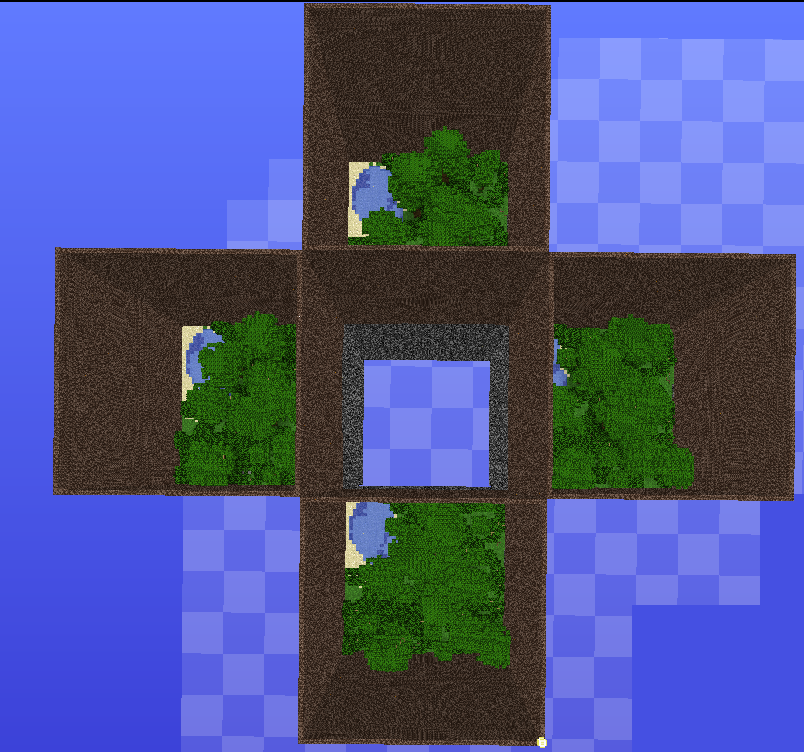
- A WorldGenerator to make the setup of an Arena easier
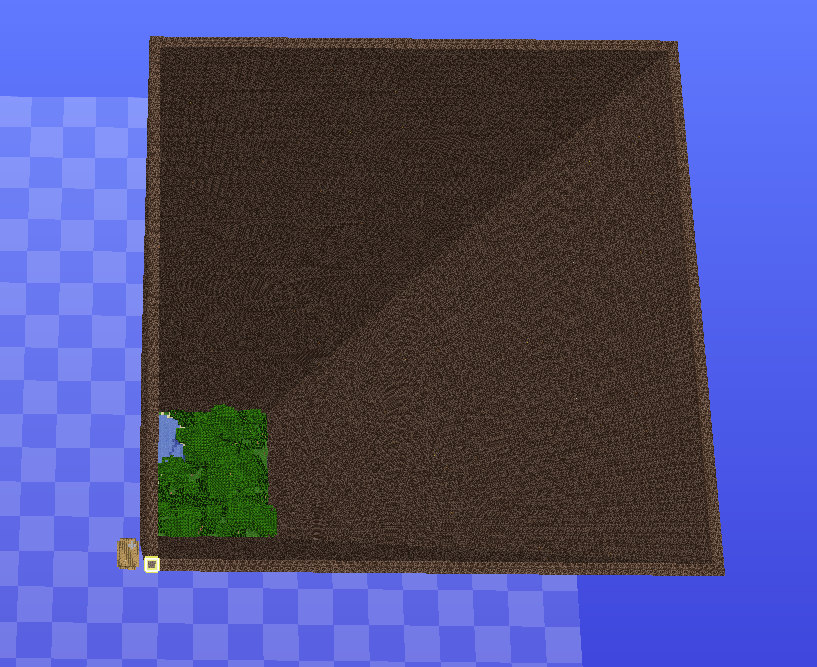
- A optional Client-Mod available to create an Arena Base with Bedrock and Soulsand Walls
Conflicts
- Any plugin that modifies damage amounts by applying more or less damage, such as MCMMO can sometimes cause issues.
Requirements
- A Plugin to protect the Winner-Lobby if the RecreationWay is unequals LOAD
- Something to use MultiWorld
- To use the world generator your multiworld Plugin must support custom world generators, such as Multiverse does
Commands
<...> - required Argument
[...] - optional Argument
Permission: walls.manipulate
- /walls - Check if the Plugin is installed and gave you a head of me (the Developer)
- /wallsCreateArena <ArenaName> <ArenaXWide> <ArenaZWide> <Arena Management Type (BASE or ADVANCED) > <GroupCount> - Create an new Arena in the current world
- /wallsDelArena <ArenaName> - Delets this Arena
- /wallsReloadArenas - Reload all Arenas, is needed after an Deletion
- /wallsReloadConfig - Reloads the config
- /wallsArmor <ArmorType> - Let you wear the given Armor set
- /wallsEditArena <ArenaName> <Arguement> <NewValue> - Allows you to change Arena Setting InGame.
IMPORTANT - this must be run at least one time before any walls Round can start ! * / wallsSetReturnPos - Set the Position where Players will be teleported after a game IMPORTANT You'll need to go to the Winner-Lobby yourself before running these commands * /wallsBuildArena <ArenanName> [ManagementType] - will recreate the Arena with the given setting or the default setting of the arena if none given
- /wallsFall <ArenaName> - will remove the Walls from this arena - can be used if the auto removing fails
- /wallsSetSpawn <ArenaName> <GroupNumber> - set an spawn in the arena for the given group
- /wallsDelSpawn <ArenaName> <GroupNumber> - deletes the specified spawnpoint
- /wallsCreateSign <ArenaName>
Permission: walls.play
- /wallsJoin <ArenaName> [Group] - you will join the given Arena ( and the given group ) if possible
- /wallsArenas - A list of all available Arenas
- /wallsLeave - Used to leave a game
- / wallsPlayerList [Arena] - SHows a list of all players in your arena or the given one
Arena Settings
Management Types
- BASE : Just copy the default arena. Chest Inventories and other Tile Inventories can't be copied.
- ADVANCED : Based off of BASE, but it creates Dungeons and ores with a rarity setting in the config. All Arena-Parts (One Part <-> One Group) are exactly the same at the end
Recreation Way
- LOAD : The chunks will be load before they're going to be copied. Note : Extremely SLOW !, Use this only for really big Arenas where TELEPORT is not enough !
- TELEPORT : The Winners will be teleported into a special room / Lobby next to the original Arena-Piece while the Arena is recreating. Much Faster then the LOAD. Is the default setting.
- TELEPORT_AND_LOAD : Same then LOAD. The Teleport here is just to give the winners a special room.
How to set up an Arena
Arena setup now located on its own page here
Client Mod - Generator
Waiting for an answer from a BukkitDev Moderator if an external link like this is allowed.
Config
config: oneric: walls: settings: general: advancedExplosionProtection: false # Does nothing at the moment saveSpawns(How): CONFIG # CONFIG : Spawns for the Groups will be saved in the config ; FILE: in an separate folder (One Spawn <-> one file) refreshMiddle: true # sets if the chests in the middle will be restored every round updateIntervall(sec/20): 20 # How often a Walls Round updates. Value given in Server ticks are 1/20 sec timeTillRemoveWalls(sec): 900 # How long it takes till the Walls will be removed after a Round starts minPlayersperGroup: 2 #The minimum of players in a Group before a Round starts maxPlayersperGroup: 4 # The maximum of players in one group returnLocation: # Return Location for dead Walls Players is saved here regenerate: dungeons: true # Dungeons shall be created with the setting ADVANCED ores: true # Dungeons shall be created with the setting ADVANCED rarity: ores: # How many of each ore-type shall regenerate, Except Diamond this are all vanilla rarities diamond: 0 redstone: 8 gold: 2 coal: 20 lapis: 2 iron: 20 emerald: 0 dungeons: # How many of each Dungeon type Should be regenerated d1: 2 # d1- dungeons are made with with stone bricks d2: 3 # d2 - dungeons are made with with clean stone EnableBroadcast: true #Broadcasts tell you every time a player joins the game spawns: # Spawns are saved here if you chose CONFIG ........
Support
Have an issue with the plugin? Need help with something? Have an idea to help it out? Place a ticket on the plugin's ticket page!
New Documenter
Our previous documenter, gamermanh, is now out of the project, since he is absent for almost a year now. Currently there's no need for a new documenter, but this might change in the future.
gamermanh's post when he tookthe job:
Quote from gamermanh:
Hey guys, I'm gamermanh, and I've offered (and been accepted) to be the documentor of this plugin! It's my job to make sure everything is well-written, understandable, neat, and organized. If you notice any spelling/grammar errors, or think that something should be organized differently on these pages, just post a comment and I will try to fix it as soon as I can.
This is a wonderful plugin that I can't wait to see become HUGE!
New Developer
So guys, as you probably all recognised I wasn't really active the past few months. This is because I entered the final stage of school, which means that I am pretty busy most of my time and I can't spend much time on projects like this. Which brings me into a bit of a dilemma, because I don't want to abandon this project just like this. Instead of letting the project die, I want to pass the developement to someone else. Unfortunatley I d not know anyone personally who can code in Java AND have enough spare time to take the project. So here's my point: If you can code, have a lot of free time and are willing and prerpared to become acquainted with this project and it's code, you are free to send me an aplication. In best case you already have experience with Bukkit-Plugins, but every other Java Project (exccept "Hello World" and stuff like that :D) should do just fine. I would support you during your starting time and help you with my code, but I would more and more retract from the project after time. ~Oneric
How to install AutoWalls
A server on Paper or Spigot
The plugin runs on the server core; players do not need to install anything.
File goes into the plugins folder
Download the file walls.jar (92 KB) and put it into the server’s plugins folder.
Restart the server
On startup the plugin creates its own settings folder in plugins.
Or use the “To hosting” button
On Millida Hosting, the button at the top of the page uploads the file to your server and restarts it for you.
Versions
With dependencies
| Minecraft | Loader | File | Date | Actions |
|---|---|---|---|---|
| — | — | AutoWalls v.0.6.091.9 KB |
FAQ
Do players need to install AutoWalls?
No, the plugin goes only on the server, into the plugins folder: players do not need to download anything.
Where can I download AutoWalls safely?
On this page: the file walls.jar (92 KB) is stored on Millida’s server, with no link shorteners. SHA-1 checksum: 4d240fdd80279645169e62352d2bd70914ed431b.
Reviews
Be the first to rate AutoWalls


