
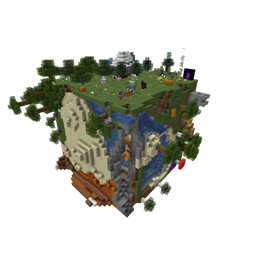
World Pre Generator Mod for Minecraft 1.21.1, 1.21.10
Provides a pre-generator for Minecraft worlds.
 NeoForge
 Forge
ForgeVersion 5.X.X
For older versions of the mod, check the wiki.
This Mod can pre generate the Minecraft dimensions per command. The Mod is only needed on the server side, but can also be used on the client side.
You need a server to play with friends? You don't know how to set up one? Just rent an already configured server!
Click on the picture above, select a plan (with recommended at least 6 GB), use my code agent to get 25% off your first month and enjoy playing with your friends!
Support
Minecraft versions, for which the mod is not released, are not supported. You can find a text version here.
Hints
The pre generation tasks are executed one after the other. The pre generations are continued after restarts. Chunks already generated are skipped on pre-generation, if the forced flag is not true. If you run semi-parallel pre generation, you should set "max-tick-time" in the "server.properties"-file to -1 to prevent crashes, because the tick time gets too long. In semi-parallel pre generation mode, multiple tasks for pre generation are started in parallel, but the execution is done the Minecraft way. As of 1.20.1, this means, that only one chunk can be generated at a time.
Server Config
The config file can be found in the "serverconfig" folder in the "world" folder and is named "world_pre_generator-server.toml". The name of the world folder is set for servers in the "server.properties" file and for clients it is the name of the world/save game in the world list, and it can be found in the "saves" folder in the ".minecraft" folder.
- send_feedback
Shall a pre generation feedback send to all online players?
- generation
Parameters for generation
- type
Type of generation SERIAL: Every chunk one after another is generated. SEMI_PARALLEL: Multiple chunk generation tasks are created, but the generation is still serial (speed up the chunk generation).
- semi_parallel_task_count
How many chunk generation tasks shall be start in parallel? If the value is "0", the number of processor cores is used.
- delays
Delays of the print and save tasks
Time between 2 status prints
- save
Time between 2 saving events
Commands
- /pregen list - Lists all running pre generation tasks.
- /pregen gen <dimension> start <block|chunk> <center> <radius> [<force>] - Creates a pre generation task with the specified centre, radius and dimension. Optional, the force flag (true, false) can be set. If it is set to true, all chunks are loaded. If it is set to false, already generated chunks are skipped. If the force flag is absent, it is set to false.
- block: The center coordinates and the radius are in blocks.
If you want to generate a 4000x4000 (2000 in the positive and negative direction) from the center of the world, the command would be: /pregen gen minecraft:overworld start block 0 0 2000 If you want to generate a 4002x4002 (2001 in the positive and negative direction) from x = 100, z = 150 of the world, the command would be: /pregen gen minecraft:overworld start block 100 150 2001 Hint: In the pregeneration list it will show up, with the following center and radius data, because the block data are calculated to chunk data and back: x = "round down"(100 / 16) * 16 = 96 z = "round down"(150 / 16) * 16 = 144 radius = "round up"(2001 / 16) * 16 = 2016
- chunk: The center coordinates and the radius are in chunks.
If you want to generate a 4000x4000 (2000 in the positive and negative direction) from the center of the world, the command would be: /pregen gen minecraft:overworld start chunk 0 0 125 If you want to generate a 4002x4002 (2001 in the positive and negative direction) from x = 100, z = 150 of the world. "chunk x" = "round down"(100 / 16) = 6 "chunk z" = "round down"(150 / 16) = 9 "chunk radius" = "round up"(2001 / 16) = 126 The command would be: /pregen gen minecraft:overworld start chunk 6 9 126
- /pregen gen <dimension> resume - Resumes the pre generation task of the dimension.
- /pregen gen <dimension> pause - Pauses the pre generation task of the dimension.
- /pregen gen <dimension> cancel - Cancels the pre generation task of the dimension.
- /pregen clear - Cancels all pre generation tasks.
- /pregen sendFeedback - Shows, if the progression feedback is enabled or disabled.
- /pregen sendFeedback <isFeedbackEnabled> - Enables or disables progression feedback depending on isFeedbackEnabled. Generation start and finish feedback are not affected of that.
Progression State
The progress state computed is in chunks. You get the following information in the generation messages: "A B/C (D%) E chunks/s"
- Dimension (A)
- Chunk generated (B)
- Total chunks to generate (C)
- Percentage of chunks for which generation is finished (D)
- Rate of Chunks per second generated between this and the last message (E)
Thanks for the logo to Muse31. You can use this mod in non-commercial modpacks without asking. You can find more mods from me on CurseForge and Modrinth.
How to install World Pre Generator
With Millida Launcher
Install Millida Launcher
The launcher is free: download it at millida.net/launcher and sign in with any nickname.
Click “Install” on this page
The launcher opens and installs the mod for Minecraft 1.21.1–1.21.10 on Forge or NeoForge automatically.
Launch the game
A profile with it appears in the launcher: click “Play”.
Manually
Install Forge or NeoForge
The loader must match the game version of the mod file, for example Minecraft 1.21.10. After installing it, a separate profile appears in your launcher.
Download the file for your version
In the version list above, pick the file WorldPreGenerator-1.21.1-5.0.1.jar (1.0 MB) for your game version and loader.
Put it in the mods folder
The folder is inside .minecraft (Windows: %appdata%\.minecraft\mods). If it does not exist, create it.
Launch the loader profile
Open “Mods” in the main menu: World Pre Generator should be in the list.
Minecraft 1.21.10 runs on Java 21: with a different Java version the game may close right after launch.
Versions
With dependencies
| Minecraft | Loader | File | Date | Actions |
|---|---|---|---|---|
| 1.21.8 | NeoForge | World Pre Generator 1.21.1-5.0.11 MB | ||
| 1.21.1 | Forge | World Pre Generator 1.21.1-4.0.01.1 MB |
FAQ
Is World Pre Generator for Forge or Fabric?
There are files for Forge: 1.21.1 and for NeoForge: 1.21.1–1.21.10. There are no files for Fabric: a mod for another loader will not start.
Does World Pre Generator need other mods?
The author lists no required dependencies: the Forge or NeoForge loader is enough.
Which Java does World Pre Generator need?
Minecraft 1.21.10 runs on Java 21. If the game closes right after launch, the usual cause is the wrong Java version in the profile settings.
Where can I download World Pre Generator safely?
On this page: the file WorldPreGenerator-1.21.1-5.0.1.jar (1.0 MB) is stored on Millida’s server, with no link shorteners. SHA-1 checksum: 75da1dbc4d9983a3a2b0580997a620bf6a1ebade.
Reviews
Be the first to rate World Pre Generator


