

Wither Spawn Animation Mod for Minecraft 1.20.1, 1.21.1
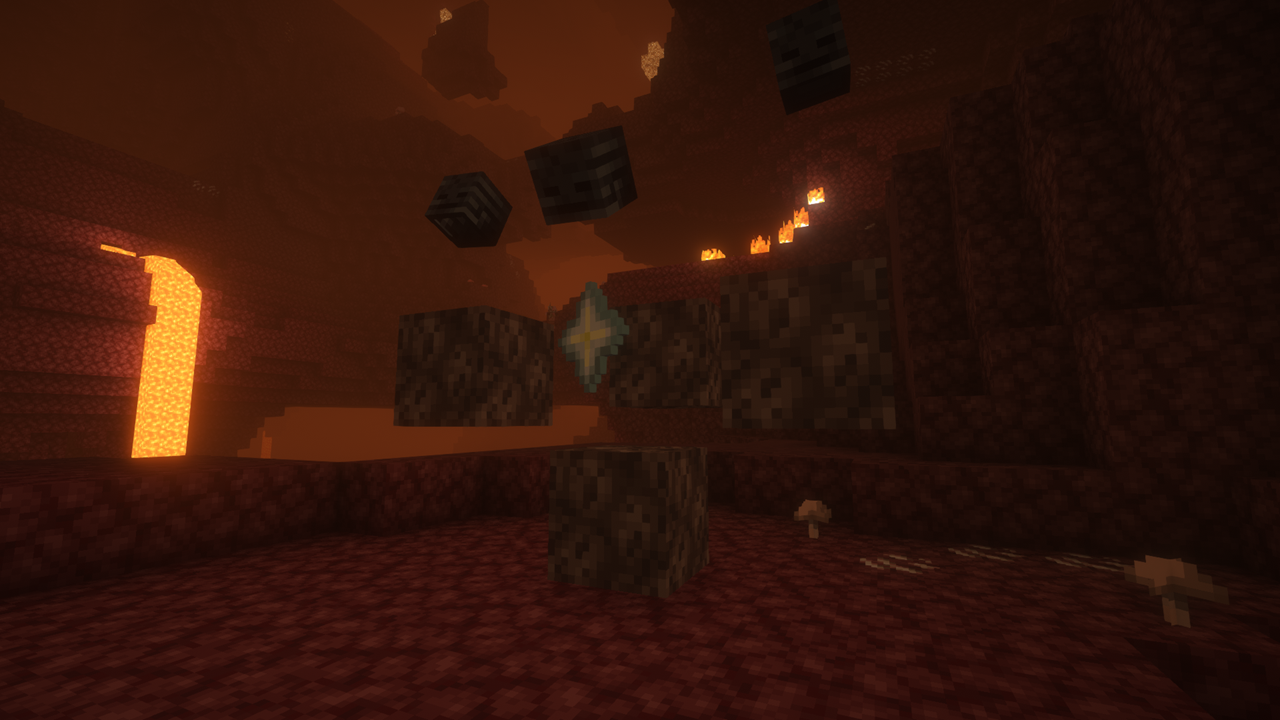
An animation that plays when a Wither is spawning
 NeoForge
 Fabric
 Forge
ForgeAbout the Wither Spawn Animation mod
YOU NEED GECKOLIB
This mod adds an animation after a Wither altar has been built, to make players feel more involved in the game and actually feel that a Boss Battle is about to come, instead of the boring, usual, immediate spawn of the Wither, that makes it feel useless.
(You can disable the animation with the command: "/gamerule witherSpawnAnimation false" but this won't take effect on already built altars)
Important:
-This mod is NOT compatible with "Wither Spawn Fix", but if you still want both the spawn animation and the spawn fix you can install "Wither Spawn Fix W.S.A. Compatible"
IN THIS VIDEO THERE IS A GRAPHICAL BUG IN THE ANIMATION THAT IS NOW FIXED
Works with Cracker's Wither Storm Mod too!
Wither Spawn Fix W.S.A. Compatible
Excalibur resource pack compatibility! (by Ruseky)
Also try Golem Spawn Animation!
CurseForge
How to install Wither Spawn Animation
With Millida Launcher
Install Millida Launcher
The launcher is free: download it at millida.net/launcher and sign in with any nickname.
Click “Install” on this page
The launcher opens and installs the mod for Minecraft 1.20.1–26.3 on Fabric, Forge or NeoForge automatically, together with its dependencies: Geckolib.
Launch the game
A profile with it appears in the launcher: click “Play”.
Manually
Install Fabric, Forge or NeoForge
The loader must match the game version of the mod file, for example Minecraft 26.3. After installing it, a separate profile appears in your launcher.
Download the file for your version
In the version list above, pick the file wither-spawn-animation-NEOFORGE-26.3-1.6.2.jar (921 KB) for your game version and loader.
Put it in the mods folder
The folder is inside .minecraft (Windows: %appdata%\.minecraft\mods). If it does not exist, create it. Required dependencies go there too: Geckolib.
Launch the loader profile
Open “Mods” in the main menu: Wither Spawn Animation should be in the list.
On a server
A server on Fabric, Forge or NeoForge
The mod only works on a server with the same loader and game version, for example 26.3.
File goes into the server’s mods folder
Stop the server, put the mod file into the mods folder and start the server again.
Use the “To server” button
On Millida Hosting, the button at the top of the page uploads the file to your server and restarts it for you.
Versions
With dependencies
| Minecraft | Loader | File | Date | Actions |
|---|---|---|---|---|
| 26.3 | NeoForge | 26.3921 KB | ||
| 26.2 | NeoForge | 26.2921 KB 1 | ||
| 26.3 | Fabric | 26.3921 KB 7 | ||
| 26.1 | Fabric | 26.1921 KB | ||
| 26.2 | Fabric | 26.2921 KB 1 | ||
| 1.21.11 | Fabric | 1.21.11920 KB 1 | ||
| 1.21.1 | Fabric | 1.21.1921 KB | ||
| 1.20.1 | Fabric | 1.20.1921 KB 1 |
What it needs to run
- Geckolibrequired
- Wither Spawn Fixincompatible
FAQ
Which Minecraft versions does Wither Spawn Animation work on?
There are files for 26.3, 26.2, 26.1, 1.21.11, 1.21.1, 1.20.1. The newest is 26.3.
Is Wither Spawn Animation for Forge or Fabric?
There are files for Fabric: 1.20.1–26.3, for Forge: 1.20.1 and for NeoForge: 1.21.1–26.3.
What does Wither Spawn Animation need to work?
Required: Geckolib. Without it the mod will not start: dependencies go into the same mods folder.
What is Wither Spawn Animation incompatible with?
The author marks it as incompatible with Wither Spawn Fix: they will not run together.
Does Wither Spawn Animation work on a server?
Yes. Wither Spawn Animation works both in singleplayer and on a server.
Where can I download Wither Spawn Animation safely?
On this page: the file wither-spawn-animation-NEOFORGE-26.3-1.6.2.jar (921 KB) is stored on Millida’s server, with no link shorteners. SHA-1 checksum: 89c7b7ac36d3cf6803b8a4a82a41da905b2c1581.
Reviews
Be the first to rate Wither Spawn Animation


