

Treasure2 Mod for Minecraft 1.20.1, 1.21.1
Who doesn't like finding loot? It is always fun to find free stuff!
 NeoForge
 Forge
ForgeAbout the Treasure2 mod
Treasure2 adds to the thrill of discovery in Minecraft. This mod adds various new and rare chests of treasure to be discovered. The chests are secured by an assortment of locks and can only be unlocked by finding the corresponding keys.
GottschCore
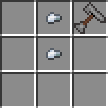
You can use the pouch to store extra keys, locks, coins, and gems. You can use the Key Ring to hold multiple keys and it will act like a key, selecting the correct one from its inventory for the lock.
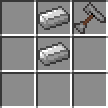
Without creating an entire sub-mod, Treasure2 adds a set of new weapons, standard versions and collectibles. They are geared towards a vanilla game, so they shouldn't be over-powered.
Mimics are back! Redesigned models and 5 new mimics (Cardboard, Crate, Moldy Crate, Viking and Cauldron).
You can easily make add-on mods for Treasure2. Here is a list of some:
Treasure2: Twilight Forest Loot Pack - by gottsch
Treasure2 can be used as a stand-alone mod, however, there are only so many vanilla items to use as good loot. Treasure2 has been designed to use datapacks to populate treasure chest loot tables. Here is a Twilight Forest datapack to use in Treasure2:
treasure2-twilight-forest-datapack_v1.0.0.zip
You can examine it as an example of how to setup any datapack for Treasure2.
The answer is Yes. Feel free to use Treasure2 or any of my mods in your modpacks.
https://www.tiktok.com/@louisetherose/video/7277901152363056391
How to install Treasure2
With Millida Launcher
Install Millida Launcher
The launcher is free: download it at millida.net/launcher and sign in with any nickname.
Click “Install” on this page
The launcher opens and installs the mod for Minecraft 1.12.2–1.21.1 on Forge or NeoForge automatically.
Launch the game
A profile with it appears in the launcher: click “Play”.
Manually
Install Forge or NeoForge
The loader must match the game version of the mod file, for example Minecraft 1.21.1. After installing it, a separate profile appears in your launcher.
Download the file for your version
In the version list above, pick the file treasure2-neoforge-1.21.1-5.0.2.jar (3.4 MB) for your game version and loader.
Put it in the mods folder
The folder is inside .minecraft (Windows: %appdata%\.minecraft\mods). If it does not exist, create it.
Launch the loader profile
Open “Mods” in the main menu: Treasure2 should be in the list.
Minecraft 1.21.1 runs on Java 21: with a different Java version the game may close right after launch.
Versions
With dependencies
| Minecraft | Loader | File | Date | Actions |
|---|---|---|---|---|
| 1.20.1 | Forge | treasure2-1.20.1-4.0.6.jar3.4 MB 1 | ||
| 1.21.1 | NeoForge | treasure2-neoforge-1.21.1-5.0.2.jar3.4 MB | ||
| 1.12.2 | — | Treasure2-mc1.12.2-f14.23.5.2859-v2.0.0.jar4.5 MB |
FAQ
Which Minecraft versions does Treasure2 work on?
There are files for 1.21.1, 1.20.1, 1.12.2. The newest is 1.21.1.
Is Treasure2 for Forge or Fabric?
There are files for Forge: 1.20.1 and for NeoForge: 1.21.1. There are no files for Fabric: a mod for another loader will not start.
Does Treasure2 need other mods?
The author lists no required dependencies: the Forge or NeoForge loader is enough.
Which Java does Treasure2 need?
Minecraft 1.21.1 runs on Java 21. If the game closes right after launch, the usual cause is the wrong Java version in the profile settings.
How do I download Treasure2?
With Millida Launcher: it installs Treasure2 into a modpack by itself, for the right game version and loader. The launcher is free.
Reviews
Be the first to rate Treasure2


