

SuperOreBlock Mod for Minecraft 1.20.1, 26.1.2
SuperOreBlocks introduces a new way to store and manage your valuable resources more efficiently in Minecraft.
 NeoForge
 Fabric
 Forge
ForgeAbout the SuperOreBlock mod
Too many ores? Overwhelmed by iron or gold farms? This mod is here to help! SuperOreBlocks introduces a new way to store and manage your valuable resources more efficiently in Minecraft.
You can also use these blocks to craft new items, with the Exclusive Weapons, Armor and Tools mod.
Do you need a server to play with your friends?
If you are looking for a server to play any mod or modpack with your friends, Bisect Hosting is your solution! They have the best quality-price Minecraft servers, and if you click on this link you will get a 25% discount, using the code "Lupin".
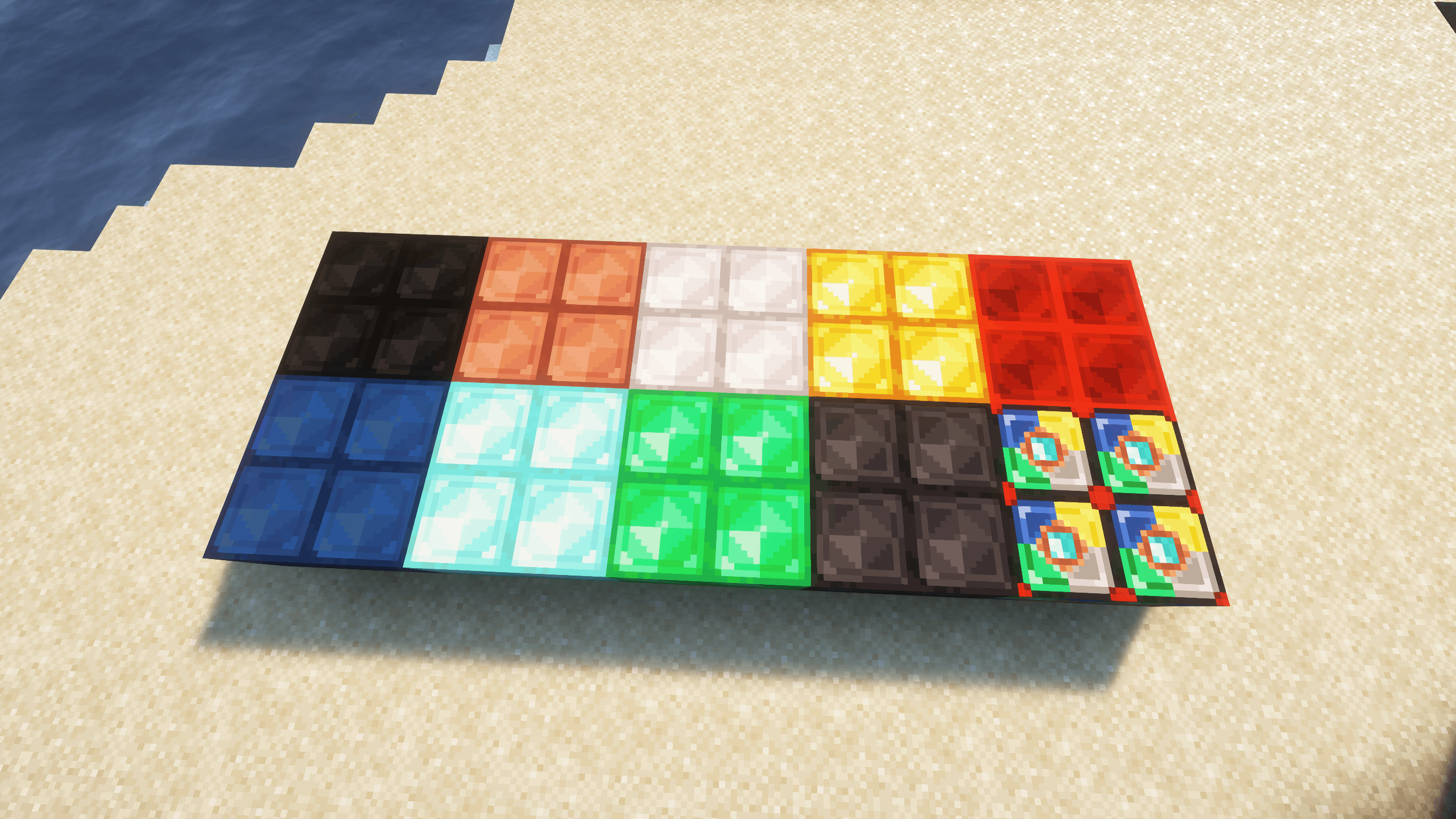
New Super Blocks for the following ores:
- Coal
- Copper
- Iron
- Gold
- Lapis Lazuli
- Redstone
- Emerald
- Diamond
- Netherite
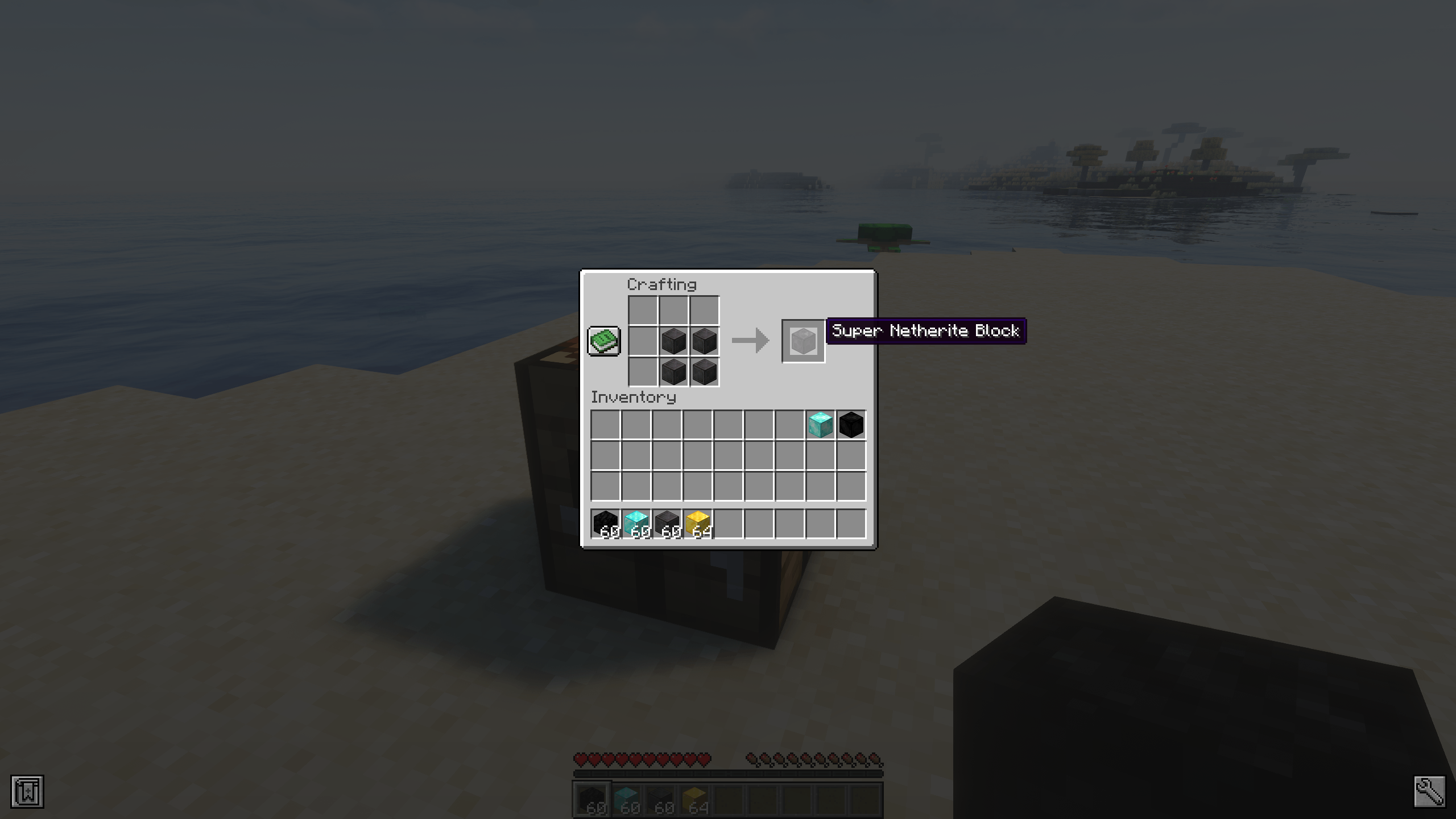
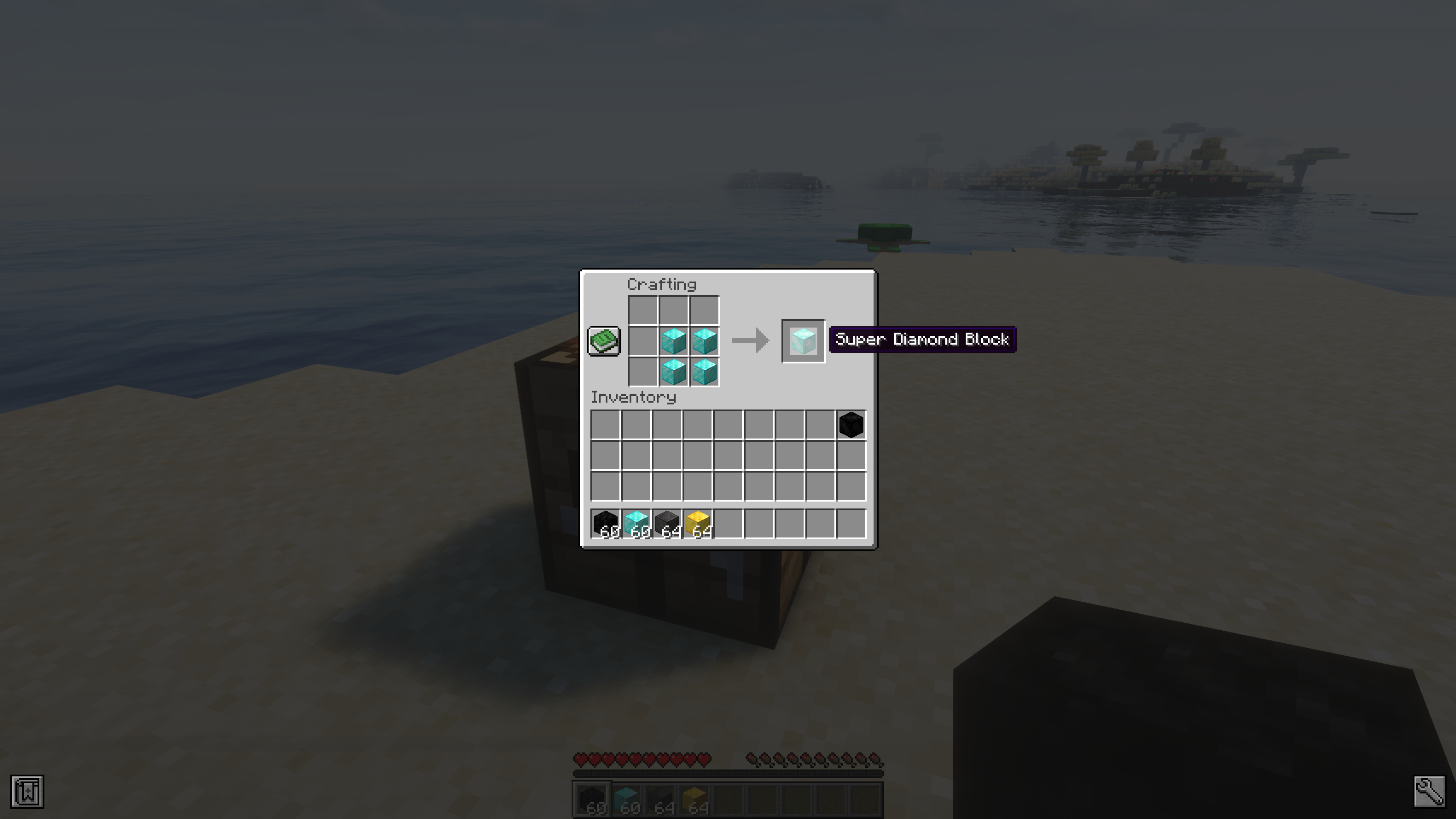
Simple crafting: Combine 4 regular ore blocks to create a Super Block of that ore.
Smart storage: Great for saving inventory space or organizing output from auto-farms and mining sessions.
Reversible crafting: You can convert any Super Block back into 4 standard ore blocks at any time.
Does it work on servers?
Sure! It works perfectly! Remember that the best way to play with mods and friends is with BisectHosting, and by clicking on this link you can get a 25% discount.
Can this mod be used in modpacks?
Of course! As long as it is published only on Modrinth or CurseForge. Uploading it to any other platform would be violating our rights and is not allowed at all.
However, we are really grateful if you consider adding it to your Modrinth or CurseForge modpack. If you need any small changes or have any questions, contact us!
Can I record a video of this mod and show it on my channel?
Sure, you are free to play this mod or any of our modpacks on your channel and make a video about it, in fact, we would be very grateful for it!

How to install SuperOreBlock
With Millida Launcher
Install Millida Launcher
The launcher is free: download it at millida.net/launcher and sign in with any nickname.
Click “Install” on this page
The launcher opens and installs the mod for Minecraft 1.20.1–26.1.2 on Fabric, Forge or NeoForge automatically.
Launch the game
A profile with it appears in the launcher: click “Play”.
Manually
Install Fabric, Forge or NeoForge
The loader must match the game version of the mod file, for example Minecraft 26.1.2. After installing it, a separate profile appears in your launcher.
Download the file for your version
In the version list above, pick the file SOB-NeoForge-26.1.2-2.0.1.jar (350 KB) for your game version and loader.
Put it in the mods folder
The folder is inside .minecraft (Windows: %appdata%\.minecraft\mods). If it does not exist, create it.
Launch the loader profile
Open “Mods” in the main menu: SuperOreBlock should be in the list.
Versions
With dependencies
| Minecraft | Loader | File | Date | Actions |
|---|---|---|---|---|
| 26.1 | NeoForge | [NeoForge] SuperOreBlock - MC 26.1.2 - 2.0.1350 KB | ||
| 26.1 | Fabric | [Fabric] SuperOreBlock - MC 26.1.2 - 2.0.1346 KB | ||
| 1.20.1 | Forge | [Forge] SuperOreBlock - MC 1.20.1 - 1.0.0527 KB 1 |
FAQ
Is SuperOreBlock for Forge or Fabric?
There are files for Fabric: 26.1–26.1.2, for Forge: 1.20.1 and for NeoForge: 26.1–26.1.2.
Does SuperOreBlock need other mods?
The author lists no required dependencies: the Fabric, Forge or NeoForge loader is enough.
Where can I download SuperOreBlock safely?
On this page: the file SOB-NeoForge-26.1.2-2.0.1.jar (350 KB) is stored on Millida’s server, with no link shorteners. SHA-1 checksum: c8a0d8f50dd13056d6274a1d3127aa9ba0ddd78e.
Reviews
Be the first to rate SuperOreBlock


