
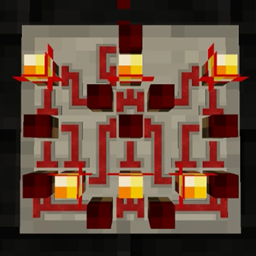
Super Circuit Maker Mod for Minecraft 1.18.2
Ever wanted to build custom logic gates and complex circuits? Now you can!
- views
- 10 views
- Updated
- Updated 17.10.2026
- 1.18.1 — 1.18.2
 Forge
Forge
This mod is no longer being actively maintained.
I appreciate the people who have reached out to ask if they can port it to newer versions, but I still hope to one day have time for modding again, and I would like to continue having full ownership and creative control over my projects.
With that said, I cannot stop you or anyone from making your own redstone mod, and if you do, I would really encourage you to think out of the box and aim to create something fresh and unique. I, at least, would be far more excited about something new than yet another port/remake of a mod I used to play with 8 years ago.
Super Circuit Maker allows you to build complex redstone assemblies in a tiny space, and now it's available for Minecraft 1.18! Make anything from a simple light switch to a Create gantry quarry controller, or even a computer. Your imagination is the limit!
Please note: Not all features from SCM1 (MC 1.10.2) are available in the latest version.
Planned features for SCM2 v0.3 (MC 1.19.3+):
- Circuits on walls
- Blueprints/redprints (copy/cut and paste)
- ASICs (circuit-in-circuit)
- Addon API
- New textures and models
Planned features for SCM2 v0.4 (MC 1.19.3+):
- Standalone wire (redstone, colored, bundled and bus wire)
- New light components
- (Blueprint sharing? Maybe in this version?)
A Fabric port is not planned at this time. This mod will not be backported to earlier versions either.
Super Circuit Maker 1 spotlight by Direwolf20:
How to install Super Circuit Maker
With Millida Launcher
Install Millida Launcher
The launcher is free: download it at millida.net/launcher and sign in with any nickname.
Click “Install” on this page
The launcher opens and installs the mod for Minecraft 1.18.1–1.18.2 on Forge automatically.
Launch the game
A profile with it appears in the launcher: click “Play”.
Manually
Install Forge
The loader must match the game version of the mod file, for example Minecraft 1.18.2. After installing it, a separate profile appears in your launcher.
Download the file for your version
In the version list above, pick the file SuperCircuitMaker2-0.2.9+1.18.2.jar (551 KB) for your game version.
Put it in the mods folder
The folder is inside .minecraft (Windows: %appdata%\.minecraft\mods). If it does not exist, create it.
Launch the loader profile
Open “Mods” in the main menu: Super Circuit Maker should be in the list.
Minecraft 1.18.2 runs on Java 17: with a different Java version the game may close right after launch.
Versions
With dependencies
| Minecraft | Loader | File | Date | Actions |
|---|---|---|---|---|
| 1.18.2 | Forge | Super Circuit Maker 2 v0.2.9551 KB | ||
| 1.18.2 | Forge | Super Circuit Maker 2 v0.2.4533 KB | ||
| 1.18.1 | Forge | Super Circuit Maker 2 v0.0.3465 KB |
FAQ
Which Minecraft versions does Super Circuit Maker work on?
There are files for 1.18.2, 1.18.1. The newest is 1.18.2.
Is Super Circuit Maker for Forge or Fabric?
Only for Forge: 1.18.1–1.18.2. There are no files for Fabric or NeoForge: a mod for another loader will not start.
Does Super Circuit Maker need other mods?
The author lists no required dependencies: the Forge loader is enough.
Which Java does Super Circuit Maker need?
Minecraft 1.18.2 runs on Java 17. If the game closes right after launch, the usual cause is the wrong Java version in the profile settings.
Where can I download Super Circuit Maker safely?
On this page: the file SuperCircuitMaker2-0.2.9+1.18.2.jar (551 KB) is stored on Millida’s server, with no link shorteners. SHA-1 checksum: 6a5265e024852b2f66db7962633c8e879e8f7634.
Reviews
Be the first to rate Super Circuit Maker


