
 Fabric
 Quilt
Spectrum Jetpacks
Information
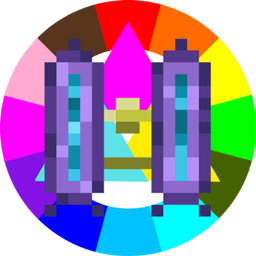
Adds jetpacks but instead of energy it runs on ink from spectrum! Just play along the spectrum progression and you'll find them in the progression!
Community
For any questions or support you can join my discord by clicking the button below!
How to install Spectrum Jetpacks
With Millida Launcher
Install Millida Launcher
The launcher is free: download it at millida.net/launcher and sign in with any nickname.
Click “Install” on this page
The launcher opens and installs the mod for Minecraft 1.19.2–1.20.1 on Fabric or Quilt automatically.
Launch the game
A profile with it appears in the launcher: click “Play”.
Manually
Install Fabric or Quilt
The loader must match the game version of the mod file, for example Minecraft 1.20.1. After installing it, a separate profile appears in your launcher.
Download the file for your version
In the version list above, pick the file spectrum-jetpacks-1.0.4+1.20.1.jar (58 KB) for your game version and loader.
Put it in the mods folder
The folder is inside .minecraft (Windows: %appdata%\.minecraft\mods). If it does not exist, create it.
Launch the loader profile
Open “Mods” in the main menu: Spectrum Jetpacks should be in the list.
Minecraft 1.20.1 runs on Java 17: with a different Java version the game may close right after launch.
Versions
With dependencies
| Minecraft | Loader | File | Date | Actions |
|---|---|---|---|---|
| 1.20.1 | Fabric, Quilt | Spectrum Jetpacks 1.0.4+1.20.158 KB | ||
| 1.19.2 | Fabric | spectrum-jetpacks-0.0.16.5 MB |
Reviews
Be the first to rate Spectrum Jetpacks


