
 NeoForge
 Forge
About the Sophisticated Storage Create Integration mod
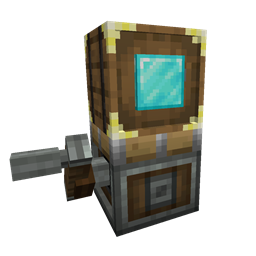
Sophisticated Storage Create Integration is a full-featured integration with Create, making it possible to use Sophisticated Storage blocks on Create contraptions not only as simple storage blocks, but with all of their extensive inventory options and with almost all upgrades fully functional. This addon mod brings the power and flexibility of Sophisticated Storage into the moving world of Create, so your storage blocks can now travel on trains, rotating platforms, flying machines, and more — without losing any of their advanced capabilities.
Contraption Storage
All Sophisticated Storage blocks - barrels, chests, and shulker boxes - can now be mounted on Create contraptions and will maintain full compatibility while in motion. Storage content remains persistent across movement, and upgrades, upgrade settings, and inventory settings (like memorized slots) are retained.
Upgrades
Most upgrades from Sophisticated Storage work seamlessly on Create contraptions. Position-based upgrades like Pickup or Magnet use the contraption's dynamic position and the position of the actual storage to function at the correct position, stack upgrades expand slot capacity, crafting upgrade works with contents of the storage, … Upgrades can be added to vehicle storage by right clicking them on the contraption mounted storage directly in the world.
Tier Upgrades
Tier upgrades can be applied to contraption storages the same way as to regular ones by just right clicking these on the storage. This allows for easy expansion of storage capacity even when the contraption is on the move.
Storage Tool
The Storage Tool can be used directly on contraptions to manage lock settings and visual indicators such as tier, upgrade slots, and fill levels—just like with any regular Sophisticated Storage block.
Paintbrush
Paintbrush can paint the contraption storages with the same level of support as it can regular storages so both tints as well as barrel materials changing with paintbrush are supported.
How to install Sophisticated Storage Create Integration
With Millida Launcher
Install Millida Launcher
The launcher is free: download it at millida.net/launcher and sign in with any nickname.
Click “Install” on this page
The launcher opens and installs the mod for Minecraft 1.20.1–1.21.1 on Forge or NeoForge automatically.
Launch the game
A profile with it appears in the launcher: click “Play”.
Manually
Install Forge or NeoForge
The loader must match the game version of the mod file, for example Minecraft 1.21.1. After installing it, a separate profile appears in your launcher.
Download the file for your version
In the version list above, pick the file sophisticatedstoragecreateintegration-1.21.1-0.1.21.209.jar (131 KB) for your game version and loader.
Put it in the mods folder
The folder is inside .minecraft (Windows: %appdata%\.minecraft\mods). If it does not exist, create it.
Launch the loader profile
Open “Mods” in the main menu: Sophisticated Storage Create Integration should be in the list.
Minecraft 1.21.1 runs on Java 21: with a different Java version the game may close right after launch.
Versions
With dependencies
| Minecraft | Loader | File | Date | Actions |
|---|---|---|---|---|
| 1.20.1 | Forge, NeoForge | sophisticatedstoragecreateintegration-1.20.1-0.1.24.221.jar127 KB 76 | ||
| 1.21.1 | NeoForge | sophisticatedstoragecreateintegration-1.21.1-0.1.21.209.jar131 KB 113 |
FAQ
Which Minecraft versions does Sophisticated Storage Create Integration work on?
There are files for 1.21.1, 1.20.1. The newest is 1.21.1.
Is Sophisticated Storage Create Integration for Forge or Fabric?
There are files for Forge: 1.20.1 and for NeoForge: 1.20.1–1.21.1. There are no files for Fabric: a mod for another loader will not start.
Does Sophisticated Storage Create Integration need other mods?
The author lists no required dependencies: the Forge or NeoForge loader is enough.
Which Java does Sophisticated Storage Create Integration need?
Minecraft 1.21.1 runs on Java 21. If the game closes right after launch, the usual cause is the wrong Java version in the profile settings.
Where can I download Sophisticated Storage Create Integration safely?
On this page: the file sophisticatedstoragecreateintegration-1.21.1-0.1.21.209.jar (131 KB) is stored on Millida’s server, with no link shorteners. SHA-1 checksum: d8f72f22459750496008a7c2a39dc865152d075c.
Reviews
Be the first to rate Sophisticated Storage Create Integration


