
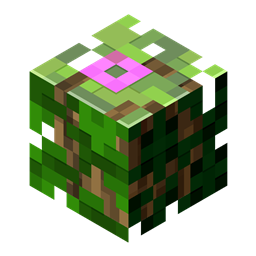
Separated Leaves Mod for Minecraft 1.20.1, 1.21.5
Makes Leaves only stick to their own Log type!
 Fabric
 NeoForge
 Forge
ForgeSeparated Leaves is a server-side data-driven mod which, you guessed it, separates leaves.
This mod makes Leaves only stick to their own Log type. This means that, for instance, after you chop down an Oak Tree standing next to a Birch Tree, all Oak Leaves will despawn even though they were connected to the Birch Tree.
This is also useful when, for example, decorating a tree farm, because you can use any other Log type in your build without worrying about leaves sticking to your walls.
The mod is data-driven!
This means that you can add compatibility for any mod yourself, through data packs. Want to learn how? Take a look at the Docs.
It has built-in compatibility with:
- Atmospheric
- Autumnity
- Biomes o' Plenty
- Ecologics
- Environmental
- Hex Casting
- Malum
- Oh The Biomes You'll Go
- Premium Wood
- Quark
- Reqions Unexplored
- The Twilight Forest
- Upgrade Aquatic
- Windswept
How to install Separated Leaves
With Millida Launcher
Install Millida Launcher
The launcher is free: download it at millida.net/launcher and sign in with any nickname.
Click “Install” on this page
The launcher opens and installs the mod for Minecraft 1.19.3–1.21.5 on Fabric, Forge or NeoForge automatically.
Launch the game
A profile with it appears in the launcher: click “Play”.
Manually
Install Fabric, Forge or NeoForge
The loader must match the game version of the mod file, for example Minecraft 1.21.5. After installing it, a separate profile appears in your launcher.
Download the file for your version
In the version list above, pick the file separatedleaves-2.6.1-fabric-1.21.4.jar (123 KB) for your game version and loader.
Put it in the mods folder
The folder is inside .minecraft (Windows: %appdata%\.minecraft\mods). If it does not exist, create it.
Launch the loader profile
Open “Mods” in the main menu: Separated Leaves should be in the list.
Minecraft 1.21.5 runs on Java 21: with a different Java version the game may close right after launch.
Versions
With dependencies
| Minecraft | Loader | File | Date | Actions |
|---|---|---|---|---|
| 1.21.5 | Fabric | 2.6.1123 KB | ||
| 1.21.5 | NeoForge | 2.6.1124 KB | ||
| 1.19.3 | Forge | 2.6.0 Forge 1.20.4122 KB |
FAQ
Which Minecraft versions does Separated Leaves work on?
There are files for 1.19.3–1.21.5, 9 versions in total. The newest is 1.21.5.
Is Separated Leaves for Forge or Fabric?
There are files for Fabric: 1.21.4–1.21.5, for Forge: 1.19.3–1.20.4 and for NeoForge: 1.21.4–1.21.5.
Does Separated Leaves need other mods?
The author lists no required dependencies: the Fabric, Forge or NeoForge loader is enough.
Which Java does Separated Leaves need?
Minecraft 1.21.5 runs on Java 21. If the game closes right after launch, the usual cause is the wrong Java version in the profile settings.
Where can I download Separated Leaves safely?
On this page: the file separatedleaves-2.6.1-fabric-1.21.4.jar (123 KB) is stored on Millida’s server, with no link shorteners. SHA-1 checksum: 2c33141b493be07ab6ece5be579ace2f6316a74e.
Reviews
Be the first to rate Separated Leaves


