

Productive Trees Mod for Minecraft 1.20.1, 1.21.1
Breedable tree species
 NeoForge
 Forge
ForgeAbout the Productive Trees mod
Introducing the 'Productive Trees' mod for Minecraft, a spiritual successor to the tree breeding mini-game from Forestry. With this mod, you can now engage in the art of tree breeding, allowing you to cross-pollinate different tree species and cultivate unique, hybrid varieties. Gone are the days of building with wood from boring old vanilla trees with a collection of over 160 new unique wood sets.
With Productive Trees, you have the power to strategically breed trees to yield beautiful wood types. Experiment with various combinations to discover and unlock a plethora of exciting possibilities. Imagine harvesting a tree that not only provides rare wood but also bears delicious fruits or nuts!
Enhance your forestry skills, create your unique tree species, and transform your in-game world into a thriving ecosystem of custom-grown wonders. Download the Productive Trees mod today and embark on a journey of arboreal innovation in the vast pixelated landscapes of Minecraft.
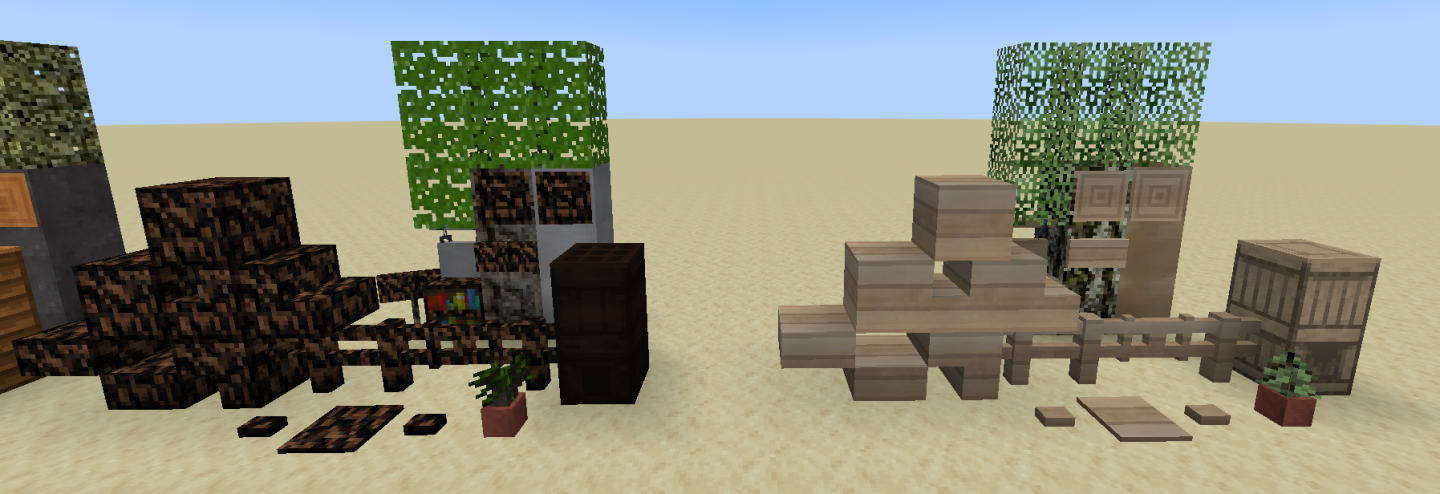
This mod is in beta and is not yet complete. Notable things missing are the tree features (how they look when grown).
There's a discord server if you need some help or want to stop by and compliment the textures.
"So much wood you'll be seeking medical attention" - anonymous
How to install Productive Trees
With Millida Launcher
Install Millida Launcher
The launcher is free: download it at millida.net/launcher and sign in with any nickname.
Click “Install” on this page
The launcher opens and installs the mod for Minecraft 1.20.1–1.21.1 on Forge or NeoForge automatically.
Launch the game
A profile with it appears in the launcher: click “Play”.
Manually
Install Forge or NeoForge
The loader must match the game version of the mod file, for example Minecraft 1.21.1. After installing it, a separate profile appears in your launcher.
Download the file for your version
In the version list above, pick the file productivetrees-1.21.1-1.1.1.jar (13 MB) for your game version and loader.
Put it in the mods folder
The folder is inside .minecraft (Windows: %appdata%\.minecraft\mods). If it does not exist, create it.
Launch the loader profile
Open “Mods” in the main menu: Productive Trees should be in the list.
Minecraft 1.21.1 runs on Java 21: with a different Java version the game may close right after launch.
Versions
With dependencies
| Minecraft | Loader | File | Date | Actions |
|---|---|---|---|---|
| 1.21.1 | NeoForge | productivetrees-1.21.1-1.1.1.jar13.4 MB 2 | ||
| 1.21.1 | NeoForge | productivetrees-1.21.1-0.6.0.jar3.2 MB | ||
| 1.20.1 | NeoForge, Forge | productivetrees-1.20.1-0.2.6.jar14 MB | ||
| 1.20.1 | NeoForge, Forge | productivetrees-1.20.1-0.1.0.jar13.3 MB |
FAQ
Which Minecraft versions does Productive Trees work on?
There are files for 1.21.1, 1.20.1. The newest is 1.21.1.
Is Productive Trees for Forge or Fabric?
There are files for Forge: 1.20.1 and for NeoForge: 1.20.1–1.21.1. There are no files for Fabric: a mod for another loader will not start.
Does Productive Trees need other mods?
The author lists no required dependencies: the Forge or NeoForge loader is enough.
Which Java does Productive Trees need?
Minecraft 1.21.1 runs on Java 21. If the game closes right after launch, the usual cause is the wrong Java version in the profile settings.
Where can I download Productive Trees safely?
On this page: the file productivetrees-1.21.1-1.1.1.jar (13 MB) is stored on Millida’s server, with no link shorteners. SHA-1 checksum: 33b7f304e4e13297fdbbef4822f8b178d73868cc.
Reviews
Be the first to rate Productive Trees


