

Pickle Tweaks Mod for Minecraft 1.20.1, 26.1.2
Crafting grid tool repairing, paxels, watering cans and more!
 NeoForge
 Forge
ForgeAbout the Pickle Tweaks mod
Pickle Tweaks adds a variety of useful Vanilla+ style features and tweaks.
All features of this mod can be disabled individually in the config file.
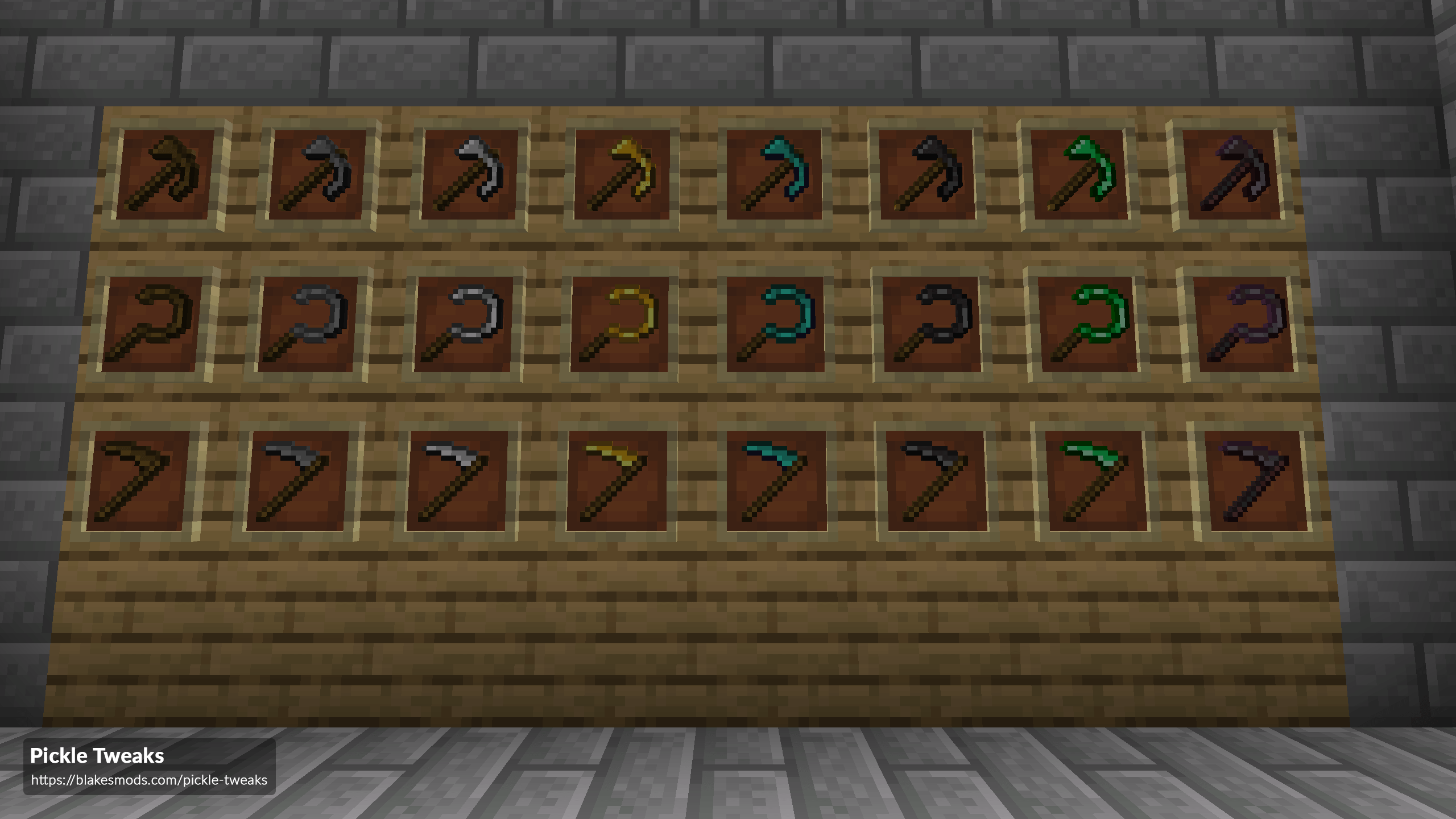
Features
- Crafting Grid Tool Repair: Repair your broken tools and weapons in a crafting grid using it's repair materials, just like an Anvil.
- Paxels: A combination of Axe, Pickaxe and Shovel.
- Right Click Crop Harvesting: Makes right clicking on a fully grown crop harvest and replant it.
- Tool Information Tooltips: Adds mining speed and mining level of tools to their tooltips. Also adds amount of valid ammo in your inventory to bow tooltips.
- Flint & Emerald Tools: Adds tools made of Flint and Emerald.
- Sickles: A tool for mining plant material blocks in an AOE.
- Scythes: A tool for harvesting and replanting crops in an area. Also works as an AOE weapon.
- HWYLA/Jade Harvestability Tooltip: Adds the harvest level of the block to it's HWYLA/Jade tooltip.
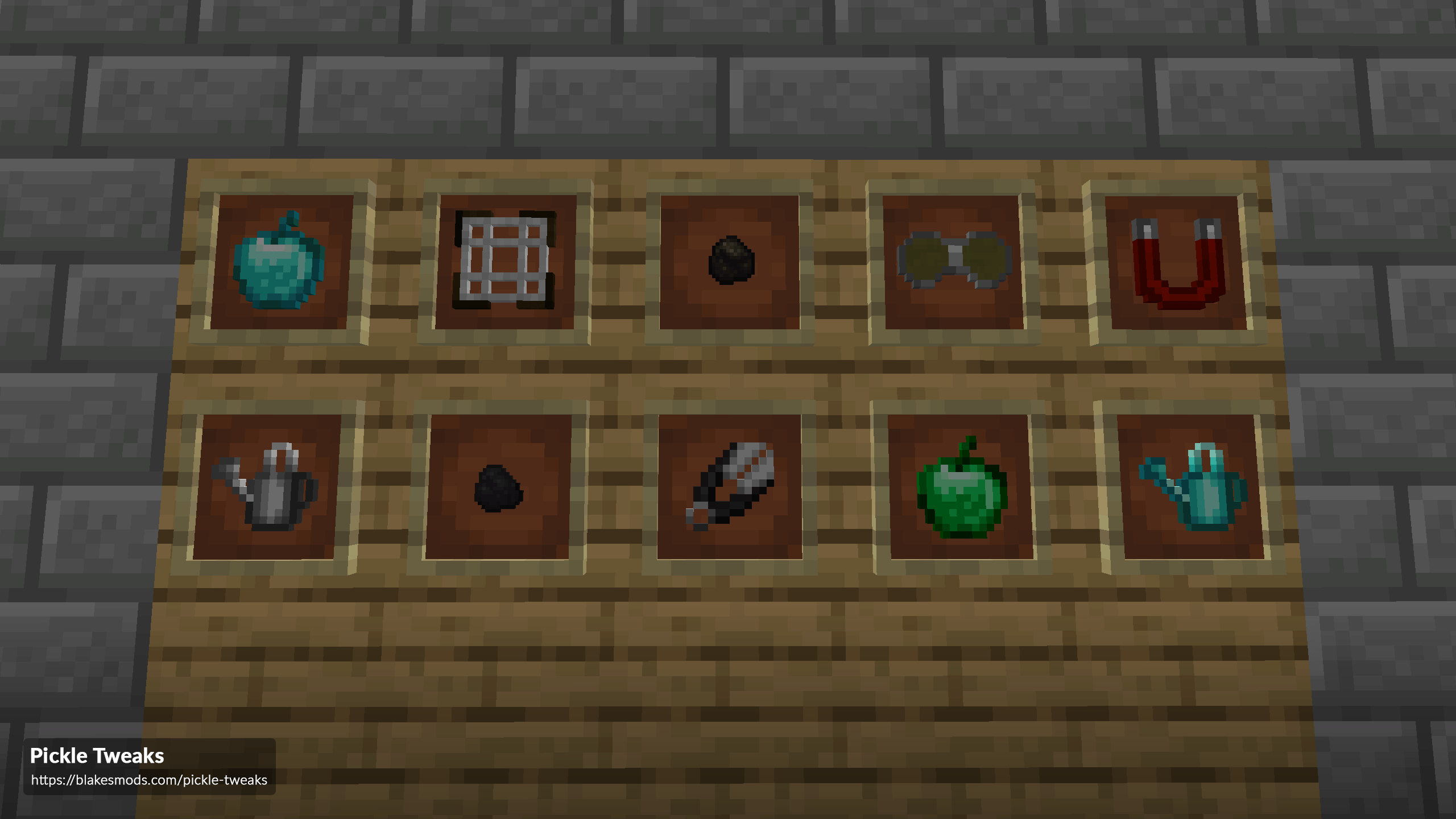
- Watering Can: Increases crop growth speed in an area. Comes with basic (3x3) and Reinforced (7x7) variants.
- Coal & Charcoal Pieces: Cooks 1 item each.
- Night Vision Goggles: When worn, grants the wearer night vision. Comes in basic and Reinforced variants.
- Diamond & Emerald Apples: Apples that provide additional buffs.
- Item Magnet: Attracts items and experience orbs to you.
- Meshes: Used to craft Flint from Gravel.
- Tool Breaking Tweaks: Adds a tweak to make tools and weapons ineffective 1 use before breaking, allowing for repairs.
- Tool Uselessifier: You can specify tools in the config file that should not be able to break blocks, deal damage, etc.
How to install Pickle Tweaks
With Millida Launcher
Install Millida Launcher
The launcher is free: download it at millida.net/launcher and sign in with any nickname.
Click “Install” on this page
The launcher opens and installs the mod for Minecraft 1.14.4–26.1.2 on Forge or NeoForge automatically.
Launch the game
A profile with it appears in the launcher: click “Play”.
Manually
Install Forge or NeoForge
The loader must match the game version of the mod file, for example Minecraft 26.1.2. After installing it, a separate profile appears in your launcher.
Download the file for your version
In the version list above, pick the file PickleTweaks-26.1.2-10.0.1.jar (255 KB) for your game version and loader.
Put it in the mods folder
The folder is inside .minecraft (Windows: %appdata%\.minecraft\mods). If it does not exist, create it.
Launch the loader profile
Open “Mods” in the main menu: Pickle Tweaks should be in the list.
Versions
With dependencies
| Minecraft | Loader | File | Date | Actions |
|---|---|---|---|---|
| 26.1.2 | NeoForge | PickleTweaks-26.1.2-10.0.1.jar255 KB | ||
| 1.20.1 | Forge | PickleTweaks-1.20.1-8.0.6.jar236 KB 2 | ||
| 1.14.4 | — | PickleTweaks-1.14.4-3.0.7.jar172 KB 1 |
FAQ
Which Minecraft versions does Pickle Tweaks work on?
There are files for 26.1.2, 1.20.1, 1.14.4. The newest is 26.1.2.
Is Pickle Tweaks for Forge or Fabric?
There are files for Forge: 1.20.1 and for NeoForge: 26.1.2. There are no files for Fabric: a mod for another loader will not start.
Does Pickle Tweaks need other mods?
The author lists no required dependencies: the Forge or NeoForge loader is enough.
Where can I download Pickle Tweaks safely?
On this page: the file PickleTweaks-26.1.2-10.0.1.jar (255 KB) is stored on Millida’s server, with no link shorteners. SHA-1 checksum: 34a704d839c4af3604959a4c5d1481254ff0216d.
Reviews
Be the first to rate Pickle Tweaks


