
Max Enchant X Mod for Minecraft 1.20.1, 1.19.2
Sets the default maximum level for most enchantments to 10.
 NeoForge
 Fabric
 Forge
About the Max Enchant X mod
This mod sets the default maximum level for most enchantments to 10. This also unlocks Mending, Soul Speed, and Swift Sneak.
Such as Efficiency, Fire Aspect, Frost Walker, Impaling, Knockback, Looting, Loyalty, Lure, Piercing, Power, Protection, Respiration, Riptide, Sharpness, Soul Speed, Sweeping Edge, Swift Sneak, Thorns, and Unbreaking.
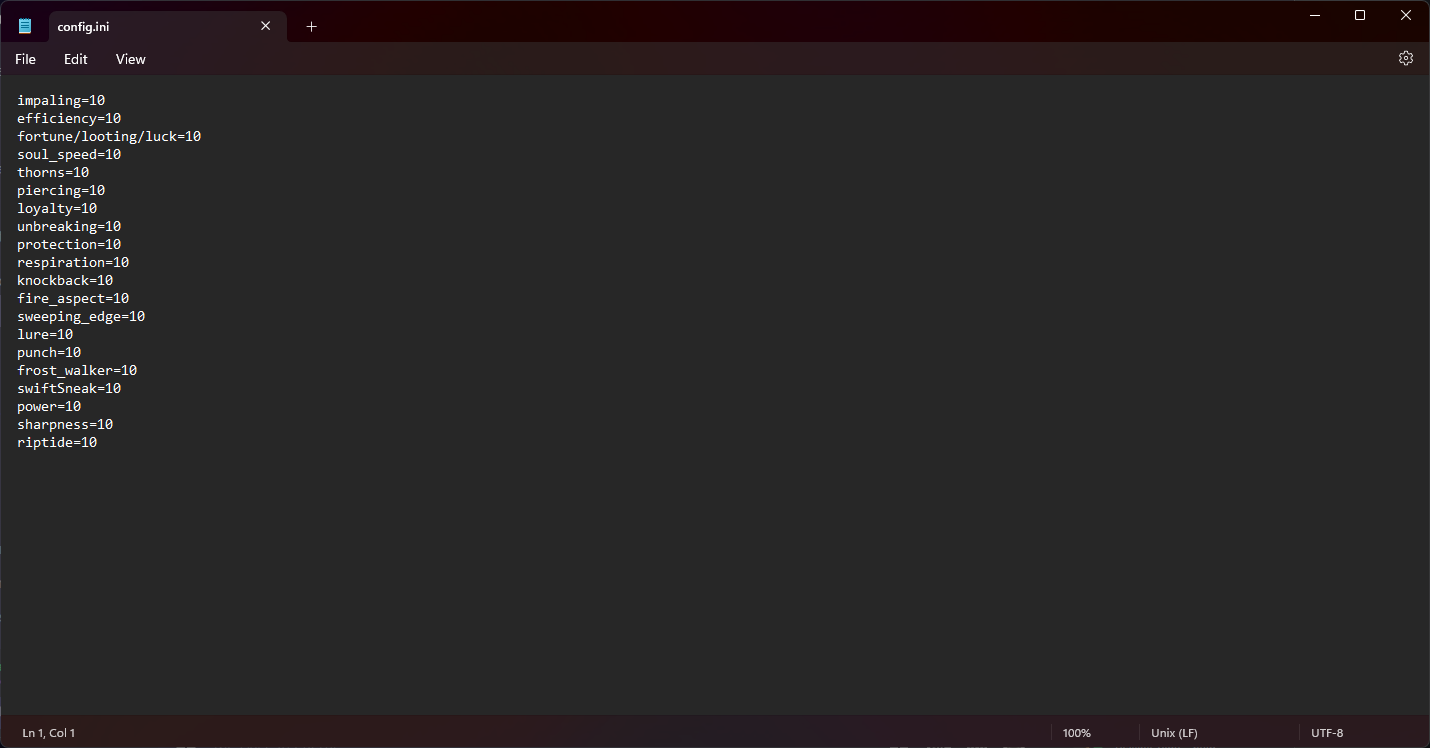
Maximum can be changed in the config file.
Huge thank you to ZephaniahNoah for setting up the workspace and the source.
Fabric version requires Fabric API!
NeoForge version requires NeoForge.
changelog:
v1.0:
Initial release
v1.1:
Fabric: Mixins are now listed in "mixin" instead of "client", License changed to MIT
Forge: Added config
v1.2:
Fabric: Updated to 1.20.X, Added Config, Added Luck
Forge: updated to 1.20.X, fixed config, looting now says fortune/looting/luck
v1.3:
Fabric: added extra enchantment level translations
Forge: added extra enchantment level translations
NeoForge: Support added, added extra enchantment level translations
How to install Max Enchant X
With Millida Launcher
Install Millida Launcher
The launcher is free: download it at millida.net/launcher and sign in with any nickname.
Click “Install” on this page
The launcher opens and installs the mod for Minecraft 1.19–1.20.1 on Fabric, Forge or NeoForge automatically.
Launch the game
A profile with it appears in the launcher: click “Play”.
Manually
Install Fabric, Forge or NeoForge
The loader must match the game version of the mod file, for example Minecraft 1.20.1. After installing it, a separate profile appears in your launcher.
Download the file for your version
In the version list above, pick the file MaxEnchantX-1.20.1-NeoForge-1.3.jar (32 KB) for your game version and loader.
Put it in the mods folder
The folder is inside .minecraft (Windows: %appdata%\.minecraft\mods). If it does not exist, create it.
Launch the loader profile
Open “Mods” in the main menu: Max Enchant X should be in the list.
Minecraft 1.20.1 runs on Java 17: with a different Java version the game may close right after launch.
Versions
With dependencies
| Minecraft | Loader | File | Date | Actions |
|---|---|---|---|---|
| 1.19.3 | Fabric | MaxEnchantX-1.19.X-1.3-fabric34 KB 1 | ||
| 1.19.3 | Forge | MaxEnchantX-1.19.X-1.3-forge31.5 KB 2 | ||
| 1.20.1 | NeoForge | MaxEnchantX-1.20.1-1.3-neoforge32.3 KB |
FAQ
Which Minecraft versions does Max Enchant X work on?
There are files for 1.20.1, 1.19.4, 1.19.3, 1.19.2, 1.19.1, 1.19. The newest is 1.20.1.
Is Max Enchant X for Forge or Fabric?
There are files for Fabric: 1.19–1.19.4, for Forge: 1.19–1.19.4 and for NeoForge: 1.20.1.
Does Max Enchant X need other mods?
The author lists no required dependencies: the Fabric, Forge or NeoForge loader is enough.
Which Java does Max Enchant X need?
Minecraft 1.20.1 runs on Java 17. If the game closes right after launch, the usual cause is the wrong Java version in the profile settings.
How do I download Max Enchant X?
With Millida Launcher: it installs Max Enchant X into a modpack by itself, for the right game version and loader. The launcher is free.
Reviews
Be the first to rate Max Enchant X


