
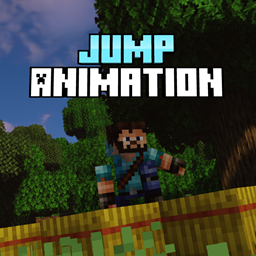
JumpAnimation Mod for Minecraft 1.20.1
Adds a jumping animation (and some cool mechanics)
 Forge
 Fabric
About the JumpAnimation mod
Pet the floppa to buy me a coffee!
Almost every animation modset out there changes everything except the one thing we do the most, the jumping animation for the player.
So here it is:
Jumping:
walking:
Idle:
Sprinting:
But the mod don't stop here!
Falling:
Falling and taking damage will slow you down a little bit:
Falling from too high will slow you down even more:
Falling on hay bale negates all fall damage but you'll be unable to move for a short time:
Diving:
Diving can be performed by pressing space right after the jump animation, diving can be used to negate high falls speed penalty.
If you hit the ground you will roll:
If you hit water you will swim up:
Cannonball:
To perform the cannonball you need to fall at least 5 blocks (that's when the player starts the falling animation) just press space once (while falling) and you'll perform the cannonball pose. (remember, you can't use cannonball if you're already diving)
There's particularly no use for the cannonball, but damn it's fun to do it.
There's a config file for disabling animations individually and disabling certain features like the falling speed penalty.
I highly recommend you to use this mod with a first person mod like real camera mod, or a third person mod like Betther Third Person mod.
This mod needs Player Animator https://www.curseforge.com/minecraft/mc-mods/playeranimator
All projects now on:
If anyone want to use this mod in a modpack, or showcase the mod in a video be my guest. Send me a private message with the link so I can play the modpack or watch the video too.
In the meantime please don't forget to check out my other mods, they're all focused on immersion and a little more realism, any feedback is highly appreciated.
I also make vintage story mods! You can check it out here: SaltyWater
Peace.
How to install JumpAnimation
With Millida Launcher
Install Millida Launcher
The launcher is free: download it at millida.net/launcher and sign in with any nickname.
Click “Install” on this page
The launcher opens and installs the mod for Minecraft 1.19–1.20.1 on Fabric or Forge automatically.
Launch the game
A profile with it appears in the launcher: click “Play”.
Manually
Install Fabric or Forge
The loader must match the game version of the mod file, for example Minecraft 1.20.1. After installing it, a separate profile appears in your launcher.
Download the file for your version
In the version list above, pick the file jumpanimation-0.5.0.jar (42 KB) for your game version and loader.
Put it in the mods folder
The folder is inside .minecraft (Windows: %appdata%\.minecraft\mods). If it does not exist, create it.
Launch the loader profile
Open “Mods” in the main menu: JumpAnimation should be in the list.
Minecraft 1.20.1 runs on Java 17: with a different Java version the game may close right after launch.
Versions
With dependencies
| Minecraft | Loader | File | Date | Actions |
|---|---|---|---|---|
| 1.19 | Forge | jumpanimation-2.0.0-1.1924.7 KB | ||
| 1.19.4 | Fabric | jumpanimation-1.0.0-fabric-1.19.4261 KB | ||
| 1.20.1 | Forge | Jumpanimation-0.5.042.2 KB 4 |
FAQ
Which Minecraft versions does JumpAnimation work on?
There are files for 1.20.1, 1.19.4, 1.19. The newest is 1.20.1.
Is JumpAnimation for Forge or Fabric?
There are files for Fabric: 1.19.4 and for Forge: 1.19–1.20.1. There are no files for NeoForge: a mod for another loader will not start.
Does JumpAnimation need other mods?
The author lists no required dependencies: the Fabric or Forge loader is enough.
Which Java does JumpAnimation need?
Minecraft 1.20.1 runs on Java 17. If the game closes right after launch, the usual cause is the wrong Java version in the profile settings.
How do I download JumpAnimation?
With Millida Launcher: it installs JumpAnimation into a modpack by itself, for the right game version and loader. The launcher is free.
Reviews
Be the first to rate JumpAnimation


