
 Fabric
 Quilt
QuiltThis page is no longer updated. Read more below.
Image2Map
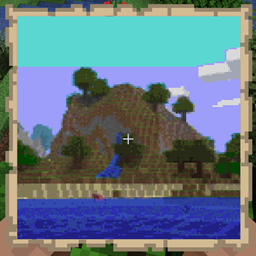
A Fabric mod that allows you to render an image onto a map(s), allowing you to display it on your vanilla compatible server!
Commands:
- /image2map create <WIDTH> <HEIGHT> <[dither/none]> <URL> - Creates map of specified size (in pixels, single map is 128x128), with/without dither, using provided image
- /image2map create <[dither/none]> <URL> - Creates map with/without dither, using provided image
- /image2map preview <URL> - Creates dynamic preview before saving the map as item
Commands in preview mode
- /dither <[dither/none]> - Changes dither mode
- /size - Displays current size
- /size <WIDTH> <HEIGHT> - Changes size of map to specified one (in pixels, single map is 128x128)
- /grid - Toggles visibility of map grid
- /save - Exits preview and saves map as items
- /exit - Exits preview without saving
Multimaps
In case of maps bigger than 128x128 pixels, you will get them in a bundle. Clicking with it on top-left corner of item frames will put all maps in correct places. Works for any item frame on wall, floor or ceiling.
New versions of this mod (1.19.4+)
This mod is no longer updated on the curseforge platform. If you want to use/download newer version of this mod, see it's Modrinth page: https://modrinth.com/mod/image2map
How to install Image2Map
With Millida Launcher
Install Millida Launcher
The launcher is free: download it at millida.net/launcher and sign in with any nickname.
Click “Install” on this page
The launcher opens and installs the mod for Minecraft 1.19.3 on Fabric or Quilt automatically.
Launch the game
A profile with it appears in the launcher: click “Play”.
Manually
Install Fabric or Quilt
The loader must match the game version of the mod file, for example Minecraft 1.19.3. After installing it, a separate profile appears in your launcher.
Download the file for your version
In the version list above, pick the file image2map-0.4.0.jar (301 KB) for your game version and loader.
Put it in the mods folder
The folder is inside .minecraft (Windows: %appdata%\.minecraft\mods). If it does not exist, create it.
Launch the loader profile
Open “Mods” in the main menu: Image2Map should be in the list.
Minecraft 1.19.3 runs on Java 17: with a different Java version the game may close right after launch.
Versions
With dependencies
| Minecraft | Loader | File | Date | Actions |
|---|---|---|---|---|
| 1.19.3 | Fabric, Quilt | image2map-0.4.0.jar301 KB | ||
| — | Fabric, Quilt | 0.2.3254 KB | ||
| — | Fabric | image2map-0.2.2.jar241 KB |
Reviews
Be the first to rate Image2Map


