

GeOre Mod for Minecraft 1.20.1, 1.21.1
Geode style resource gathering
 NeoForge
 Forge
ForgeAbout the GeOre mod
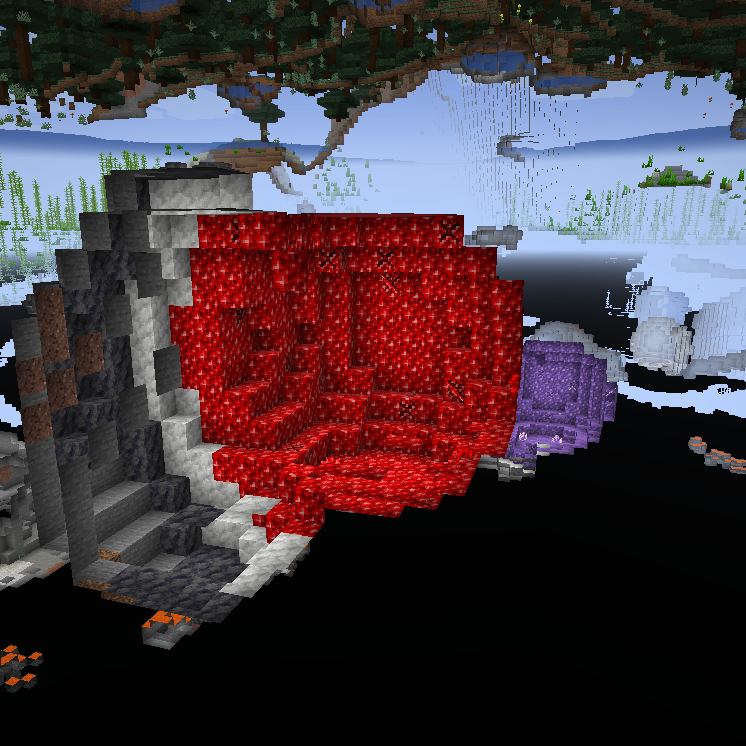
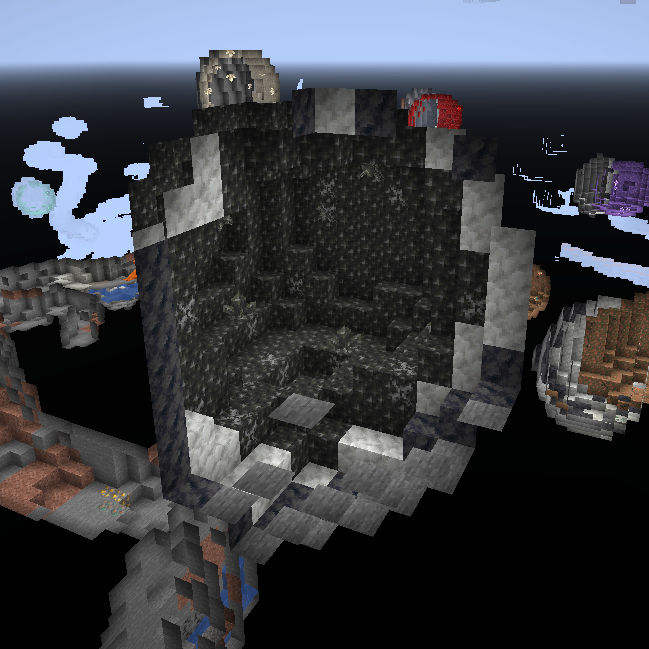
This mod takes heavy inspiration of the vanilla amethyst geode feature and applies it to other valuables to.
The idea is that if you want to make ore farms you will need to go out and explore the world and try to find the geode of the ore you are looking for, these geodes work like vanilla geodes as to where it generates a decent chunk of decorative blocks and some budding versions of this block, the budding version will grow ore crystals which you can harvest when fully grown. budding ore blocks will not drop when mined even with silk touch, these can't be moved with pistons either, so where you find it is where you have to use it.
FAQ:
Can you backport this? No, versions below 1.17 did not contain geodes and I'm not re implementing a feature from a newer version on an older version. Where can I find non vanilla related Ge-Ores? Ge-Ores of ores that don't spawn in Vanilla Minecraft need to be enabled in the config before they can spawn, an example of these are: Zinc, Topaz, Sapphire, etc.
Why Are some Ge-Ores disabled by default? This is due to the ores they represent not occurring in all modpacks making these Ge-Ores less functional, but even without the required mods you could still use them for decorations or change their recipes to give other items ;)
For questions feel free to join my Discord.
Want to support us?

-Mrbysco
-ShyNieke
Need a server?

How to install GeOre
With Millida Launcher
Install Millida Launcher
The launcher is free: download it at millida.net/launcher and sign in with any nickname.
Click “Install” on this page
The launcher opens and installs the mod for Minecraft 1.20–26.1.2 on Forge or NeoForge automatically.
Launch the game
A profile with it appears in the launcher: click “Play”.
Manually
Install Forge or NeoForge
The loader must match the game version of the mod file, for example Minecraft 26.1.2. After installing it, a separate profile appears in your launcher.
Download the file for your version
In the version list above, pick the file GeOre-26.1.2-8.0.6.jar (807 KB) for your game version and loader.
Put it in the mods folder
The folder is inside .minecraft (Windows: %appdata%\.minecraft\mods). If it does not exist, create it.
Launch the loader profile
Open “Mods” in the main menu: GeOre should be in the list.
Versions
With dependencies
| Minecraft | Loader | File | Date | Actions |
|---|---|---|---|---|
| 26.1.2 | NeoForge | GeOre-26.1.2-8.0.6.jar807 KB | ||
| 1.21.1 | NeoForge | GeOre-1.21.1-6.2.3.jar814 KB | ||
| 1.20.1 | Forge, NeoForge | GeOre-1.20.1-2.5.0.jar821 KB | ||
| 1.20.1 | Forge | GeOre-1.20.1-2.4.1.jar367 KB |
FAQ
Which Minecraft versions does GeOre work on?
There are files for 26.1.2, 1.21.1, 1.20.1, 1.20. The newest is 26.1.2.
Is GeOre for Forge or Fabric?
There are files for Forge: 1.20–1.20.1 and for NeoForge: 1.20.1–26.1.2. There are no files for Fabric: a mod for another loader will not start.
Does GeOre need other mods?
The author lists no required dependencies: the Forge or NeoForge loader is enough.
Where can I download GeOre safely?
On this page: the file GeOre-26.1.2-8.0.6.jar (807 KB) is stored on Millida’s server, with no link shorteners. SHA-1 checksum: 54bcb70be4d81dbbf214b4698d974fd9bc337994.
Reviews
Be the first to rate GeOre


