
Elemental Craft Mod for Minecraft 1.20.1, 1.21.1
ElementalCraft is a magic mod based around the 4 elements: fire, water, earth and air.
 NeoForge
 Forge
ForgeElementalCraft
ElementalCraft is a magic mod based around the 4 elements: fire, water, earth and air.
This project features new resources: Elements, ways to gather those elements and use them for different crafts: infusion, binding, etc. You can also use shrines to channel elements in the world and act on it for things like crop growth, turning stone into lava or extracting ores. You can also use an infuser to improve existing enchantments or add new abilities to tools.
This project is still in early development stage, a lot of features are subject to change. It is meant to be played in modpacks and try to use as much as possible features like datapack (Tags and recipes) and forge config.
You can find a presentation video here. Spell presentaion here.
Simple startup guide:
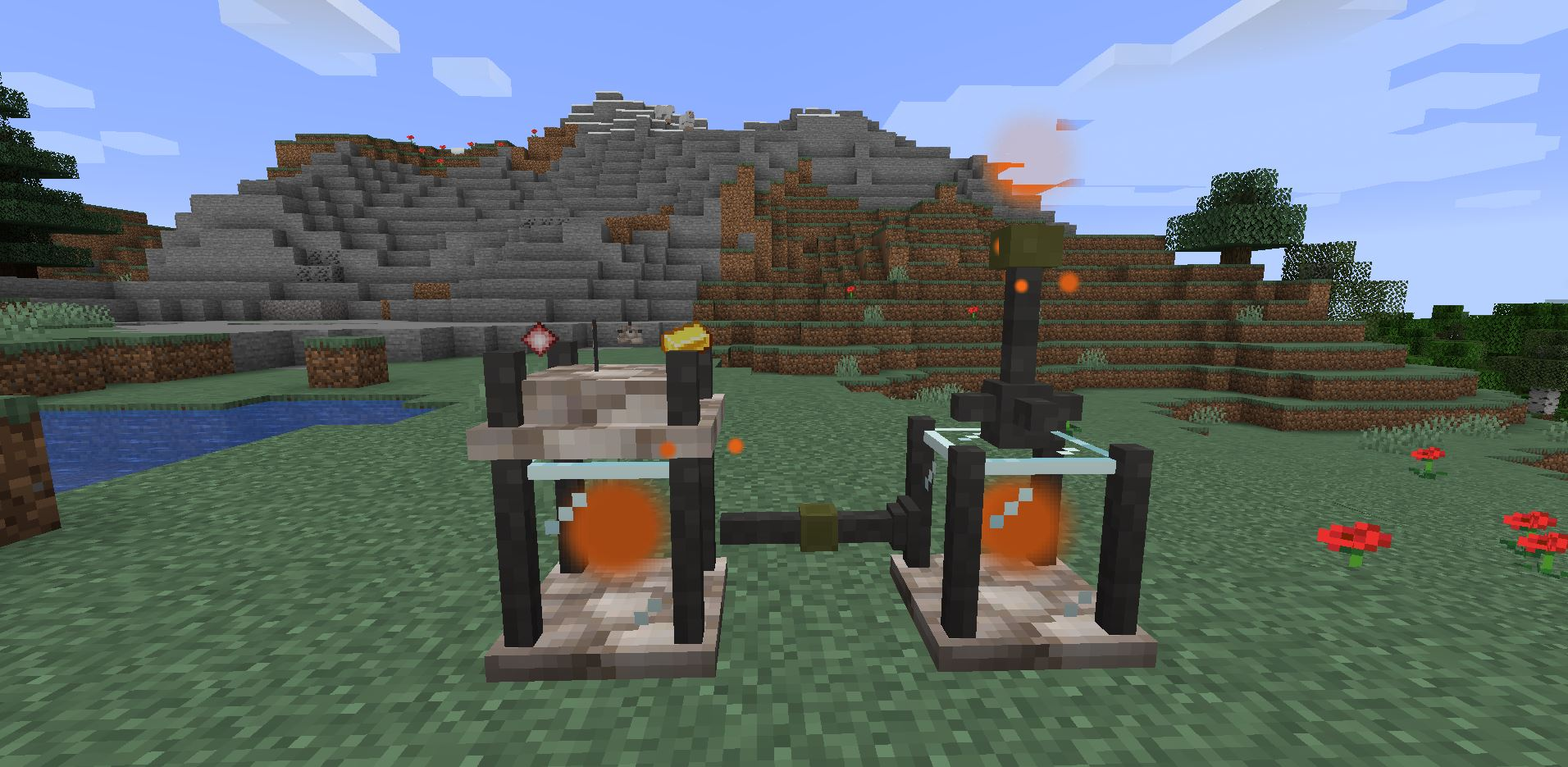
First, find Inert Crystals from ore, this is the starting point of the mod, you will need to craft contained crystals from inert ones by circling them with gold nuggets. With them craft two tanks an extractor, an infuser and some pipes.
Once you got all of these start exploring and find an element source put the extractor under it and the tank under the extractor. then put the second tank nearby and the infuser on top of it, connect them with pipes and right click the pipe section connected to the extractor's tank. You can now put an inert crystal in the infuser by right clicking it to craft an infused crystal.
How to install Elemental Craft
With Millida Launcher
Install Millida Launcher
The launcher is free: download it at millida.net/launcher and sign in with any nickname.
Click “Install” on this page
The launcher opens and installs the mod for Minecraft 1.16.5–1.21.1 on Forge or NeoForge automatically.
Launch the game
A profile with it appears in the launcher: click “Play”.
Manually
Install Forge or NeoForge
The loader must match the game version of the mod file, for example Minecraft 1.21.1. After installing it, a separate profile appears in your launcher.
Download the file for your version
In the version list above, pick the file elementalcraft-7.1.3.jar (2.8 MB) for your game version and loader.
Put it in the mods folder
The folder is inside .minecraft (Windows: %appdata%\.minecraft\mods). If it does not exist, create it.
Launch the loader profile
Open “Mods” in the main menu: Elemental Craft should be in the list.
Minecraft 1.21.1 runs on Java 21: with a different Java version the game may close right after launch.
Versions
With dependencies
| Minecraft | Loader | File | Date | Actions |
|---|---|---|---|---|
| 1.21.1 | NeoForge | elementalcraft-7.1.3.jar2.8 MB | ||
| 1.20.1 | NeoForge, Forge | elementalcraft-1.20.1-6.0.1.jar2.6 MB | ||
| 1.19.2 | Forge | elementalcraft-1.19.2-5.8.5.jar2.5 MB | ||
| 1.19.2 | Forge | elementalcraft-1.19.2-5.3.3.jar2.1 MB | ||
| 1.16.5 | — | elementalcraft-1.16.5-2.7.4.jar1.6 MB |
Reviews
Be the first to rate Elemental Craft


