
Display Delight Mod for Minecraft 1.20.1, 1.21.1
Place all foods from Farmer's Delight in 3D!
 NeoForge
 Forge
Forge>>Fabric port
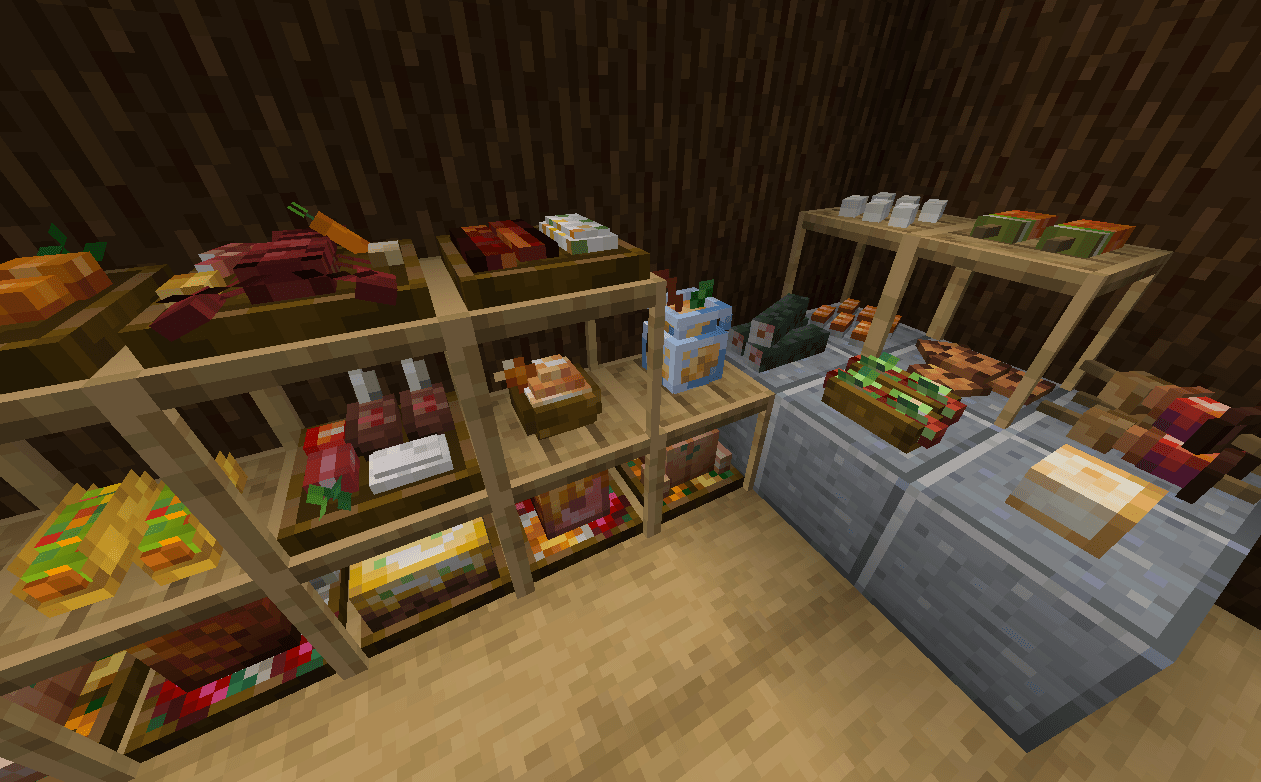
This addon lets you place EVERY food item in Farmer's Delight(and 16 other addons) in 3D!
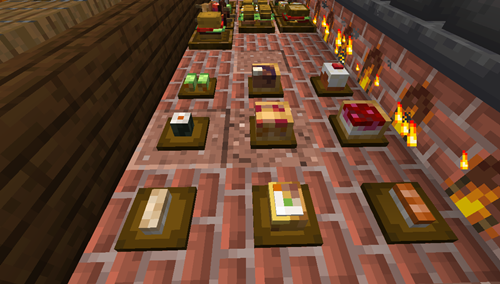
Placeable 3D Foods!
For foods already in containers (bowls, glass bottles, etc.), simply Sneak + Right-click to place them directly on the ground.
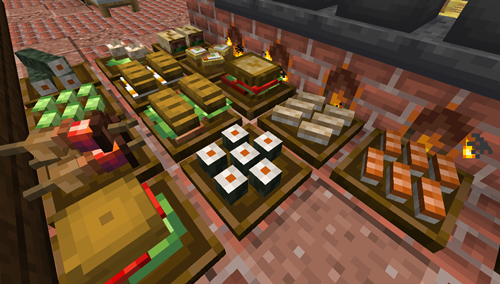
New Items: Food plates
Crafted using any wooden slab, plates allow you to display smaller finger foods that don't come in a container.
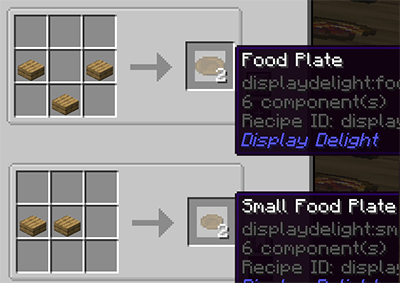
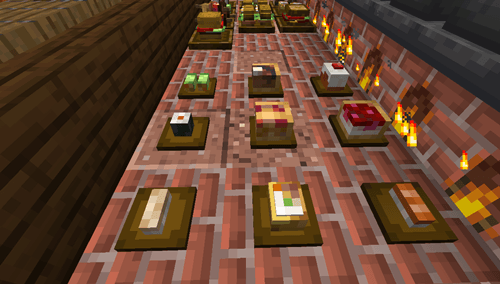
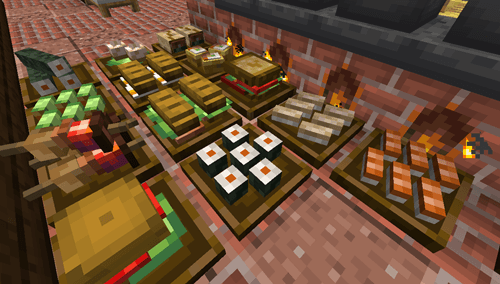
Some finger foods in the larger plates are stackable. (maximum stack size varies)
All placed food blocks are neither block entities nor entities, which makes them lag-friendly, even when placed in large amounts.
Plate Interactions
Place All Items: Sneak + Right-click with the food.
Take One Item: Right-click with an empty hand.
Take All Items: Sneak + Right-click with an empty hand.
Hiding/showing plates
Hide the plate: Right-click it with any Axe.
Show the plate again: Right-click it with a right Food Plate item.
Obtaining Food Blocks Items in Survival
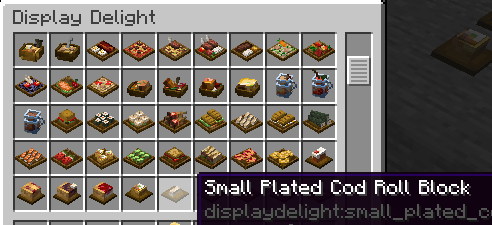
Silk Touch: Mine placed foods to drop them as items. (Note: Plated foods must be at maximum stack capacity to drop).
Wandering Traders: They sell food block items, prioritizing items from add-ons you don't have installed. This is the only way to obtain those specific food blocks in survival
Compatible Addons
- Corn delight - 8 foods
- Expanded Delight - 37 foods
- Delightful - 22 foods
- Pineapple Delight - 5 foods
- Ocean's Delight - 9 foods
- Alex's Delight - 8 foods
- Cultural Delights - 25 foods
- Large Meals - 13 foods
- Festive Delight - 3 foods
- Brewin' and Chewin' - 8 foods
- End's Delight - 24 foods
- Ender's Delight - 17 foods
- Crabber's Delight - 15 foods
- Aquaculture Delight - 18 foods
- My Nether's Delight - 37 foods
- Nether's Delight - 8 foods
- Abnormals Delight - 22 foods
- Miner's Delight+ - 12 foods
- Farmer's Respite - 14 foods
Note about add-on compats:
Because every food block in this mod is individually hardcoded, supporting every requested add-on isn't feasible. The mod already contains lots of blocks, and keeping the file size manageable is a priority. To keep things optimized, new add-on support will only be considered if the requested mod meets all of the following criteria:
- 10M+ downloads
- Ported to both 1.20.1 and 1.21.1
3.Must be a Farmer's Delight Add-on
Please do not submit compatibility requests unless the mod meets these requirements. If you want to add 3D models of unsupported mod yourself, it's recommended to use coaster models from the Brewin and Chewin. https://github.com/MerchantCalico/BrewinAndChewin/wiki/Coaster-Models
FAQs
Q: Will placed food blocks disappear if I remove a compat mod? A: No. Any existing food blocks and items will remain safely in your world. The only difference is how they behave when broken: instead of dropping the original food item from the removed mod, they will now drop the food block item itself.
Q: What is the Lite version? A: The Lite version includes all the latest features and bugfixes, but excludes food content from other Farmers' Delight add-ons to keep the mod size minimal. Choose this version if you do not use other Farmers' Delight add-ons. Upgrading: It is fully forward-compatible. You can safely switch to the full version (1.x.x) at any time if you decide to add other add-ons later.
Q: How to disable support tables? A:modify displaydelight/support_exceptions tag using a data pack. These blocks will prevent support tables from showing when the food block is placed above them. e.g. Add minecreaft:air to stop showing tables for floating foods. Also, blocks with "sturdy" top faces never shows support tables.
undefined
Check out my other mod:
Dispenser Delight
Credits
Farmer's 3D Resource pack by Pder
- Some 3D model designs are originally derived from this resource pack
MB-3D Items Resource pack
How to install Display Delight
With Millida Launcher
Install Millida Launcher
The launcher is free: download it at millida.net/launcher and sign in with any nickname.
Click “Install” on this page
The launcher opens and installs the mod for Minecraft 1.20.1–1.21.1 on Forge or NeoForge automatically.
Launch the game
A profile with it appears in the launcher: click “Play”.
Manually
Install Forge or NeoForge
The loader must match the game version of the mod file, for example Minecraft 1.21.1. After installing it, a separate profile appears in your launcher.
Download the file for your version
In the version list above, pick the file displaydelight-1.7.0.jar (1.1 MB) for your game version and loader.
Put it in the mods folder
The folder is inside .minecraft (Windows: %appdata%\.minecraft\mods). If it does not exist, create it.
Launch the loader profile
Open “Mods” in the main menu: Display Delight should be in the list.
Minecraft 1.21.1 runs on Java 21: with a different Java version the game may close right after launch.
Versions
With dependencies
| Minecraft | Loader | File | Date | Actions |
|---|---|---|---|---|
| 1.20.1 | Forge, NeoForge | displaydelight-1.7.0.jar1.1 MB 10 | ||
| 1.20.1 | Forge, NeoForge | displaydelight-0.0.3-lite.jar333 KB | ||
| 1.21.1 | NeoForge | displaydelight-1.7.0.jar1.1 MB 5 | ||
| 1.21.1 | NeoForge | displaydelight-1.5.0.jar1012 KB |
FAQ
Which Minecraft versions does Display Delight work on?
There are files for 1.21.1, 1.20.1. The newest is 1.21.1.
Is Display Delight for Forge or Fabric?
There are files for Forge: 1.20.1 and for NeoForge: 1.20.1–1.21.1. There are no files for Fabric: a mod for another loader will not start.
Does Display Delight need other mods?
The author lists no required dependencies: the Forge or NeoForge loader is enough.
Which Java does Display Delight need?
Minecraft 1.21.1 runs on Java 21. If the game closes right after launch, the usual cause is the wrong Java version in the profile settings.
Where can I download Display Delight safely?
On this page: the file displaydelight-1.7.0.jar (1.1 MB) is stored on Millida’s server, with no link shorteners. SHA-1 checksum: 0d2040a348a1d42907561babff9ac983c466b825.
Reviews
Be the first to rate Display Delight


