

Create Optical Mod for Minecraft 1.20.1, 1.21.1
Create addon all about a creative way to transport rotational energy
 NeoForge
 Forge
ForgeAbout the Create Optical mod
This addon adds new blocks, items and mechanics to the mod Create.
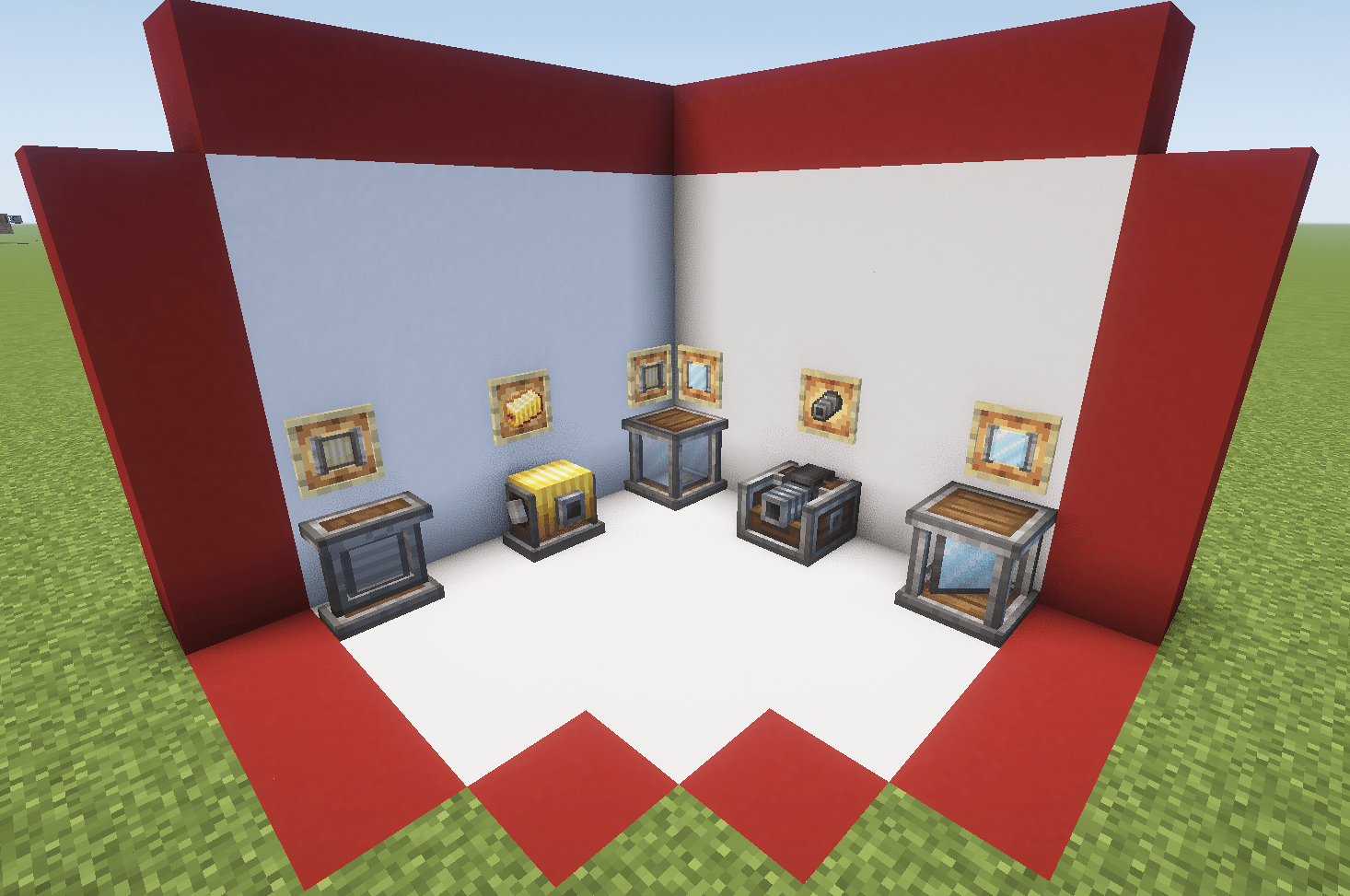
Included mechanics
- Optical Source: emit different types of beams based on the rotational force applied
- Optical Receptor: transform the received beam into rotational force based on its properties
- Optical Sensor: emit redstone signal based on the incident beam properties
- Mirror: reflect the beam perpendicularly
- Polarizing Filter: polarize the beam (duh)
- Beam Splitter Cube: split the beam in two and polarize the resultant beams perpendicularly
- Beam Condenser: condense up to three beams into one combining its properties
- Beam Focuser: new type of recipe based on beam characteristics
- Thermal Optical Source: similar to a normal source but with high su usage based on fluid aplications
- Hologram Display: display text or items in a hologram style
- Beam Reader: display the properties of the incident beam
* Beam Modulator: use it to comunicate through light
Different ways to generate light
Produce eletromagnetic waves with rotational force
New Receptor States
Transform eletromagnetic waves back to rotational force
Retextured Optical Sensor
A way to light ambients with style
New Components
Explore some of the other components of the mod (only stable on version 0.4)
All the crafts can be found with the JEI mod, and most additional mechanics can be explored with the Ponder Mod system.
Some things may break on changing versions. This mod is developed by one person and occasionally receives contributions via GitHub. Please understand that this project is treated as a hobby and not a full-time job.
Many thanks to those who translated the mod:
Russian: Mark2200 (0.2.2 or above) Chinese Translation: CHN-YunRu (0.2.2 or above) Brazilian Portuguese: lpcamors (0.2.2 or above) Spanish: albertosaurio65 (0.2.2 or above)
How to install Create Optical
With Millida Launcher
Install Millida Launcher
The launcher is free: download it at millida.net/launcher and sign in with any nickname.
Click “Install” on this page
The launcher opens and installs the mod for Minecraft 1.20.1–1.21.1 on Forge or NeoForge automatically.
Launch the game
A profile with it appears in the launcher: click “Play”.
Manually
Install Forge or NeoForge
The loader must match the game version of the mod file, for example Minecraft 1.21.1. After installing it, a separate profile appears in your launcher.
Download the file for your version
In the version list above, pick the file create_optical-0.4.2.jar (7.6 MB) for your game version and loader.
Put it in the mods folder
The folder is inside .minecraft (Windows: %appdata%\.minecraft\mods). If it does not exist, create it.
Launch the loader profile
Open “Mods” in the main menu: Create Optical should be in the list.
Minecraft 1.21.1 runs on Java 21: with a different Java version the game may close right after launch.
Versions
With dependencies
| Minecraft | Loader | File | Date | Actions |
|---|---|---|---|---|
| 1.21.1 | NeoForge | Create Optical 0.4.2 - 1.21.17.6 MB 35 | ||
| 1.20.1 | Forge, NeoForge | Create Optical 0.4.2 - 1.20.17.6 MB 21 | ||
| 1.20.1 | Forge | create_optical-0.3.1-create6.0+.jar1.2 MB |
FAQ
Which Minecraft versions does Create Optical work on?
There are files for 1.21.1, 1.20.1. The newest is 1.21.1.
Is Create Optical for Forge or Fabric?
There are files for Forge: 1.20.1 and for NeoForge: 1.20.1–1.21.1. There are no files for Fabric: a mod for another loader will not start.
Does Create Optical need other mods?
The author lists no required dependencies: the Forge or NeoForge loader is enough.
Which Java does Create Optical need?
Minecraft 1.21.1 runs on Java 21. If the game closes right after launch, the usual cause is the wrong Java version in the profile settings.
Where can I download Create Optical safely?
On this page: the file create_optical-0.4.2.jar (7.6 MB) is stored on Millida’s server, with no link shorteners. SHA-1 checksum: d39b4d193b0c326159e9e3bfa7d5113bc19384a8.
Reviews
Be the first to rate Create Optical


