
Config API Mod for Minecraft 1.20.1, 26.2
Forge Like Config API with Screen.
 Forge
Forge NeoForge
 Fabric
 Quilt
QuiltAbout the Config API mod
This is a Config API for Fabric, Forge, NeoForge and Quilt.
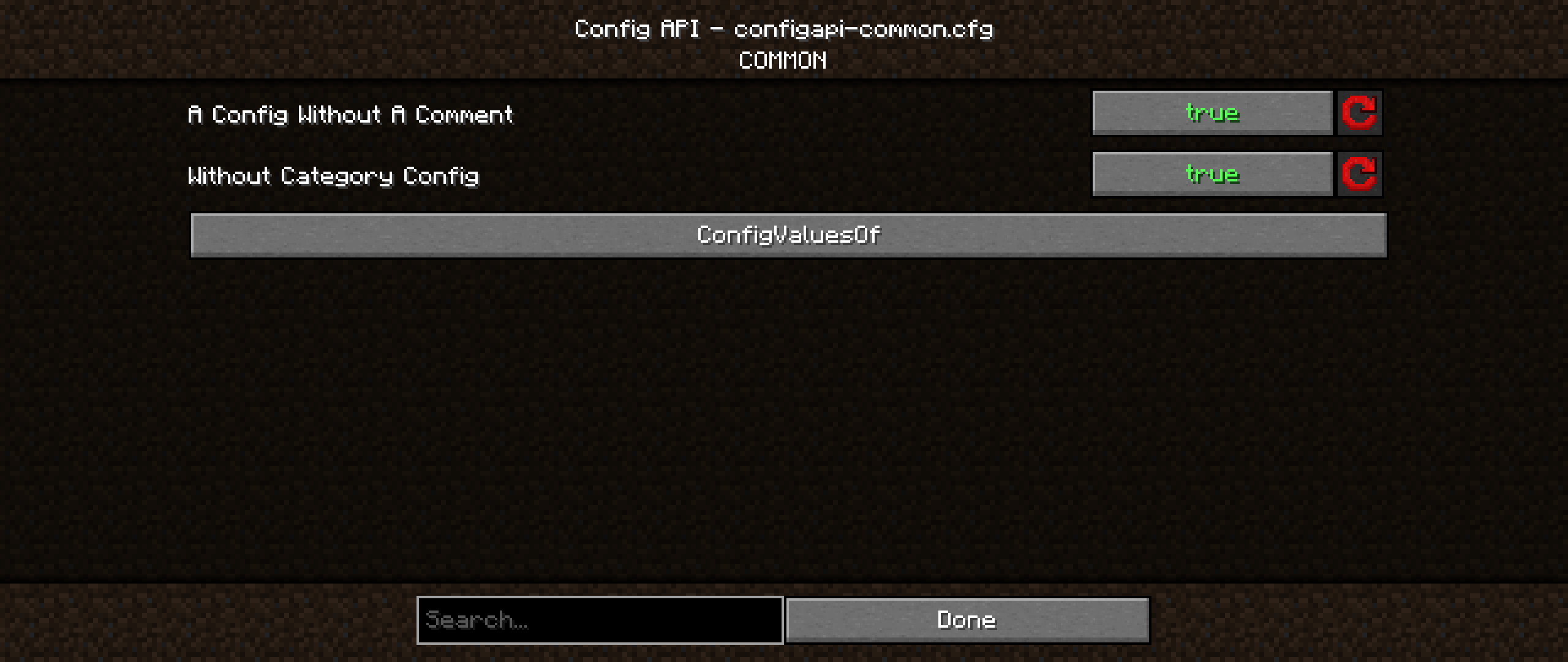
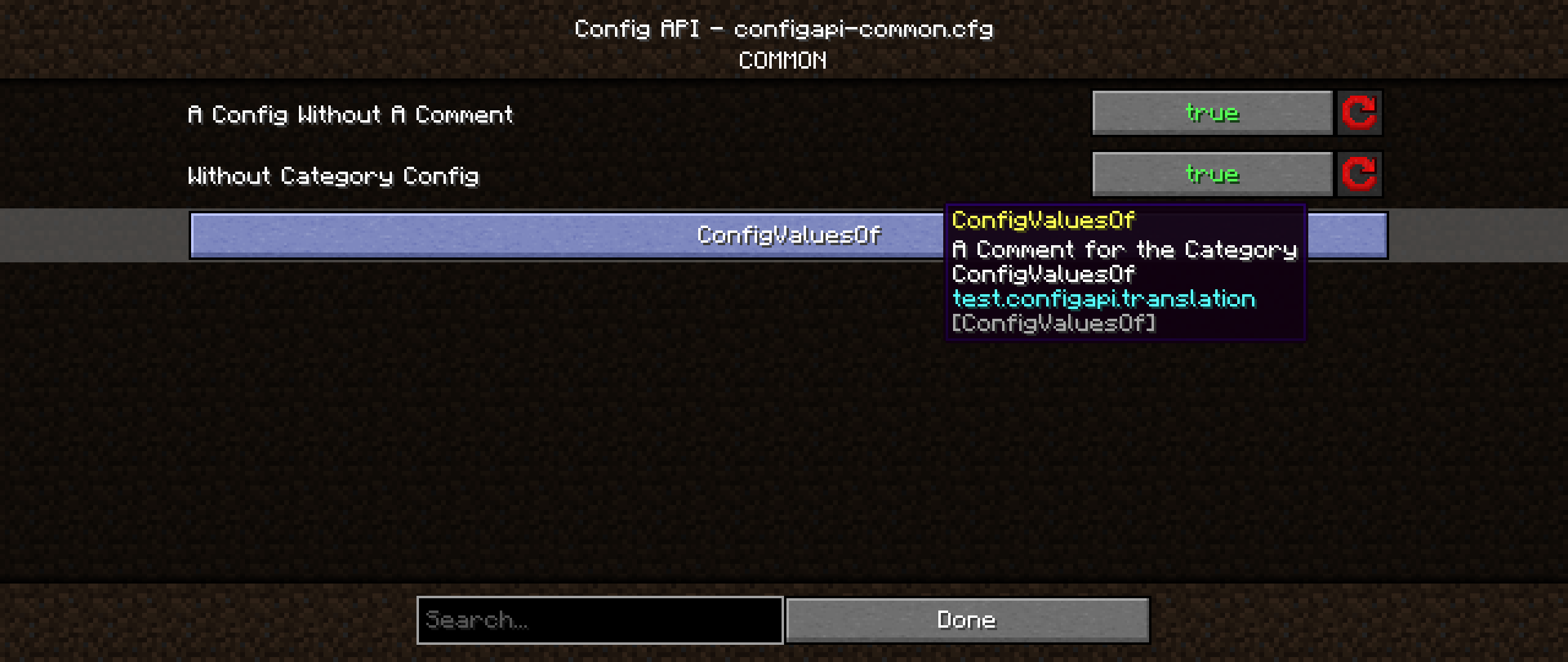
It has a Config Screen, which is automatically added, if the specific mod uses this as config system.
Changelog:
CONFIG API VERSION 2.5.0
- Updated to Minecraft 1.21.5
- Changed ConfigRegister access, it's now static instead of a single-ton
- Added field to changed tracking of the config
- Fixed ConfigTracker tries to get config for changed path, also for configs which aren't for the tracker
- Fixed that you can register multiple configs with the same name
- Replaced ServicesLoader with an own system with PlatformHelper
CONFIG API VERSION 2.4.1
- Fixed no longer attempts to load temporary files.
- Updated to Minecraft 1.21.4
CONFIG API VERSION 2.4.0
- Added support for 1.21.2 and 1.21.3
- Removed support of background configs, due to many changes from Minecraft
- Changed the parameter order in the registerConfig method
- Cleaned-Up code and performance improvements
- Reworked the ConfigTracking for increasing efficient
- Changed the Position of the Reset All Server Config Button
CONFIG API VERSION 2.3.2
- Fixed a crash, when opening the screen
- Added HolderHelper that's a utility class
CONFIG API VERSION 2.3.1
- Added SimpleResourceLocation, because the new system is unnecessary
CONFIG API VERSION 2.3.0
- Updated to 1.21 for Fabric and NeoForge
CONFIG API VERSION 2.2.1
Thanks to xLuPo, ornithoptercat
- Removed license from quilt.mod.json, to prevent a crash
- Added back the support for NeoForge 1.20.4
- Fixed Forge crash on 1.20.4, because of the Logo
- Fixed Server Compatibility, the ServiceLoader had tried to load Client methods on Server
CONFIG API VERSION 2.2.0
- Currently, this mod does not support Mod Menu
- You can set a custom Background for Fabric like this inside the fabric.mod.json, also for quilt:
- "custom": { "configapi": { "configBackground": "minecraft:textures/block/deepslate.png", "configListBackground": "minecraft:textures/block/stone.png" } }
- Reworked the ListConfigScreen
- Added Menu button Add
- Added swap buttons
- some technical things
- Added the ModLogo, from every specific mod to the top left
- Fixed a visual bug, where the list Gui Overlay is not rendered
- Added getValueAtIndex for ListConfigs
- Added in ConfigTypeSelectionScreen Config Type Titles
- Added a config for disabling, default is false (not appearing)
CONFIG API VERSION 2.1.0
#The 1.20.3+ version is coming later
- Added custom backgrounds (You can set the screen and the list an own texture)
- In Forge & NeoForge inside the mods.toml
- [modproperites.MOD_ID] configBackground=minecraft:textures/block/bedrock.png configListBackground=minecraft:textures/block/stone.png
- Made the AddSpaceAfterCapitalLetter smarter
- Reworked the screen navigation buttons, now you can navigate between all config screens
- Removed the Subtitle
CONFIG API VERSION 2.0.0
- Made the ConfigTracker more efficient
- added a method to stop tracked configs
- Added Server support for Config with the type SERVER
- These configs are only loaded on the server
- The server configs are saved inside the worlds folder
- That allows you to set specific things only in the World
- Added ConfigWorldSelectionScreen
- If you want to open a Server config, and you are not in a world, you can choose which config do you want to modify
- If you are inside a world, you can directly modify it
- Added an example config for the Config Screen
- fixed quilt mixin
CONFIG API VERSION 1.2.0
- Added CheckboxButton
- Added Deep Search
- If you are in a folder, and then enabling it, all configs in and after the folder will be displayed
- Now you need to type an '#' to search for tooltips
- Added new mechanics to the SearchBox
- A search suggestion
- It's now displayed with a search lupe
- If you had searched something, you can click on a delete button
- Fixed client config, does not tracked on fabric
- Optimized load & track method
- Rewritten the ConfigFileWriter for better performance
- Optimized some other things
CONFIG API VERSION 1.1.1
- Fixed server compatibility
- Added ConfigEditBox for friendlier usability
- Now you can press Enter to get out of the EditBox/Searchbox
- And some other things
- Fixed Enum & ListScreen's reset button, does not set correctly
CONFIG API VERSION 1.1.0
#Critical Changes: new file format is .cfg, moved directories, now it's not compatible with v1.0.0
- added navigation buttons
- the displayed config names have now a space after a capital letter
- fixed reset button, do not reset all configs
- removed reset all button in Config Screen
- rework of Config Type Selection Screen
- Added Icons for the specific config type
- Added reset button, to reset the file
- Added Open Config File Button
- Added SearchBox as extra Widget
- Added ImageTextButton as extra Widget
- Added Services for getConfigDirectory, isModLoaded & getEnvironment
CONFIG API VERSION 1.0.0
- Supported Modloaders Fabric, Forge, NeoForge and Quilt
- Fabric requires Fabric API
- Config Screen features:
- Automatically added
- Organized with categories
- Currently available only for Forge and NeoForge
- Config files are saved and tracked only when you are in the specific environment
- Common Configs are always tracked and directly loaded, they are the safest to use
- For usage instructions, please refer to the README.md file on GitHub
- Access is currently not possible, due to the requirement of a password key
How to install Config API
With Millida Launcher
Install Millida Launcher
The launcher is free: download it at millida.net/launcher and sign in with any nickname.
Click “Install” on this page
The launcher opens and installs the mod for Minecraft 1.20–26.2 on Fabric, Forge, NeoForge or Quilt automatically.
Launch the game
A profile with it appears in the launcher: click “Play”.
Manually
Install Fabric, Forge, NeoForge or Quilt
The loader must match the game version of the mod file, for example Minecraft 26.2. After installing it, a separate profile appears in your launcher.
Download the file for your version
In the version list above, pick the file ConfigAPI-CJ-forge-stable-mc-26.2-26.2-3.3.1.jar (496 KB) for your game version and loader.
Put it in the mods folder
The folder is inside .minecraft (Windows: %appdata%\.minecraft\mods). If it does not exist, create it.
Launch the loader profile
Open “Mods” in the main menu: Config API should be in the list.
Versions
With dependencies
| Minecraft | Loader | File | Date | Actions |
|---|---|---|---|---|
| 26.2 | Forge | ConfigAPI-CJ-forge-stable-mc-26.2-26.2-3.3.1.jar496 KB 1 | ||
| 26.2 | NeoForge | ConfigAPI-CJ-neoforge-stable-mc-26.2-26.2-3.3.0.jar489 KB | ||
| 26.2 | Fabric | ConfigAPI-CJ-fabric-stable-mc-26.2-26.2-3.3.0.jar502 KB 1 | ||
| 1.20.1 | Quilt | ConfigAPI-CJ-quilt-mc-1.20-2.3.2.jar236 KB |
FAQ
Is Config API for Forge or Fabric?
There are files for Fabric: 26.2, for Forge: 26.2, for NeoForge: 26.2 and for Quilt: 1.20–1.20.1.
Does Config API need other mods?
The author lists no required dependencies: the Fabric, Forge, NeoForge or Quilt loader is enough.
Where can I download Config API safely?
On this page: the file ConfigAPI-CJ-forge-stable-mc-26.2-26.2-3.3.1.jar (496 KB) is stored on Millida’s server, with no link shorteners. SHA-1 checksum: 1f568378ca8d2169772fb396b844d3f66f0ab706.
Reviews
Be the first to rate Config API


