

Cobblemon Wiki Gui Mod for Minecraft 1.21.1
A sidemod for Cobblemon to view useful information on each Pokémon species, just by typing /pwiki
 NeoForge
 Fabric
Cobblemon Wiki Gui
An open-source mod for Minecraft Java Edition, written in Kotlin for Fabric and NeoForge. This is a sidemod for Cobblemon
- Pokémon Wiki : an interface that allows you to view Pokémon species information (such as pokédex).

I strongly recommend that you only use the server side or singleplayer
Features
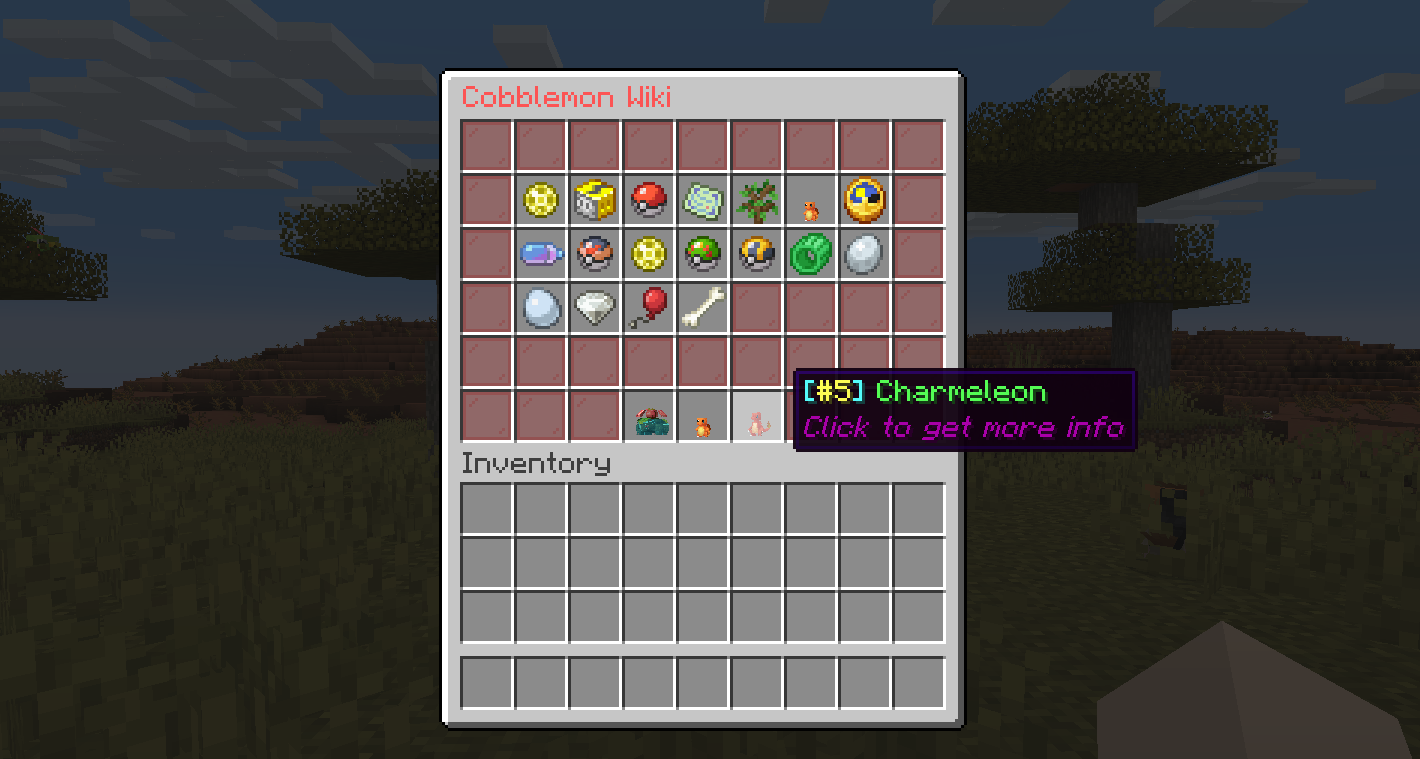
The Cobblemon wiki gui allows you to view:
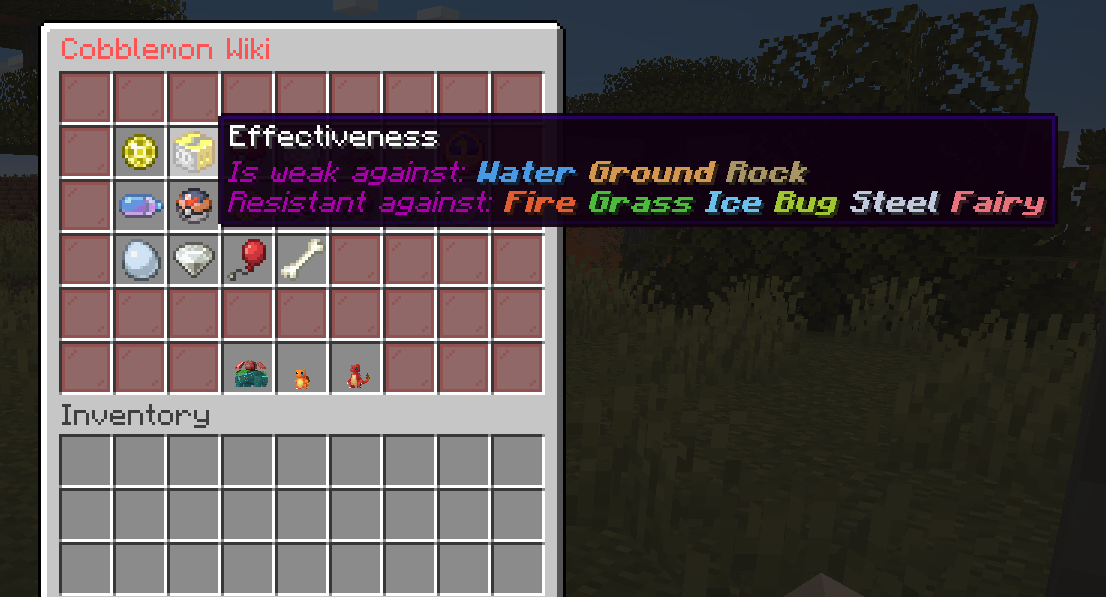
- Pokémon type
- Base stats
- Catch Rate
- Abilities
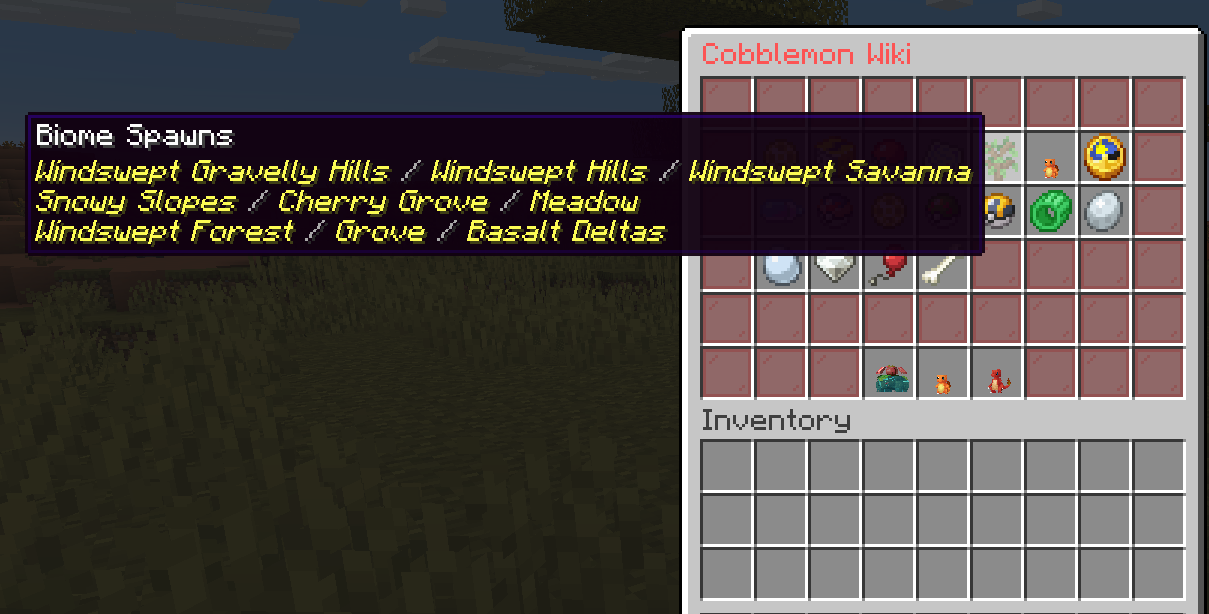
- Spawn at Biomes
- Spawntime
- Evolutions
- Evolution Requirements
- Moves by level
- TM Moves
- Tutor Moves
- Egg Moves
- Evolution Moves
- Form Change Moves
- Egg Groups
- Forms
- Dynamax
- Drops

Screenshots
Commands
PokeWiki — Opens the Pokémon wiki GUI for the executor.
Permission - Command - Description
cobblemon_wiki_gui.command.pwiki - /pwiki <pokemon> [form] - Open the wiki for a species. Optional form shows that form only (e.g. /pwiki zorua hisui).
Aliases: /pokewiki, /pokemonwiki, /cobblemonwiki, /cobblewiki, /cwiki
PokeWiki (other player) — Opens the Pokémon wiki GUI for another player.
Permission - Command - Description
cobblemon_wiki_gui.command.pwikianother - /pwikiother <player> <pokemon> [form] - Open the wiki for a species for the given player. Optional form shows that form only (e.g. /pwikiother Steve zorua hisui).
Aliases: /pokewikiother, /pokemonwikiother, /cobblemonwikiother, /cobblewikiother, /cwikiother
PWikiDex — Opens a paginated browser of every implemented Pokémon species, so players can jump into the wiki without already knowing a species' name. Off by default (see permission) since it lists everything regardless of what the player has encountered.
Permission - Command - Description
cobblemon_wiki_gui.command.pwikidex - /pwikidex - Opens the species browser.
Reload — Reloads the configuration files in-game.
Permission - Command - Description
cobblemon_wiki_gui.command.cwgreload - /cwg reload - Reloads the lang.json configuration file without restarting.
Default Configuration Files
The main.json file, located under config/cobblemon_wiki_gui, contains general mod settings:
{ "version": "1.0.0", "fillerItem": "minecraft:red_stained_glass_pane", "showGithubIssuesButton": true }
- fillerItem — item id used as the border/filler in every wiki GUI. Set to "" or "none" to disable filler entirely (empty slots stay empty). Falls back to minecraft:red_stained_glass_pane if the id is invalid or unknown.
- showGithubIssuesButton — shows a "Report an Issue" button (opens the GitHub issues page) in a corner slot of the Wiki and Pokedex screens. Set to false to remove it and keep that slot as plain filler.
The lang.json file, located under config/cobblemon_wiki_gui, contains the following default settings:
{ "useItem": "Use a %s", "tradeAny": "Complete any trade or use a %s", "tradeSpecific": "Trade for an %s or use a %s", "level": "Level: %s", "friendship": "Friendship: %s", "heldItem": "Pokémon held item: %s", "anyRequirement": "Need any of these requirements:", "attackDefenceRatioAttackHigher": "Need more attack than defence", "attackDefenceRatioDefenceHigher": "Need more defence than attack", "attackDefenceRatioEqual": "Need equal value of attack and defence", "blocksTraveled": "Need %s blocks traveled", "defeat": "Need %s defeats", "moveSet": "Need %s move", "moveType": "Need any type %s move", "recoil": "Need %s recoil", "statEqual": "Stats %s and %s need to be equal", "statCompare": "Stat %s should be higher than %s", "timeRange": "Time of day: %s", "useMove": "Need to use %s movement %s times", "biomeCondition": "Need biome tag: %s", "biomeAntiCondition": "Blacklisted biome tag: %s", "structureCondition": "Need structure: %s", "structureAntiCondition": "Blacklisted structure: %s", "noEvolutionFound": "No evolution found for %s", "rightClick": "Right click a %s", "goBackClick": "Click to go back", "seeEvolutions": "Click to see evolutions", "basestats": "Base Stats", "type": "Type", "effectiveness": "Effectiveness", "catchrate": "CatchRate", "spawnbiome": "Biome Spawns", "spawntime": "Time Spawns", "evolutions": "Evolutions", "movesbylevel": "Moves by level", "tmMoves": "TM Moves", "tutorMoves": "Tutor Moves", "evolutionMoves": "Evolution Moves", "eggMoves": "Egg Moves", "formChangeMoves": "Form Changes Moves", "abilities": "Abilities", "drops": "Drops", "eggGroups": "Egg Groups", "forms": "Forms", "dynamax": "Dynamax", "baseFriendship": "Friendship", "weakness": "Is weak against:", "resistant": "Resistant against:", "immune": "Immune against:", "pokeInfo": "Click to get more info", "noDrops": "No Drops", "pokeWikiTitle": "Cobblemon Wiki", "pokeWikiTitleWithForm": "Cobblemon Wiki - %species% (%form%)", "githubIssuesButtonName": "Report an Issue", "githubIssuesButtonLore": "Click to get a link to report bugs or suggestions on GitHub", "githubIssuesLinkText": "Click here to open the GitHub issues page" }
Installation
- This mod can be Fabric
- This mod can be NeoForge
- Minecraft Versions: 1.21.1
- Cobblemon
Frequently Asked Questions (FAQ) for Cobblemon and CobblemonWikiGui
Q: What is the CobblemonWikiGui?
A: The CobblemonWikiGui adds an interface that allows you to view Pokémon information (such as pokédex). that are focused on Cobblemon servers (I recommend using it on the server)
Q: Is it possible to open the Pokemon Wiki gui by command?
A: Yes, just type /pokewiki or /pokewiki to open a specific form (e.g. /pokewiki zorua hisui).
A: You can also open the gui for another player with: /pokewikiother or /pokewikiother [form].
Q: Is it possible to customize the configuration files?
A: Yes, as long as you keep the standard Json formatting and don't change the file keys. A: In game, you can type /cwg reload and the modified lang.json file will be loaded
License
MIT
Author
- @luismaia-git (github)
- @luismaia-git (gitlab)
How to install Cobblemon Wiki Gui
With Millida Launcher
Install Millida Launcher
The launcher is free: download it at millida.net/launcher and sign in with any nickname.
Click “Install” on this page
The launcher opens and installs the mod for Minecraft 1.21.1 on Fabric or NeoForge automatically, together with its dependencies: Cobblemon.
Launch the game
A profile with it appears in the launcher: click “Play”.
Manually
Install Fabric or NeoForge
The loader must match the game version of the mod file, for example Minecraft 1.21.1. After installing it, a separate profile appears in your launcher.
Download the file for your version
In the version list above, pick the file CobblemonWikiGui-neoforge-2.7.1+1.21.1.jar (309 KB) for your game version and loader.
Put it in the mods folder
The folder is inside .minecraft (Windows: %appdata%\.minecraft\mods). If it does not exist, create it. Required dependencies go there too: Cobblemon.
Launch the loader profile
Open “Mods” in the main menu: Cobblemon Wiki Gui should be in the list.
On a server
A server on Fabric or NeoForge
The mod only works on a server with the same loader and game version, for example 1.21.1.
File goes into the server’s mods folder
Stop the server, put the mod file into the mods folder and start the server again.
Use the “To server” button
On Millida Hosting, the button at the top of the page uploads the file to your server and restarts it for you.
Minecraft 1.21.1 runs on Java 21: with a different Java version the game may close right after launch.
Versions
With dependencies
| Minecraft | Loader | File | Date | Actions |
|---|---|---|---|---|
| 1.21.1 | NeoForge | 1.21.1309 KB | ||
| 1.21.1 | Fabric | 1.21.17.4 MB | ||
| 1.21.1 | NeoForge | 1.21.1309 KB | ||
| 1.21.1 | Fabric | 1.21.17.4 MB | ||
| 1.21.1 | NeoForge | 1.21.1307 KB | ||
| 1.21.1 | Fabric | 1.21.17.4 MB | ||
| 1.21.1 | NeoForge | 1.21.1282 KB | ||
| 1.21.1 | Fabric | 1.21.17.4 MB |
What it needs to run
- Cobblemonrequired
Reviews
Be the first to rate Cobblemon Wiki Gui


