
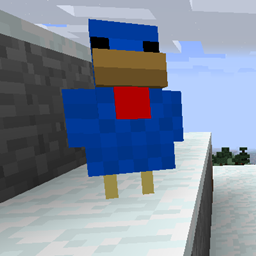
Chickens Mod for Minecraft 1.12.2
Chickens mod adds... chickens. Lots of chickens!
About the Chickens mod
Chickens lay eggs. Sometimes drop feather. You can throw eggs. That's it. SO BOOORING! Minecraft is a magical place so why not to add a little bit of magic? Chicken laying gunpowder... bonemeal... snowballs... YEAH! And what if you try to crossbreed them? Iron? Gold? DIAMODS? Just try it!
Features:
- ¨breed chickens to increase theirs stats: growth, gain and strength to rapidly increase your production
- inspect chickens with chicken analzer (an egg + a compass) to identify their stats and to get additional information
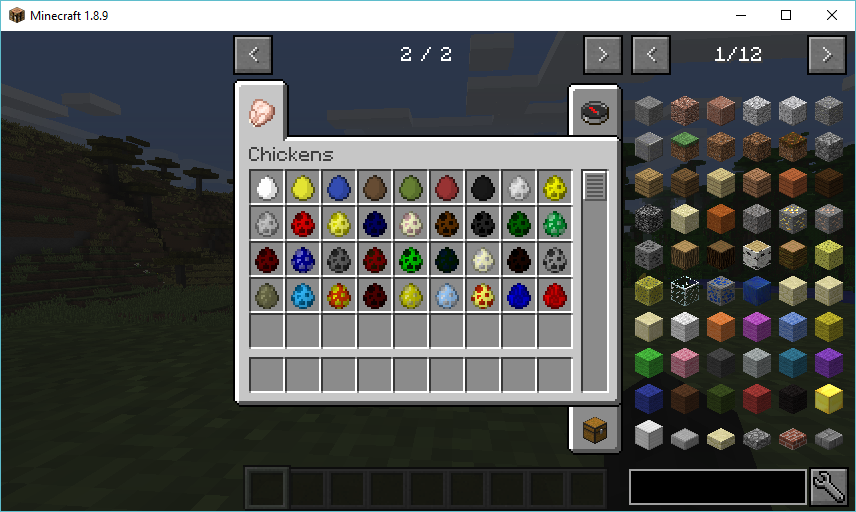
- dye chickens, combine an ordinary egg with a dye and throw what you get to obtain a chicken laying dye: Lapis Lazuli Chicken, Cactus Green Chicken, Rose Red Chicken, Bone Meal Chicken... you can breed them for gray, pink, etc.
- tier 1 chickens that are naturally spawning in the world: Flint Chicken, Snowball Chicken, Gunpowder Chicken, Nether Quartz Chicken, Lava Chicken
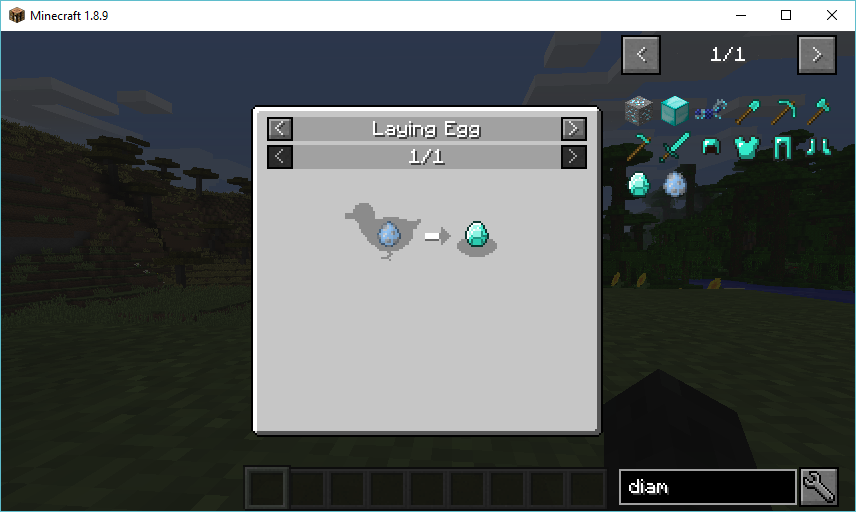
- get higher tier chickens by crossbreeding them and have Diamond Chicken, Ghast Tear Chicken and many many more!
- henhouse: provide hay bales and it will collect chicken 'products' in 9x9 area (4 blocks on each its side) for you, it will also produce dirt over time as a side effect ;]
- smart chicken: give a vanilla chicken a book and it will become smart enough to use henhouse ;]
- progressive breeding and laying system
- lava and water eggs: get your renewable and stackable liquid source today!
- heavily customisable: change laying rates, items, disable chickens, modify breeding, set drops, ...
- mod chickens are less noisy
Best with:
- More Chickens by GenDeathrow
- Hatchery by GenDeathrow
Mod support:
- JEI: breeding and laying recipes
- WAILA: showing chicken tiers
Credits:
- setycz - mod author
- wyvi - mod author, check her czech youtube channel
- jamuspsi - mod contributor
Feel free to use it in your modpack,
And let me know what do you think!
How to install Chickens
With Millida Launcher
Install Millida Launcher
The launcher is free: download it at millida.net/launcher and sign in with any nickname.
Click “Install” on this page
The launcher opens and installs the mod for Minecraft 1.12.2 automatically.
Launch the game
A profile with it appears in the launcher: click “Play”.
Manually
Download the file for your version
In the version list above, pick the file chickens-6.1.0.jar (248 KB) for your game version.
Put it in the mods folder
The folder is inside .minecraft (Windows: %appdata%\.minecraft\mods). If it does not exist, create it.
Launch the loader profile
Open “Mods” in the main menu: Chickens should be in the list.
Minecraft 1.12.2 runs on Java 8: with a different Java version the game may close right after launch.
Versions
With dependencies
| Minecraft | Loader | File | Date | Actions |
|---|---|---|---|---|
| 1.12.2 | — | Chickens 6.1.0v (MC 1.12.2)248 KB 1 | ||
| 1.12.2 | — | Chickens 6.0.4v (MC 1.12.2)242 KB |
FAQ
Which Minecraft versions does Chickens work on?
Only Minecraft 1.12.2: there are no files for other versions.
Which Java does Chickens need?
Minecraft 1.12.2 runs on Java 8. If the game closes right after launch, the usual cause is the wrong Java version in the profile settings.
Where can I download Chickens safely?
On this page: the file chickens-6.1.0.jar (248 KB) is stored on Millida’s server, with no link shorteners. SHA-1 checksum: 0a5a336c4a7c32fcb89a79c39b27d392e74cff92.
Reviews
Be the first to rate Chickens


