

Chat Impressive Animation Mod for Minecraft 1.20.1, 1.21.10
Makes chat messages appear with a smooth animation.
 NeoForge
 Fabric
 Forge
ForgeChat Impressive Animation
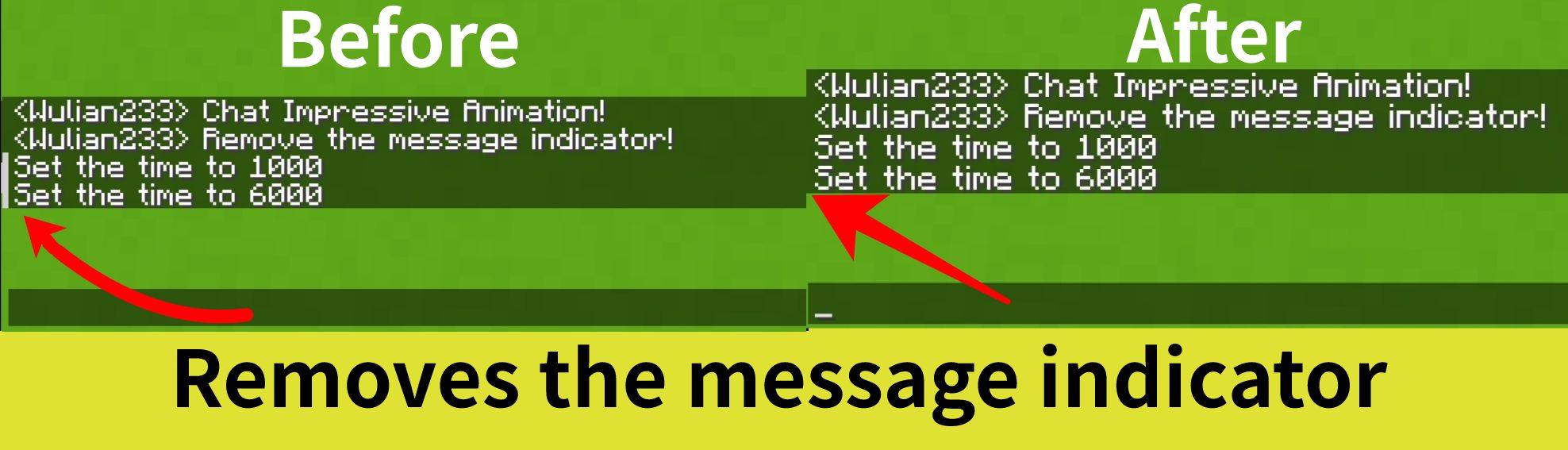
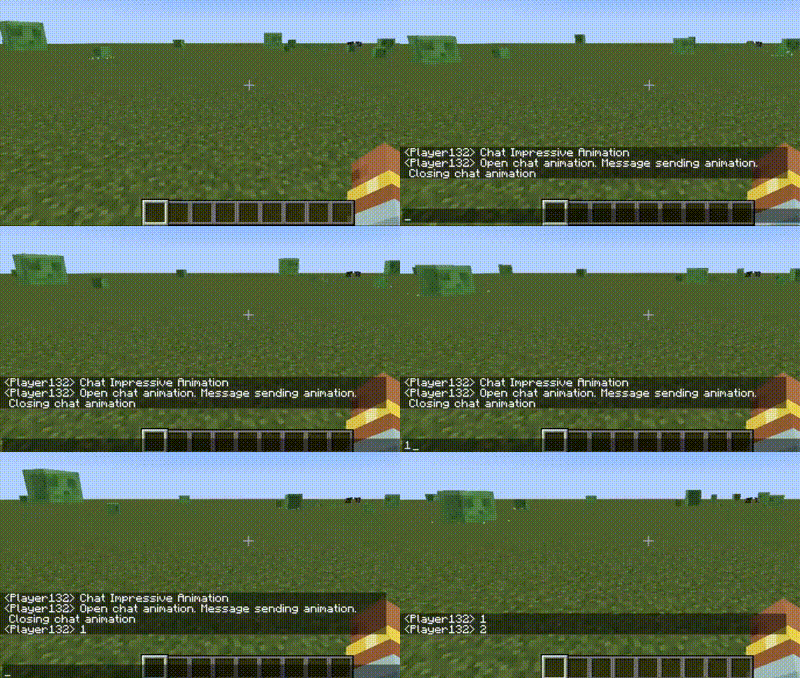
Makes the chat look better by adding animations, such as opening/closing the chat bar, sending messages, etc. It also removes the message indicator
📖 What's this mod?
Chat Impressive Animation (CIA) is developed based on Chat Animation. Compared to the original mod, this mod adds more animation effects and detailed designs, and includes a configuration file to freely customize each feature. Most importantly, this mod supports Fabric, Forge, and Neoforge, all of which are required.
For mc versions 1.20.4 and below, Forge support is also provided, but message sending animations are not supported.
Note: This mod is not related to the real-life CIA, only the abbreviated name is the same.
✅ Features
All features can be individually configured in the configuration file!
- Open chat bar animation
- Close chat bar animation
- Message sending animation (Unsupported Forge)
- Configuration of animation duration
- Fade-in and fade-out animations for messages
- Removes the message indicator (Added in mc1.19.1)
✨ Screenshots
💖 Compatibility
This mod includes specialized compatibility code for the following mods:
- Mod Menu: Supports opening the config screen directly from the Mod Menu
- Raised: Moved up the chat bar
How to install Chat Impressive Animation
With Millida Launcher
Install Millida Launcher
The launcher is free: download it at millida.net/launcher and sign in with any nickname.
Click “Install” on this page
The launcher opens and installs the mod for Minecraft 1.20–1.21.10 on Fabric, Forge or NeoForge automatically.
Launch the game
A profile with it appears in the launcher: click “Play”.
Manually
Install Fabric, Forge or NeoForge
The loader must match the game version of the mod file, for example Minecraft 1.21.10. After installing it, a separate profile appears in your launcher.
Download the file for your version
In the version list above, pick the file ChatImpressiveAnimation-neoforge-1.6.0+mc1.21.10.jar (67 KB) for your game version and loader.
Put it in the mods folder
The folder is inside .minecraft (Windows: %appdata%\.minecraft\mods). If it does not exist, create it.
Launch the loader profile
Open “Mods” in the main menu: Chat Impressive Animation should be in the list.
Minecraft 1.21.10 runs on Java 21: with a different Java version the game may close right after launch.
Versions
With dependencies
| Minecraft | Loader | File | Date | Actions |
|---|---|---|---|---|
| 1.21.9 | NeoForge | ChatImpressiveAnimation-neoforge-1.6.0+mc1.21.10.jar67.4 KB | ||
| 1.21.9 | Fabric | ChatImpressiveAnimation-fabric-1.6.0+mc1.21.10.jar62.1 KB | ||
| 1.20.2 | Forge | ChatImpressiveAnimation-forge-1.6.0+mc1.20.4.jar68.3 KB 1 |
Reviews
Be the first to rate Chat Impressive Animation


