
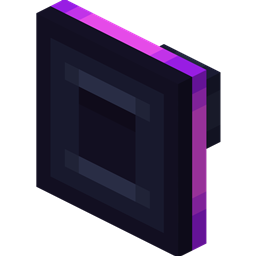
Cable Tiers Mod for Minecraft 1.20.1, 1.18.2
Adds better Exporter, Importer, Constructor, Destructor, Disk Interface, Autocrafter, Interface, Requester from Refined Storage and RSRequestify
 Fabric
 NeoForge
 Forge
ForgeTHIS MOD REQUIRES REFINED STORAGE
If you want to put this mod in your modpack, feel free to use it :) This mod adds adds better Exporter, Importer, Constructor, Destructor, Disk Interface, Autocrafter, Interface, Requester from Refined Storage and RSRequestify
1.20.1 or below: Elite: 9 more filter slots, 2x faster Ultra: 27 more filter slots, 5x faster, stack upgrade integrated Mega: 45 more filter slots, 6.5x faster, stack upgrade integrated
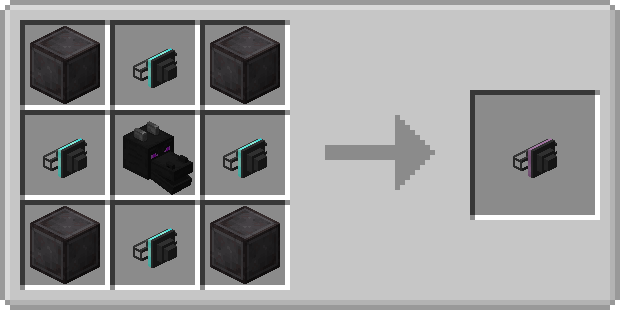
1.21.1 or above: Elite: 9 more filter slots, 2x faster Ultra: 27 more filter slots, 5x faster, stack upgrade integrated Mega: 45 more filter slots, 8x faster, stack upgrade integrated Creative: 45 more filter slots, 15000x faster, stack upgrade integrated
Special features:
- Tag filtering
- Side-specific inputs for autocrafting
- Import mode for Autocrafters
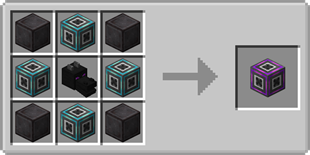
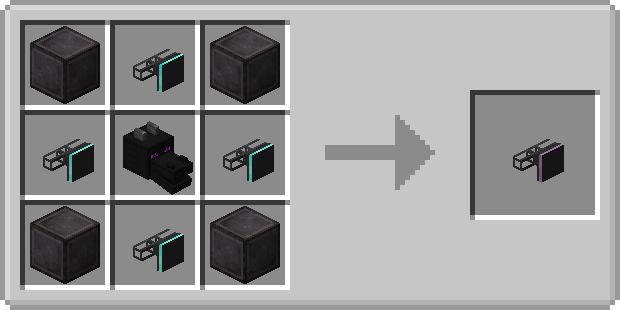
Importer recipes:
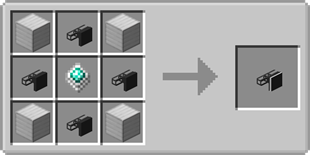


Exporter recipes:
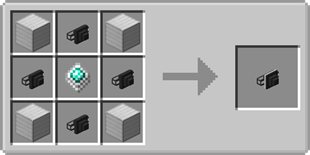
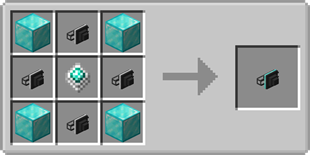
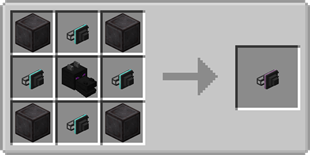
Constructor recipes:
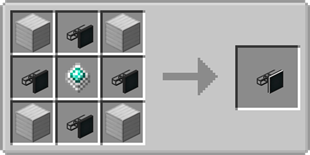
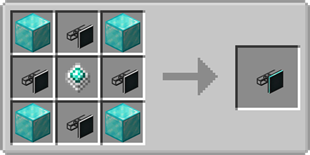
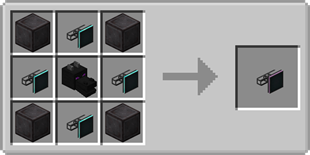
Destructor recipes:
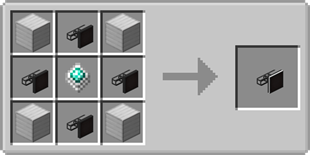
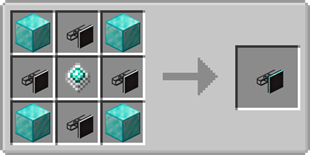
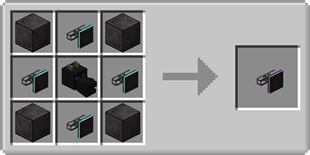
Disk Manipulator recipes:
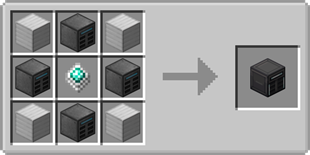
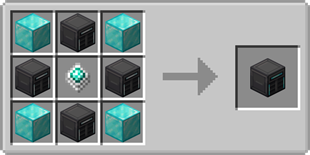
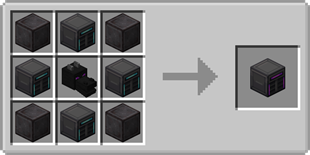
Requester recipes:

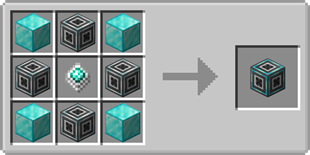
Need a server? Get 20% off your first month by using promo code "ultra"
How to install Cable Tiers
With Millida Launcher
Install Millida Launcher
The launcher is free: download it at millida.net/launcher and sign in with any nickname.
Click “Install” on this page
The launcher opens and installs the mod for Minecraft 1.18.2–26.1.2 on Fabric, Forge or NeoForge automatically.
Launch the game
A profile with it appears in the launcher: click “Play”.
Manually
Install Fabric, Forge or NeoForge
The loader must match the game version of the mod file, for example Minecraft 26.1.2. After installing it, a separate profile appears in your launcher.
Download the file for your version
In the version list above, pick the file cabletiers-fabric-26.1.2-1.0.2.jar (1.4 MB) for your game version and loader.
Put it in the mods folder
The folder is inside .minecraft (Windows: %appdata%\.minecraft\mods). If it does not exist, create it.
Launch the loader profile
Open “Mods” in the main menu: Cable Tiers should be in the list.
Versions
With dependencies
| Minecraft | Loader | File | Date | Actions |
|---|---|---|---|---|
| 26.1.2 | Fabric | cabletiers-fabric-26.1.2-1.0.2.jar1.4 MB | ||
| 26.1.2 | NeoForge | cabletiers-neoforge-26.1.2-1.0.2.jar1.3 MB | ||
| 1.20.1 | Forge | cabletiers-1.20.1-1.2.2.jar292 KB | ||
| 1.18.2 | Forge | cabletiers-1.18.2-0.56.jar220 KB |
FAQ
Which Minecraft versions does Cable Tiers work on?
There are files for 26.1.2, 1.20.1, 1.18.2. The newest is 26.1.2.
Is Cable Tiers for Forge or Fabric?
There are files for Fabric: 26.1.2, for Forge: 1.18.2–1.20.1 and for NeoForge: 26.1.2.
Does Cable Tiers need other mods?
The author lists no required dependencies: the Fabric, Forge or NeoForge loader is enough.
Where can I download Cable Tiers safely?
On this page: the file cabletiers-fabric-26.1.2-1.0.2.jar (1.4 MB) is stored on Millida’s server, with no link shorteners. SHA-1 checksum: c6bd14b51cb80678313a3914b01c6a4f93513885.
Reviews
Be the first to rate Cable Tiers


