
Bundle API Mod for Minecraft 26.3
An API for mods that allows easy addition of bundles with custom sizes and filtered content.
 NeoForge
 Fabric
Bundle API
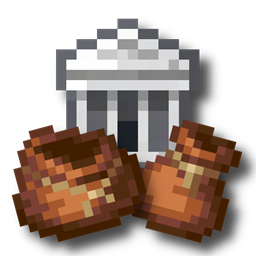
Bundle API allows mod authors to easily add bundles that can hold more than 1 stack of items specified by an item tag.
Read the Readme for information about how to use this API.
How to install Bundle API
With Millida Launcher
Install Millida Launcher
The launcher is free: download it at millida.net/launcher and sign in with any nickname.
Click “Install” on this page
The launcher opens and installs the mod for Minecraft 26.3 on Fabric or NeoForge automatically.
Launch the game
A profile with it appears in the launcher: click “Play”.
Manually
Install Fabric or NeoForge
The loader must match the game version of the mod file, for example Minecraft 26.3. After installing it, a separate profile appears in your launcher.
Download the file for your version
In the version list above, pick the file bundle-api-neoforge-5.0.0+26.3.jar (108 KB) for your game version and loader.
Put it in the mods folder
The folder is inside .minecraft (Windows: %appdata%\.minecraft\mods). If it does not exist, create it.
Launch the loader profile
Open “Mods” in the main menu: Bundle API should be in the list.
Versions
With dependencies
| Minecraft | Loader | File | Date | Actions |
|---|---|---|---|---|
| 26.3 | NeoForge | 5.0.0+26.3108 KB | ||
| 26.3 | Fabric | 5.0.0+26.3108 KB 4 |
Reviews
Be the first to rate Bundle API


