
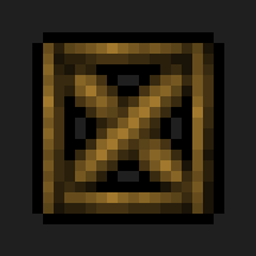
About the Blockcraftery mod
Blockcraftery is a mod that provides a very simple feature: Framed Blocks. Framed blocks can be placed in the world, then can be given another block's texture by right-clicking.
Framed blocks also come in a variety of shapes! Currently, the mod provides the following shapes:
- Framed Blocks. Standard full cubes.
- Framed Stairs.
- Framed Slabs.
- Framed Walls.
- Framed Slants.
- Framed Slant Corners.
- Framed Fences,
- Framed Doors,
- Framed Trap Doors,
- Framed Pressure Plates,
All Framed blocks come in reinforced variants, which are both explosion proof and fire proof. Any framed block can also be right-clicked with glowstone dust to turn it into a light source, even pressure plates!
Each can be textured to your heart's desire. There are many more frames coming soon, as well as new mechanics planned to make decorating even easier.
I am an official Akliz partner. Akliz provides fantastic support for all their servers, and has incredibly fast single-thread servers. If you want to support me, and net yourself a server, use the link above for a discount on an Akliz server.
If you have any other questions, ask them in our discord here.
Follow EpicSquid here for frequent progress updates!
You can also support me directly on Patreon here.
How to install Blockcraftery
With Millida Launcher
Install Millida Launcher
The launcher is free: download it at millida.net/launcher and sign in with any nickname.
Click “Install” on this page
The launcher opens and installs the mod for Minecraft 1.12.2 automatically.
Launch the game
A profile with it appears in the launcher: click “Play”.
Manually
Download the file for your version
In the version list above, pick the file blockcraftery-1.12.2-1.3.1.jar (103 KB) for your game version.
Put it in the mods folder
The folder is inside .minecraft (Windows: %appdata%\.minecraft\mods). If it does not exist, create it.
Launch the loader profile
Open “Mods” in the main menu: Blockcraftery should be in the list.
Minecraft 1.12.2 runs on Java 8: with a different Java version the game may close right after launch.
Versions
With dependencies
| Minecraft | Loader | File | Date | Actions |
|---|---|---|---|---|
| 1.12.2 | — | blockcraftery-1.12.2-1.3.1.jar103 KB 1 | ||
| 1.12.2 | — | blockcraftery-0.1.3.jar64 KB |
FAQ
Which Minecraft versions does Blockcraftery work on?
Only Minecraft 1.12.2: there are no files for other versions.
Which Java does Blockcraftery need?
Minecraft 1.12.2 runs on Java 8. If the game closes right after launch, the usual cause is the wrong Java version in the profile settings.
Where can I download Blockcraftery safely?
On this page: the file blockcraftery-1.12.2-1.3.1.jar (103 KB) is stored on Millida’s server, with no link shorteners. SHA-1 checksum: 5962fc2af3644f010e6510829244cb55ab097eda.
Reviews
Be the first to rate Blockcraftery


