

Beacon Overhaul Mod for Minecraft 1.20.1
Introduces a tier system and better effect scaling for beacons
- views
- 23 views
- Updated
- Updated 18.10.2026
- 1.20 — 1.20.1
 Fabric
About the Beacon Overhaul mod
Introduces a tier system and better effect scaling for beacons
- Adds night vision, fire resistance, nutrition, long reach, and slow falling as beacon effects
- Adds a tier system for beacons, with diamond and netherite structures providing progressively increased effect potency
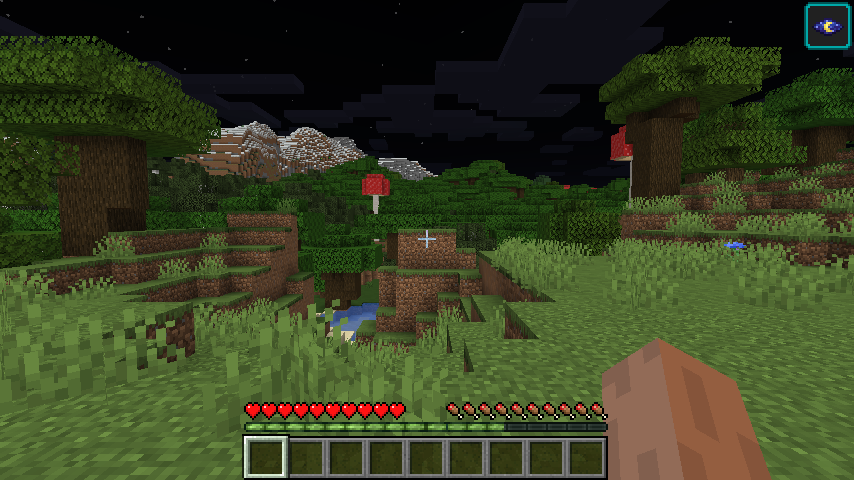
- Adds a higher potency of night vision, allowing the player to see everything with midday lighting (full bright) and no fog effects
- Adds 2 new effects to the game, Long Reach, increasing interaction reach, and Nutrition, passively restoring food levels
- Adds a dropping mechanic to slow falling, allowing sneaking to cause a fall at normal velocity whilst still negating damage
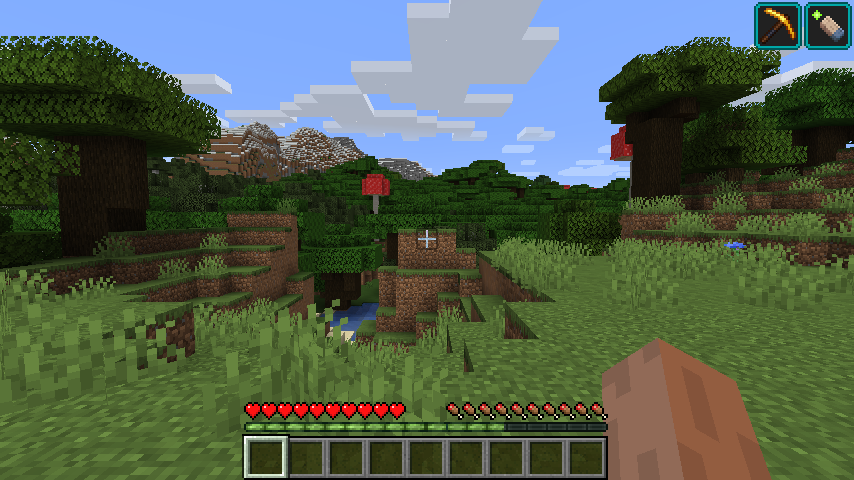
- Adds an increased step height to jump boost, allowing the player to step up blocks instantaneously when the effect is applied
In future releases, higher potency night vision, long reach, and nutrition may be separated into other mods for modularity
This mod is required on both the client and server, as it makes changes to the beacon's menu for clients
You can find me in my Discord server and on Twitter @HeckinChloe where I post updates and info. Consider buying me a coffee on Ko-fi to help me with my workflow!
Logo design by @voxel_dani
How to install Beacon Overhaul
With Millida Launcher
Install Millida Launcher
The launcher is free: download it at millida.net/launcher and sign in with any nickname.
Click “Install” on this page
The launcher opens and installs the mod for Minecraft 1.20–1.20.1 on Fabric automatically.
Launch the game
A profile with it appears in the launcher: click “Play”.
Manually
Install Fabric
The loader must match the game version of the mod file, for example Minecraft 1.20.1. After installing it, a separate profile appears in your launcher.
Download the file for your version
In the version list above, pick the file BeaconOverhaul-1.8.4+1.20.jar (362 KB) for your game version.
Put it in the mods folder
The folder is inside .minecraft (Windows: %appdata%\.minecraft\mods). If it does not exist, create it.
Launch the loader profile
Open “Mods” in the main menu: Beacon Overhaul should be in the list.
Minecraft 1.20.1 runs on Java 17: with a different Java version the game may close right after launch.
Versions
With dependencies
| Minecraft | Loader | File | Date | Actions |
|---|---|---|---|---|
| 1.20.1 | Fabric | Beacon Overhaul 1.8.4+1.20362 KB |
FAQ
Which Minecraft versions does Beacon Overhaul work on?
There are files for 1.20.1, 1.20. The newest is 1.20.1.
Is Beacon Overhaul for Forge or Fabric?
Only for Fabric: 1.20–1.20.1. There are no files for Forge or NeoForge: a mod for another loader will not start.
Does Beacon Overhaul need other mods?
The author lists no required dependencies: the Fabric loader is enough.
Which Java does Beacon Overhaul need?
Minecraft 1.20.1 runs on Java 17. If the game closes right after launch, the usual cause is the wrong Java version in the profile settings.
Where can I download Beacon Overhaul safely?
On this page: the file BeaconOverhaul-1.8.4+1.20.jar (362 KB) is stored on Millida’s server, with no link shorteners. SHA-1 checksum: 9612621219b11fff7beee0b78f2dd066178b37f8.
Reviews
Be the first to rate Beacon Overhaul


