

Attribute Setter Mod for Minecraft 1.20.1, 1.21.1
A lightweight mod that changes entities' and items' default attributes through datapacks
 NeoForge
 Fabric
 Forge
Summary
AttributeSetter Is a simple lightweight mod that can change the default attributes of any living entity or item through datapacks, inspired by Jackiecrazy's Attributizer and Custom Item Attributes(CIA). This mod was created for modpack creators and server owners to easily balance entities and items, changing their health, damage, follow range, etc…
The mod can edit more than attributes, including food values, merging attributes from different mods, item durability, tooltips, etc etc, all through datapacks.
Server Side Only
If you are a server owner, your players DO NOT need to download this mod. Simply put it into your mods folder and configure it as you wish. Of course it works on singleplayer as it has an integrated server running.
Example
The following file attributes.json will change all creepers' health to 100, instead of the normal 20.
{ "minecraft:creeper": [ { "attribute": "minecraft:generic.max_health", "value": 100, "operation": "BASE" } ] }
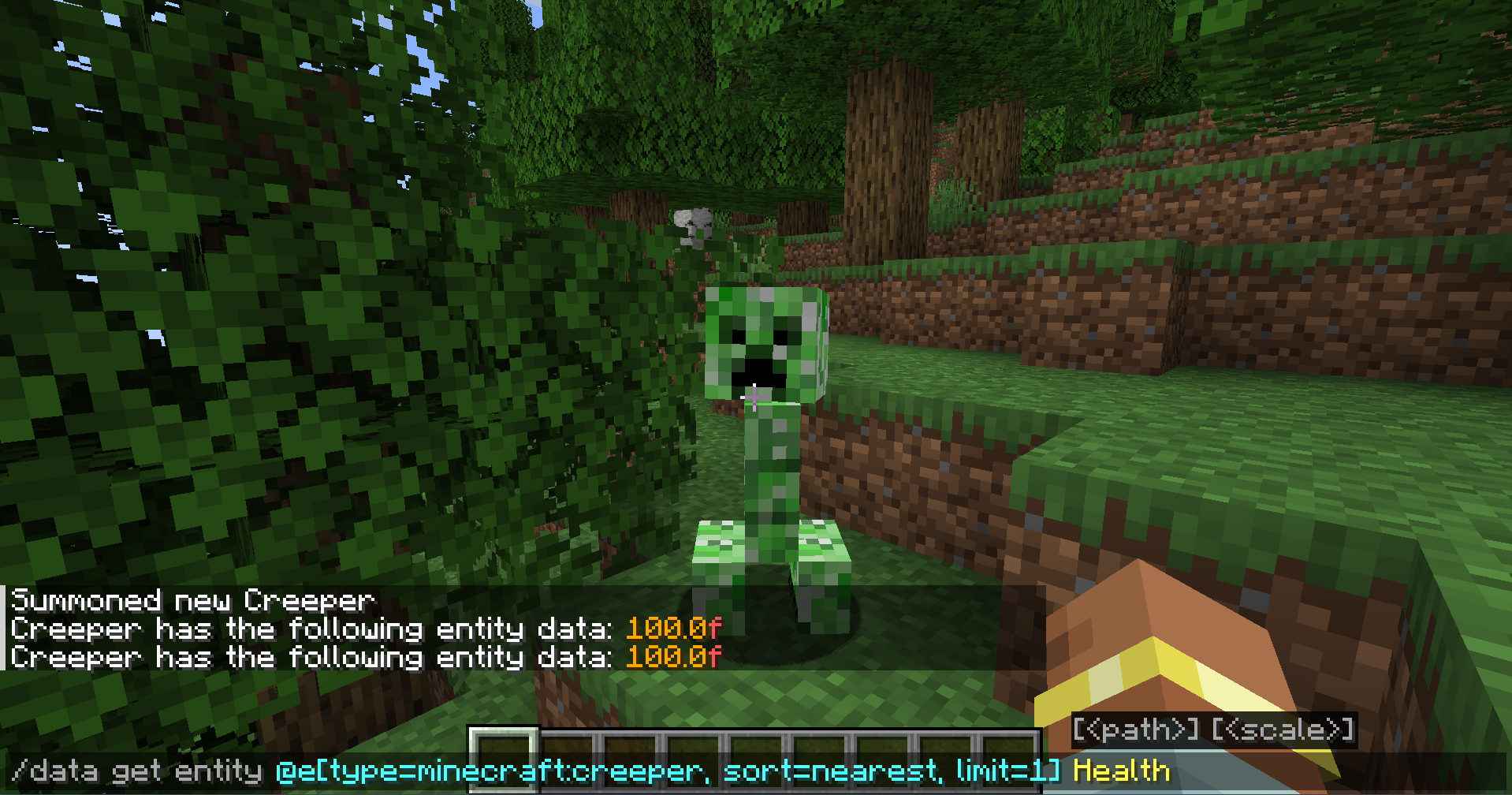
For more info on how to configure AttributeSetter, visit the github page or the discord
If you are building a modpack
you might be interested in some of my other mods for modpacks: AttributeSetter RPGDamageOverhaul FoodAttributes WorldPlanner
Or Claims n Raids for servers!
How to install Attribute Setter
With Millida Launcher
Install Millida Launcher
The launcher is free: download it at millida.net/launcher and sign in with any nickname.
Click “Install” on this page
The launcher opens and installs the mod for Minecraft 1.20.1–1.21.8 on Fabric, Forge or NeoForge automatically.
Launch the game
A profile with it appears in the launcher: click “Play”.
Manually
Install Fabric, Forge or NeoForge
The loader must match the game version of the mod file, for example Minecraft 1.21.8. After installing it, a separate profile appears in your launcher.
Download the file for your version
In the version list above, pick the file attributesetter-1.11-neoforge.jar (23 KB) for your game version and loader.
Put it in the mods folder
The folder is inside .minecraft (Windows: %appdata%\.minecraft\mods). If it does not exist, create it.
Launch the loader profile
Open “Mods” in the main menu: Attribute Setter should be in the list.
Minecraft 1.21.8 runs on Java 21: with a different Java version the game may close right after launch.
Versions
With dependencies
| Minecraft | Loader | File | Date | Actions |
|---|---|---|---|---|
| 1.21.1 | NeoForge | attributesetter-2.3-neoforge.jar217 KB | ||
| 1.20.1 | Fabric | AttributeSetter-2.1-fabric.jar55.4 KB | ||
| 1.20.1 | Forge | attributesetter-2.1.1-forge.jar58.4 KB 1 | ||
| 1.21.5 | NeoForge | attributesetter-1.11-neoforge.jar23.2 KB |
FAQ
Which Minecraft versions does Attribute Setter work on?
There are files for 1.20.1–1.21.8, 9 versions in total. The newest is 1.21.8.
Is Attribute Setter for Forge or Fabric?
There are files for Fabric: 1.20.1, for Forge: 1.20.1 and for NeoForge: 1.21.1–1.21.8.
Does Attribute Setter need other mods?
The author lists no required dependencies: the Fabric, Forge or NeoForge loader is enough.
Which Java does Attribute Setter need?
Minecraft 1.21.8 runs on Java 21. If the game closes right after launch, the usual cause is the wrong Java version in the profile settings.
How do I download Attribute Setter?
With Millida Launcher: it installs Attribute Setter into a modpack by itself, for the right game version and loader. The launcher is free.
Reviews
Be the first to rate Attribute Setter


