
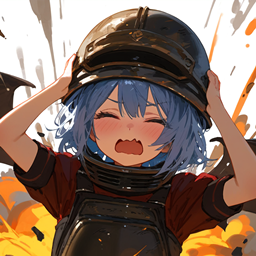
Armor Damage Limit Mod for Minecraft 1.21.1, 1.18.2
Ensure the durability loss in a single hit does not exceed a percentage of the armor's maximum durability
 NeoForge
 Fabric
 Forge
ForgeAbout the Armor Damage Limit mod
In Minecraft, the durability loss of armor is directly related to the amount of damage taken. When playing certain modpacks and mods, players may receive a MASSIVE amount of damage in a single hit, which can cause their armors to break very quickly.
For example, Gorgon from Ice and Fire can deal damage up to the integer limit (2.1 billion) when petrifying players, which causes their armors to break instantly! "My precious armor! Noooooo--"
This mod modifies the logic of armor durability loss through Mixin, ensuring that the durability lost in a single hit does not exceed a percentage of the armor's maximum durability.
This percentage and the armor blacklist are configurable in config/ArmorDamageLimit.toml
How to install Armor Damage Limit
With Millida Launcher
Install Millida Launcher
The launcher is free: download it at millida.net/launcher and sign in with any nickname.
Click “Install” on this page
The launcher opens and installs the mod for Minecraft 1.18.2–1.21.5 on Fabric, Forge or NeoForge automatically.
Launch the game
A profile with it appears in the launcher: click “Play”.
Manually
Install Fabric, Forge or NeoForge
The loader must match the game version of the mod file, for example Minecraft 1.21.5. After installing it, a separate profile appears in your launcher.
Download the file for your version
In the version list above, pick the file ArmorDamageLimit-neoforge-1.21.1-1.21.4-1.0.1.jar (8 KB) for your game version and loader.
Put it in the mods folder
The folder is inside .minecraft (Windows: %appdata%\.minecraft\mods). If it does not exist, create it.
Launch the loader profile
Open “Mods” in the main menu: Armor Damage Limit should be in the list.
Minecraft 1.21.5 runs on Java 21: with a different Java version the game may close right after launch.
Versions
With dependencies
| Minecraft | Loader | File | Date | Actions |
|---|---|---|---|---|
| 1.18.2 | Forge | ArmorDamageLimit-Forge-1.18.2-1.0.1.jar8.4 KB | ||
| 1.21.4 | Fabric | ArmorDamageLimit-Fabric-1.21.1-1.21.4-1.0.0.jar10.5 KB 1 | ||
| 1.21.5 | NeoForge | ArmorDamageLimit-neoforge-1.21.1-1.21.4-1.0.1.jar7.7 KB 1 |
FAQ
Which Minecraft versions does Armor Damage Limit work on?
There are files for 1.21.5, 1.21.4, 1.21.3, 1.21.2, 1.21.1, 1.18.2. The newest is 1.21.5.
Is Armor Damage Limit for Forge or Fabric?
There are files for Fabric: 1.21.1–1.21.4, for Forge: 1.18.2 and for NeoForge: 1.21.1–1.21.5.
Does Armor Damage Limit need other mods?
The author lists no required dependencies: the Fabric, Forge or NeoForge loader is enough.
Which Java does Armor Damage Limit need?
Minecraft 1.21.5 runs on Java 21. If the game closes right after launch, the usual cause is the wrong Java version in the profile settings.
How do I download Armor Damage Limit?
With Millida Launcher: it installs Armor Damage Limit into a modpack by itself, for the right game version and loader. The launcher is free.
Reviews
Be the first to rate Armor Damage Limit


