
JumpRush Map for Minecraft 26.10
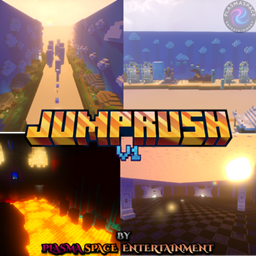
JumpRush is a parkour map for Minecraft Bedrock and Java designed to test your agility and reflexes. You'll traverse three themed stages—forest, desert, and Nether—with challenges of varying difficulty that increase as you progress.
About the JumpRush map
JumpRush is a parkour map for Minecraft Bedrock and Java designed to test your agility and reflexes. You'll traverse three themed stages-forest, desert, and Nether-with challenges of varying difficulty that increase as you progress.
Main features
- 9 strategic checkpoints to avoid going back to the beginning.
- Multiplayer for up to 6 players, ideal for competing or cooperating.
- Checkpoint reset system to practice specific sections without losing progress.
Credits
- Map created by: MrJosh04 & xSrJotAx
- Programming and code: MrJosh04
- Published by: PlasmaSpace Entertainment
- Distributed by: PlasmaSpace Studios Inc.
## Warning
The shader that appears in the video and images is not included; it is the studio’s private property and is used only in official presentations.
“JumpRush” by PlasmaSpace Entertainment is offered under the “Creative Use Non-Commercial (PS-UCNC)” license.
AD
Looking for good hosting to create your Minecraft or Hytale server?
If so, check out XeroHost. They offer high-quality hosting at affordable prices. Use our code to get 20% off your first purchase.

How to install JumpRush
With Millida Launcher
Install Millida Launcher
The launcher is free: download it at millida.net/launcher and sign in with any nickname.
Click “Install” on this page
The launcher opens and installs the map for Minecraft 26.10 automatically.
Launch the game
A profile with it appears in the launcher: click “Play”.
Manually
Download the map archive
Pick the file JumpRush v1.mcworld (28 MB).
Unpack it into the saves folder
The world folder (with level.dat inside) must sit directly in .minecraft/saves.
Open the world
“Singleplayer”: the map will be in your world list.
On a server
Replace the world folder
Stop the server and put the map folder in place of world (or set its name in level-name).
Use the “To server” button
On Millida Hosting, the button at the top of the page uploads the file to your server and restarts it for you.
Versions
With dependencies
| Minecraft | Loader | File | Date | Actions |
|---|---|---|---|---|
| 26.10 | — | JumpRush v1.mcworld28.1 MB |
FAQ
Which Minecraft versions does JumpRush work on?
Only Minecraft 26.10: there are no files for other versions.
Where can I download JumpRush safely?
On this page: the file JumpRush v1.mcworld (28 MB) is stored on Millida’s server, with no link shorteners. SHA-1 checksum: 6f9b2e3b3d7ccdfa04b3912a3c75cdabd27fc563.
Reviews
Be the first to rate JumpRush



